When a customer lands on a product page, social proof is essential. The photos look fine and the description is clear, but there is nothing from anyone who has actually bought it. Specifically, without star ratings or customer photos, buyers hesitate. of the item in real life.
However, WooCommerce ships with a very basic star-rating and comment system built in, but that is all you get. If you want automated review request emails, photo and video uploads, review-based loyalty rewards, or Google rich snippets, you need a dedicated review plugin.
In addition, the right plugin automates review collection, showcases authentic customer feedback, and drives higher conversions across your product catalog.
This guide compares the 7 best WooCommerce review plugins in 2026. Below, we break down features, pricing, pros, cons, and which tool is best suited for your store.
How I Evaluated These Plugins
Before the list, it helps to explain how these plugins were judged. A long feature list does not tell the whole story. A plugin can promise “unlimited reviews” and still gate the features that actually collect them behind a paid tier.
Each plugin was reviewed from the point of view of a WooCommerce store owner deciding where their review data should live, and how much ongoing cost that decision brings. How easy is it to get a customer’s first review in? Does the plugin actually help you get photo and video content, not just star ratings? Does it help your product pages rank, or just sit there? Is it a plugin you install once, or a service you keep paying for as your store grows?
Before you install any review plugin, back up your store first. Review plugins touch your product pages, your customer emails, and sometimes your checkout flow. A recent backup matters more here than with most other plugin types.
Here are the main criteria for this comparison. First,
- Review types collected — Does it support star ratings, written reviews, photo reviews, and video reviews? Or just basic text and stars?
- Data ownership and cost model — Is your review data stored on your own server with no monthly fee, or hosted externally with a review-volume cap?
- Automation — Does it send review request emails automatically? Does it use AI to detect sentiment, draft replies, or filter spam?
- SEO support — Does it add Google Rich Snippet schema and review sitemaps, so star ratings can show up in search results?
- Extras — Does it include a Q&A section, loyalty coupons, or a referral program, or is it review collection only?
The Best WooCommerce Review Plugins
| Plugin | Pricing | Best For |
|---|---|---|
| Hyoka | Freemium (Pro plans, no monthly review cap) | Reviews, photo/video UGC, AI tools, Q&A & loyalty from one native plugin |
| Judge.me | Freemium (Pro from ~$15/mo) | Long-established review collection with a large user base |
| Yotpo | Freemium (paid plans scale with order volume) | Stores that want reviews bundled into a full marketing suite |
| Stamped.io | Freemium (paid plans scale with order volume) | Reviews plus loyalty and Net Promoter Score (NPS) surveys |
| WP Customer Reviews | Free | A very simple, no-frills star-rating setup |
| YITH WooCommerce Advanced Reviews | Freemium (paid license, check pricing) | Stores already using other YITH plugins |
| Site Reviews | Free (paid add-ons available) | Reviews on both products and non-product pages |
1. Hyoka — Best All-in-One WooCommerce Review, UGC & Loyalty Plugin
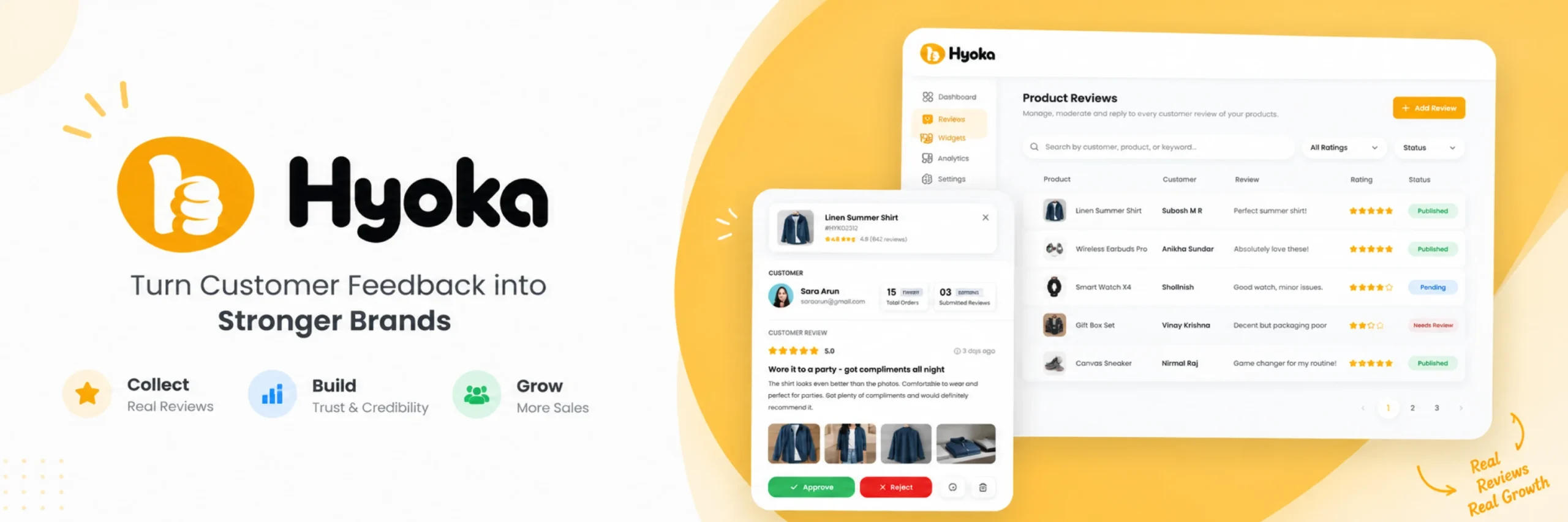
Hyoka works well for store owners who want customer reviews, photo and video UGC, AI-assisted moderation, product Q&A, and loyalty rewards, all from one native WordPress plugin. If you want a single dashboard instead of stitching together a review app, a separate Q&A plugin, and a loyalty tool, start here.
Fundamentally, Hyoka’s main idea is that every completed order is a chance to build social proof, and that this should not require handing your review data to an outside SaaS platform. It automatically emails customers a review request once an order is marked complete, waiting however many days you set, then lets them rate the product, write feedback, and upload a photo or video, all from one form. Furthermore, storefront widgets, review boxes, sliders, video grids, and trust badges, display everything in a way that matches your theme.
Core Review Capabilities & Built-In AI Tools
Specifically, where Hyoka stands out is what happens after a review comes in. Built-in AI tags each review’s sentiment as positive, neutral, or negative, drafts a reply you can send in one click, and filters out spam before it reaches your site. A dedicated Q&A tab lets shoppers ask questions on the product page before they abandon their cart over something unanswered. In addition, reviewing earns the customer an automatic coupon, with a bonus reward for reviews that include photo or video, and a shareable referral link to bring in new buyers. Furthermore, on the SEO side, Hyoka adds Google Rich Snippet schema for star ratings and generates a review sitemap, so review pages get found and indexed faster.
Hyoka Feature Breakdown & Pricing
Key features:
- Star rating, written, photo, and video reviews collected from one form
- Automated review request emails after an order is marked complete, plus manual invites
- Built-in AI: sentiment detection, one-click reply drafts, review summaries, and spam filtering
- Dedicated product Q&A tab with threaded replies and spam protection
- Automatic coupon rewards for reviewing, with bonus rewards for photo or video reviews
- Customer referral links to bring in new buyers
- Mailchimp integration for syncing customer leads
- Google Rich Snippets (JSON-LD) with Product and AggregateRating schema
- Review sitemap support, compatible with Yoast SEO, Rank Math, and All in One SEO
- Moreover, one-click import from CSV, Judge.me, or Yotpo, with photos and video kept intact
- Storefront widgets: review grids, trust badges, and testimonial sliders, plus 3 dedicated blocks
Hyoka Pros, Cons & Final Verdict
Pros:
- Covers review collection, UGC, AI moderation, Q&A, and loyalty from one plugin
- Native WordPress plugin, no monthly SaaS fee and no cap on how many reviews you can collect
- Review data stays on your own server, not an outside platform
- AI tools (sentiment, replies, spam filtering) are included, not a separate paid add-on
- Built-in Google rich snippet and sitemap support out of the box
- Importer covers the two most common platforms stores migrate away from (Judge.me and Yotpo)
- Coupons reward leaving a review, not just a positive one, which keeps reviews honest
Cons:
- Newer to the market than long-established players like Judge.me, so it has fewer years of public reviews behind it
- Fewer third-party tutorials and community discussions than more established plugins
- Some advanced AI and moderation tools are reserved for the Pro plan
Pricing: A free plan is available with no monthly fee and no limit on reviews. Pro plans unlock more advanced AI and moderation tools. Check the official Hyoka pricing page for current details.
Final verdict: Hyoka is a strong pick if you want reviews, photo and video UGC, Q&A, and loyalty rewards without paying an ongoing SaaS fee or losing control of your review data. Covering all of it natively, with AI assistance built in rather than bolted on, is its main advantage over piecing together several smaller tools.
2. Judge.me — Long-Established WooCommerce Review Plugin
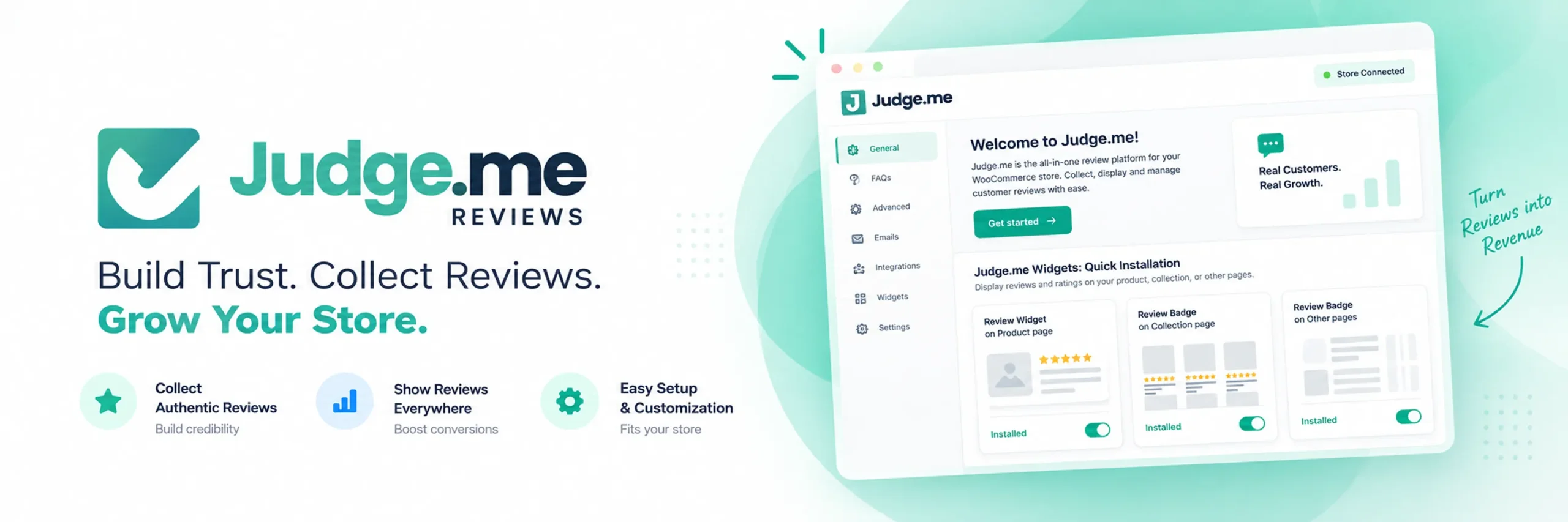
Judge.me works well for stores that want a review plugin with a long track record and a very large existing user base. Judge.me offers years of documentation and community familiarity. Therefore, it represents a well-tested option.
Furthermore, Furthermore, Judge.me collects star ratings, written reviews, and photo or video UGC, and sends automated review request emails after purchase. It also supports Google Rich Snippets so star ratings can appear in search results. In addition, its widgets are widely documented and supported. Consequently, troubleshooting setup issues is straightforward.
Judge.me originated on other e-commerce platforms. As a result, certain advanced automations feel less tailored to WordPress. It is a dependable, well-tested choice rather than the newest or most WooCommerce-native option here.
Key features:
- Star ratings, written reviews, and photo/video UGC
- Automated post-purchase review request emails
- Google Rich Snippets for star ratings in search results
- Review widgets and on-site display carousels
- Coupon rewards for customers who leave a review
Pros:
- One of the most established review plugins available, with a large support community
- Wide familiarity means more third-party guides and troubleshooting resources
- Solid free plan for basic review collection
Cons:
- Some advanced features are locked behind the paid tier
- Less WooCommerce-native in feel than plugins built specifically for WordPress from the start
- Support and integrations can feel geared toward other e-commerce platforms first
Pricing: A free plan is available. Paid plans start around $15 per month for additional features and higher limits.
Final verdict: A solid choice for established, widely-used reviews. However, data is stored externally. If keeping review data natively on your own server matters more to you, a WordPress-first plugin is a better fit.
3. Yotpo — Full Marketing Suite with Reviews Built In
Yotpo works well for stores that want reviews bundled into a broader marketing platform covering loyalty, SMS, and user-generated content campaigns. If reviews fit into a larger planned marketing stack, this platform provides comprehensive multi-channel coverage.
Furthermore, Yotpo collects ratings, text, and visual UGC. Furthermore, it connects content directly to loyalty and SMS marketing. Because Yotpo operates as a SaaS platform, pricing scales with order volume rather than a flat fee.

This is the main trade-off with Yotpo. Indeed, if you prefer all-in-one marketing bundles, Yotpo effectively replaces several separate tools. If you only want reviews, you may end up paying for marketing infrastructure you never touch.
Key features:
- Star ratings, written reviews, and visual UGC collection
- Automated review request emails and on-site display widgets
- Loyalty and SMS marketing modules (on higher-priced plans)
- Google Rich Snippets support
- Analytics dashboard covering reviews and campaign performance
Pros:
- Bundles reviews with loyalty and SMS marketing from one company
- Well-known platform with broad e-commerce integrations
- Strong analytics and reporting across marketing channels
Cons:
- Pricing scales with order volume, which can get expensive as a store grows
- SaaS-hosted, so review data lives outside your own server
- More platform than you need if reviews are the only thing on your list
Pricing: A limited free plan exists. Paid plans scale based on monthly order volume; check Yotpo’s official pricing page for a quote specific to your store.
Final verdict: Yotpo is worth it if loyalty and SMS marketing are genuinely part of your roadmap. If you only need reviews, you are likely paying for more platform than you will use.
4. Stamped.io — Reviews Plus Loyalty and NPS Surveys
Stamped.io works well for stores that want review collection paired with a loyalty program and customer satisfaction (NPS) surveys from the same tool. If you are already planning to run a loyalty program, this plugin covers both jobs at once.
Stamped.io collects star ratings, written reviews, and photo or video UGC, with automated post-purchase request emails and on-site widgets. In addition, its loyalty module manages points and rewards. In addition, NPS surveys measure overall customer satisfaction. Like Yotpo, it is SaaS-hosted, with WooCommerce as one of its supported integrations.

Key features:
- Star ratings, written reviews, and photo/video UGC
- Automated review request emails
- Built-in loyalty points and rewards program
- Net Promoter Score (NPS) survey tool
- Google Rich Snippets support
Pros:
- Combines reviews, loyalty, and satisfaction surveys in one tool
- NPS surveys are not commonly bundled with review plugins elsewhere on this list
- Reasonable free plan for smaller stores
Cons:
- Pricing scales with order volume as your store grows
- SaaS-hosted, so review data is stored outside your own server
- Loyalty and NPS features add setup time if you only want reviews
Pricing: A free plan is available for a limited number of orders per month. Paid plans scale with order volume; check Stamped.io’s official pricing for current rates.
Final verdict: Stamped.io is worth it if loyalty and customer satisfaction tracking are genuinely part of your plan. If you only want product reviews, a review-focused plugin will get you there with less setup.
5. WP Customer Reviews — Simple, No-Frills Star Ratings
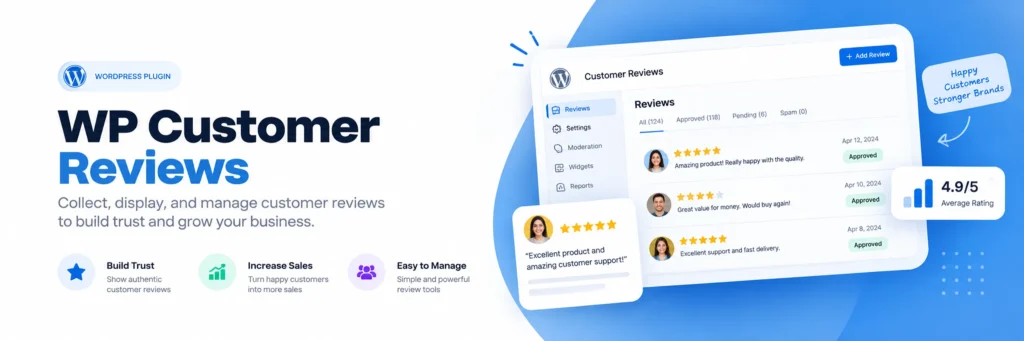
WP Customer Reviews works well for stores that want basic star ratings and written reviews without any of the automation, AI, or loyalty extras on this list. If your only goal is showing simple customer feedback on the product page, this is the most stripped-down option here.
It adds a straightforward review form to product pages. Furthermore, it outputs basic schema markup for search results. It does not include automated review request emails, photo or video uploads, AI tools, or a Q&A section. It is built to do one small job without asking you to configure very much.
Key features:
- Star ratings and written review form on the product page
- Basic review schema markup
- Simple moderation from the WordPress dashboard
- Lightweight, minimal settings screen
Pros:
- Extremely easy to set up, with almost nothing to configure
- Fully free, with no paid tier to think about
- Lightweight, so it adds very little overhead to page load
Cons:
- No automated review request emails
- No photo or video review support
- No AI tools, Q&A, or loyalty features of any kind
Pricing: Free, with no paid version.
Final verdict: Worth considering only for bare-bones star ratings. However, modern stores usually need automated reminders. For anything beyond simple star ratings, you will outgrow it quickly.
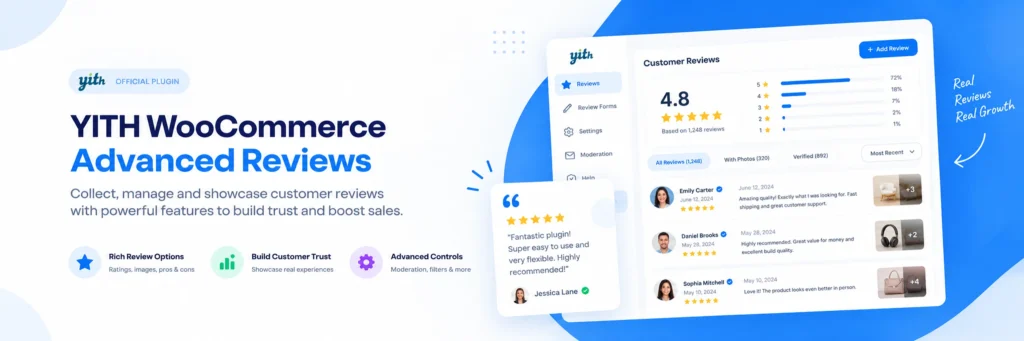
6. YITH WooCommerce Advanced Reviews — Best for the YITH Ecosystem
YITH WooCommerce Advanced Reviews works well for stores that already run other YITH plugins and want their review tool from the same company, with a consistent settings style. If you are already inside the YITH ecosystem, this is the most natural-feeling addition.
This plugin extends native WooCommerce reviews with photo uploads and verified buyer badges. In addition, it supports custom rating fields. Moreover, it integrates seamlessly with the YITH ecosystem. Thus, you share familiar settings interfaces and support channels.
Key features:
- Photo uploads on reviews
- Verified purchase badges
- Custom review fields (multi-criteria ratings)
- Review voting (helpful/not helpful)
- Consistent integration with other YITH plugins
Pros:
- Familiar settings style if you already use YITH plugins
- Multi-criteria review fields go beyond a single star rating
- Verified purchase badges add credibility to reviews
Cons:
- No automated review request emails out of the box
- No video review support
- Free version is limited; most useful features need the paid license
Pricing: A free version is available on WordPress.org with limited settings. A paid premium license unlocks more customization; check the official YITH website for current pricing.
Final verdict: If you are already running other YITH plugins, this is a convenient, consistent choice. Outside of that ecosystem, its feature set is narrower than the review-focused plugins higher on this list.
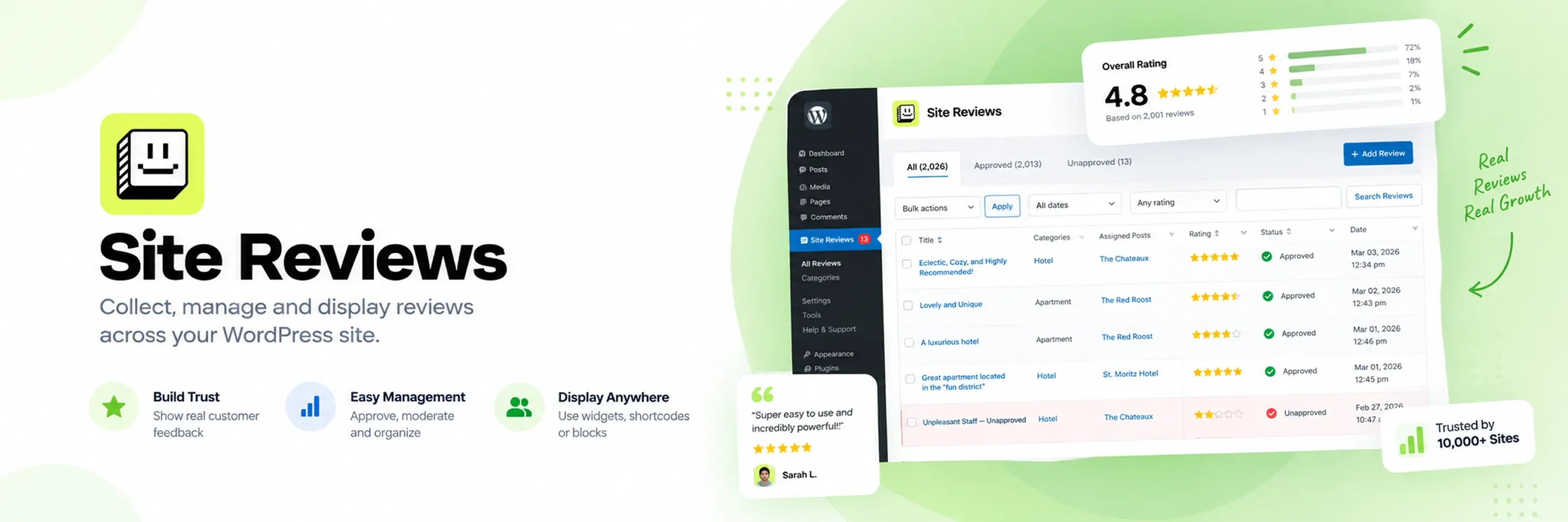
7. Site Reviews — Most Flexible Free Option for Non-Product Pages
Site Reviews works well for stores that want reviews on more than just product pages, for example, a service business review, a general store rating, or testimonials on a landing page. If your review needs go beyond individual products, this is the most flexible free plugin here.
Unlike most plugins on this list, Site Reviews is not built exclusively around WooCommerce products. Furthermore, it attaches reviews to any page, post, or custom post type. Moreover, it operates alongside standard product reviews. It supports photo uploads, review schema markup, and a range of display widgets and shortcodes.
Key features:
- Reviews attachable to any page, post, or custom content type, not just products
- Photo uploads on reviews
- Review schema markup for search results
- Widgets, shortcodes, and Gutenberg blocks for display
- Spam protection and moderation tools
Pros:
- The only plugin here built for reviews beyond just individual products
- Fully free core plugin with a genuinely useful feature set
- Flexible display options across different content types
Cons:
- No automated post-purchase review request emails
- No video review support
- Less WooCommerce-specific automation than dedicated product review plugins
Pricing: Free, with optional paid add-ons for extended functionality.
Final verdict: Site Reviews is worth it if you need reviews across your whole site, not just product pages. For a store that only needs product reviews, a WooCommerce-specific plugin will get you more relevant features faster.
Detailed Feature Comparison Table
| Plugin | Photo/Video Reviews | Automated Request Emails | AI Tools | Q&A | Loyalty/Referral | Rich Snippets | Data Hosted On |
|---|---|---|---|---|---|---|---|
| Hyoka | ✅ | ✅ | ✅ | ✅ | ✅ | ✅ | Your own server |
| Judge.me | ✅ | ✅ | ❌ | ❌ | ✅ (coupons) | ✅ | External (SaaS) |
| Yotpo | ✅ | ✅ | ❌ | ❌ | ✅ (paid tier) | ✅ | External (SaaS) |
| Stamped.io | ✅ | ✅ | ❌ | ❌ | ✅ | ✅ | External (SaaS) |
| WP Customer Reviews | ❌ | ❌ | ❌ | ❌ | ❌ | ✅ (basic) | Your own server |
| YITH Advanced Reviews | ✅ (photo only) | ❌ | ❌ | ❌ | ❌ | ❌ | Your own server |
| Site Reviews | ✅ (photo only) | ❌ | ❌ | ❌ | ❌ | ✅ | Your own server |
Best Plugins by Use Case
Here is a quick comparison summary. Below, you will find the best plugin match for each specific store requirement.
Best overall WooCommerce review plugin: Hyoka. Thus, it covers reviews, photo and video UGC, AI moderation, Q&A, and loyalty from one native plugin, with no monthly fee.
Best for long-term familiarity: Judge.me. Its large user base and years of documentation make it a well-tested, if externally hosted, choice.
Best for a bundled marketing suite: Yotpo. It combines reviews with loyalty and SMS marketing from one platform.
Best for loyalty plus satisfaction tracking: Stamped.io. It is the only plugin here pairing reviews with NPS surveys.
Best for the simplest possible setup: WP Customer Reviews. A no-frills, fully free star-rating form with almost nothing to configure.
Best for the YITH ecosystem: YITH WooCommerce Advanced Reviews. It fits naturally alongside other YITH plugins you may already run.
Best for reviews beyond product pages: Site Reviews. The only plugin here that handles reviews on any content type, not just products.
How to Choose the Right WooCommerce Review Plugin
Therefore, choosing the right plugin starts with understanding what kind of review presence your store actually needs. Here are the main things to think about.
Best WooCommerce Review Plugin for Full Coverage If you want reviews, photo and video UGC, AI-assisted moderation, Q&A, and loyalty rewards all from one plugin, Hyoka is built for exactly that. It saves you from managing separate tools, and separate monthly bills, for content collection, moderation, and customer retention.
Best WooCommerce Review Plugin for Beginners If you have never run a review program before, choose a plugin with a genuinely useful free plan over one with the biggest brand name. Hyoka and WP Customer Reviews both let you get review collection live without a lot of setup.
Best Free WooCommerce Review Plugin Specifically, WP Customer Reviews and Site Reviews are both fully free for their core features. In fact, Hyoka’s free plan includes media reviews, AI tools, and rich snippets. Furthermore, it carries no review limits.
Key Considerations for WooCommerce Store Owners
Other factors to consider:
- Do you want AI to help with moderation? In particular, Hyoka is the only plugin here with built-in sentiment detection, reply drafting, and spam filtering at no extra cost.
- Do you need reviews beyond product pages? Site Reviews is the most flexible option for testimonials on service or landing pages.
- Is loyalty or satisfaction tracking part of your plan? Stamped.io and Yotpo both bundle this in, at the cost of external hosting and volume-based pricing.
- Are you already using other YITH plugins? YITH WooCommerce Advanced Reviews will feel the most familiar to set up.
- Do you want to keep review data on your own server? Hyoka, WP Customer Reviews, YITH Advanced Reviews, and Site Reviews all store data natively. Judge.me, Yotpo, and Stamped.io are SaaS-hosted.
Integrations worth checking:
- SEO plugin compatibility (Yoast SEO, Rank Math, All in One SEO) for review sitemaps
- Email marketing platform, such as Mailchimp, if the plugin does not include lead capture on its own
- Import support if you are migrating from Judge.me, Yotpo, or a CSV export
- Theme compatibility for review widgets, grids, and sliders
How to Add Reviews to WooCommerce (and Collect Them Without Code)
Setting up your first campaign is simple. In fact, most plugins follow the same basic steps outlined below.
- Install and activate your chosen WooCommerce review plugin from the WordPress admin area.
- Set the delay for automated review request emails, if the plugin supports them, so customers are asked once they have had time to use the product.
- Turn on photo or video uploads if the plugin supports them, and consider a bonus reward for richer submissions.
- Place a real test order and go through the review request flow yourself to confirm it works end to end.
- Check whether your SEO plugin picks up the review schema and sitemap correctly, if rich snippets matter to you.
- Review your dashboard analytics after a few weeks to see how many customers are actually leaving reviews, and adjust your request timing or reward if needed.
None of the plugins in this guide need coding knowledge to set up. Plugins differ primarily in extended features. Specifically, automation, AI tools, Q&A, and rewards create the greatest contrast.
Why Hyoka Is a Strong Choice
Hyoka earns the top spot for a few clear reasons.
Covers the whole review lifecycle from one plugin. Most review plugins collect ratings and stop there, or bundle in loyalty and marketing tools you did not ask for. Hyoka covers review collection, photo and video UGC, AI moderation, product Q&A, and loyalty rewards, all from one dashboard.
Keeps your data on your own server. Unlike the SaaS-hosted options on this list, Hyoka is a native WordPress plugin. There is no monthly fee and no cap on how many reviews you can collect.
Uses AI to save real time. Additionally, sentiment tagging, reply drafts, and spam filtering are included natively without additional fees.
Rewards honesty, not just praise. Coupons reward review submissions rather than specific star ratings. Therefore, customer trust is preserved.
Built for search visibility from day one. Google Rich Snippet schema and review sitemap support, compatible with the major SEO plugins, are included rather than an afterthought.
Makes switching easy. One-click import from CSV, Judge.me, or Yotpo protects existing feedback. As a result, switching plugins is seamless.
Review vs. Rating vs. Testimonial vs. UGC: What’s the Difference
These words are often used interchangeably, which makes comparing plugins confusing. Here is the plain difference between them, with simple examples.
Rating — a numeric score, usually shown as stars, attached to a purchase. A customer gives a product 4 out of 5 stars.
Review — the written feedback that usually comes with a rating. The same customer explains that the product runs slightly small but the material feels durable.
Testimonial — a quote a business chooses to highlight, often curated rather than collected automatically from every buyer. A store picks its best five-star review to feature on its homepage.
User-generated content (UGC) — any photo, video, or written content a customer creates about the product, whether or not it is attached to a formal review. An unboxing photo uploaded along with a review is UGC.
Most of the plugins in this guide collect all four, but the depth varies a lot. Thus, the real difference between plugins lies in which media formats they collect and reward.
Compatibility, Data Ownership & SEO
Moreover, review plugins impact product pages, emails, and SEO. Therefore, evaluating features carefully is essential.
Data ownership. SaaS platforms store reviews externally and often cap free collections based on monthly order volumes. Native WordPress plugins like Hyoka keep review data on your own server, with no ongoing per-review cost.
Rich snippet and sitemap support. Not every plugin adds structured data for Google search results. Therefore, confirm your plugin outputs Product and AggregateRating schema. In addition, check that review pages are indexed in XML sitemaps.
Caching and theme compatibility. Review widgets that load dynamically can sometimes clash with strong caching plugins or unusual theme templates. Test a live review submission and display after installing, rather than assuming it will work everywhere without checking.
Email deliverability. Automated review request emails depend on your site’s email sending setup. If review request emails are not arriving, check your WordPress SMTP configuration before assuming the plugin itself is broken.
Practical Tips Before You Install a Review Plugin
Before installing a review plugin, consider these practical tips to avoid common setup mistakes.
Back up your store first. Review plugins touch your product pages and customer emails. A recent backup means you can undo any problem quickly if something conflicts with your theme or another plugin.
Set a sensible request delay. Sending review requests prematurely often leads to ignored emails. Instead, schedule requests after confirmed delivery. Wait until they have had a realistic chance to use the product.
Make photo and video uploads easy to find. If a customer has to hunt for the upload button, most will skip it. A bonus reward for photo or video reviews helps, but only if the option is obvious.
Keep review rewards honest. Reward customers for leaving a review, not for leaving a positive one. Rewarding only five-star reviews undermines the trust the whole system is meant to build.
Check your checkout and product page after activating. First, place a test order. Afterward, verify the request flow, star displays, and widgets across mobile and desktop.
Review your dashboard analytics regularly. Most plugins in this guide track review volume, sentiment, and conversion impact. Use this data to adjust request timing or rewards, instead of guessing.
Confirm SEO plugin compatibility. If rich snippets and review sitemaps matter to you, check that your review plugin is confirmed to work with your specific SEO plugin (Yoast SEO, Rank Math, or All in One SEO).
Frequently Asked Questions
Hyoka, Judge.me, and Yotpo represent the top choices depending on whether you prefer native tools or SaaS suites.
Specifically, Hyoka delivers comprehensive coverage for reviews, visual UGC, AI tools, and rewards within one native plugin.
In fact, Hyoka and WP Customer Reviews start quickly. Neither requires outside accounts or complex setup.
Only in a limited way. WooCommerce has a built-in star-rating and comment system on each product page. It does not support automated review request emails, photo or video uploads, Q&A, or rich snippets. For anything beyond very basic ratings, you need a plugin.
A native review plugin, like Hyoka, stores your data on your own WordPress server, usually with no monthly fee. Consequently, SaaS platforms store data externally. Consequently, they charge based on order volume once free tiers are exceeded.
It depends on the plugin and how many widgets you turn on at once. Well-built plugins, including Hyoka, only load review scripts on pages where a widget is actually shown. Check your site speed after installing a plugin, and again after enabling each new display widget.
Generally yes. Indeed, customer photos answer questions written reviews cannot. In particular, they demonstrate real-world product appearance. Plugins that make uploading easy, and reward it, tend to collect more of it.
For instance, choose Hyoka for visual reviews, AI moderation, and loyalty rewards in one native plugin without monthly fees. Choose Judge.me for long-term platform familiarity if external data hosting is acceptable. Both support importing and can migrate data between each other, so switching later is not a one-way decision.
Conclusion
In summary, the best plugin depends on feature scope and data ownership. Decide between native all-in-one plugins or hosted services.
If you want full coverage from a native plugin with no monthly fee, Hyoka is the strongest all-around choice. If long-term familiarity and a large user base matter most, Judge.me is a well-tested option. Meanwhile, if reviews fit into broader marketing suites, Yotpo or Stamped.io provide bundled multi-channel tools. If you want the simplest possible star-rating form, WP Customer Reviews does that one job for free. If you are already inside the YITH ecosystem, YITH WooCommerce Advanced Reviews is the natural fit. And if you need reviews beyond just product pages, Site Reviews is the most flexible free option here.
My overall advice:
- Want everything from one native plugin, no monthly fee? Choose Hyoka.
- Want the most established, widely documented name? Choose Judge.me.
- Need reviews bundled with loyalty and SMS marketing? Choose Yotpo.
- Want reviews plus loyalty and NPS surveys? Choose Stamped.io.
- Just want the simplest possible star ratings? Choose WP Customer Reviews.
- Already running other YITH plugins? Choose YITH WooCommerce Advanced Reviews.
- Need reviews beyond product pages? Choose Site Reviews.
Finally, whichever plugin you choose, automate request emails promptly. Furthermore, review your dashboard analytics regularly. Reviews work best when they feel like real customer voices, not a wall of five-star badges with nothing behind them.
Ready to collect reviews, photos, video, and loyalty referrals from one dashboard, without a monthly fee? Install Hyoka and set up your first review request directly from your WooCommerce admin area.