A shopper lands on your product page. The price looks fair. The photos look professional, maybe too professional. Then they scroll down looking for proof that a real person bought this and liked it. If all they find is a plain star rating with no picture, or nothing at all, they hesitate. If they find a real photo from a real customer, showing the product in actual use, that hesitation often turns into a sale.
Here’s the part most store owners get wrong. They assume customers who don’t leave a photo review simply didn’t care enough. In reality, most happy customers would gladly snap a photo and share it, if someone asked at the right time, made it easy, and gave them a small reason to bother. Getting more photo reviews isn’t about convincing unhappy customers to lie. It’s about removing every small piece of friction between “I liked this product” and “here’s proof,” and knowing how to incentivize reviews without making the whole system feel dishonest.
This guide walks through 15 specific, practical ways to get more photo reviews on your WooCommerce store. Each one explains not just what to do, but why it works and what usually goes wrong when store owners skip the details. Some of these take five minutes to set up. A few take longer and need ongoing attention. All of them are things you can start this week, even if you’re running your store solo with no marketing team behind you.
1. Add photo and video upload fields to your review form
Here’s a fact that surprises a lot of store owners: WooCommerce’s built-in review system has no photo upload field at all. Customers can leave a star rating and type a comment, and that’s it. There is no button, no drag-and-drop area, nothing. So even a customer who genuinely wants to share a picture of their new phone case or their skincare results has no way to do it through your default setup.
This is the single biggest reason most WooCommerce stores never collect photo reviews in the first place. It isn’t that customers are unwilling. The form simply never gives them the option. You can send perfectly timed emails and offer generous rewards, but if the upload field doesn’t exist, none of it matters.
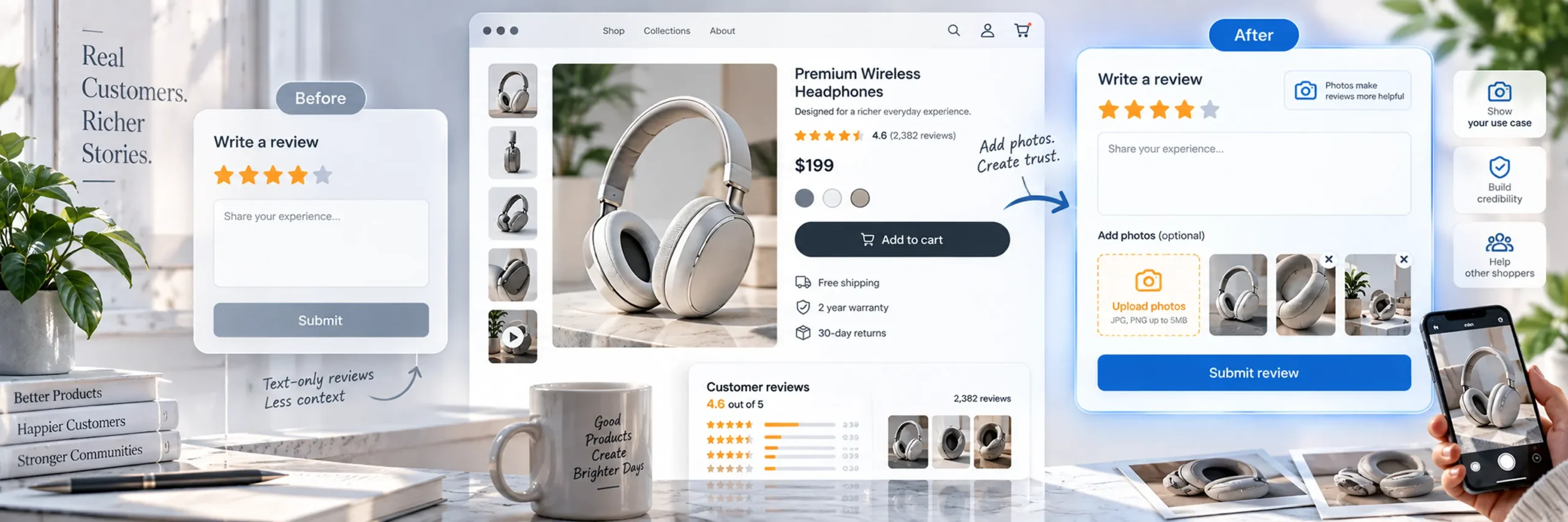
Fixing this requires a dedicated review plugin that adds photo and, ideally, video upload capability to your review form. Once that field exists on your product page or inside your review request email, some percentage of customers will use it immediately, without any other change on your part. That’s the baseline. Everything else in this guide is about pushing that percentage higher.
When you’re evaluating a plugin for this, check two specific things. First, does the upload actually work reliably on a phone (more on this in tip 6)? Second, is there a reasonable limit on file size and photo count, so customers aren’t confused about how many photos they’re allowed to add, or blocked by an upload that silently fails because a file was too large.
2. Send an automated review request after delivery, not right after checkout
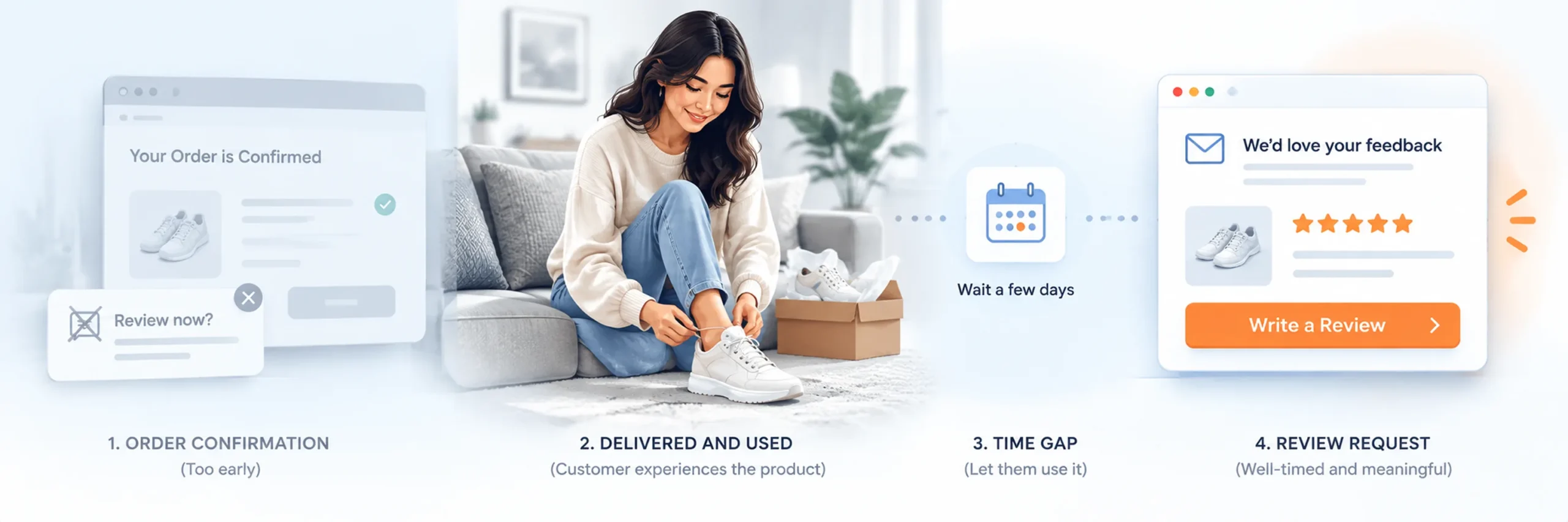
Timing is one of the most underrated factors in whether a customer bothers to review at all, let alone with a photo. A request sent the moment an order is placed asks someone to review a product they haven’t even received. It gets ignored, or worse, it gets a rushed, low-effort response just to make the email go away, which almost never includes a photo.
The fix is to trigger your review request based on delivery, not purchase. Most review plugins let you set this delay in days, counted either from the order date or from when the order status changes to “completed” or “delivered.” The right delay depends entirely on the product.
- A phone case or small accessory: 3 to 5 days is usually enough for the customer to receive it and start using it.
- Clothing or shoes: around 5 to 7 days, giving them time to actually wear the item, not just try it on once.
- Furniture, appliances, or anything installed: 10 to 14 days, so they’ve lived with it long enough to have a real opinion.
- Skincare, supplements, or anything with gradual results: 2 to 4 weeks, since asking too early only gets you “I just started using this, seems fine so far,” which is not a useful review for anyone.
A generic subject line like “Please leave a review” gets buried and ignored. A subject line that names the actual product, something like “How’s your [Product Name] working out?”, signals that this isn’t a mass, automated blast, even though it technically is one. Small detail, real difference in open rates.
3. Offer a bigger reward specifically for photo and video reviews
Rewarding reviews in general is a reasonable strategy, but treating every review the same, whether it’s two sentences of text or a detailed write-up with three photos, misses an opportunity. A photo review takes real effort: finding the item, taking a decent photo, uploading it, waiting for it to process. If a text review and a photo review earn the exact same reward, most customers will take the easier path.
The fix is a tiered reward. A text-only review might earn a 10% coupon. A review that includes a photo or video earns something noticeably better, say 15% off, or a slightly higher fixed discount. The gap doesn’t need to be huge, but it needs to be big enough that a customer notices it and thinks “that’s worth the extra two minutes.”
Here’s how this plays out with real numbers. On a $50 average order, a 10% reward is $5. A 15% reward is $7.50. That $2.50 difference costs your store very little. But it’s often enough to tip a customer from “I’ll just type something quick” to “let me grab a photo too.” Run the same math against your own average order value before picking your numbers, since what feels meaningful varies by store and price point.
One important guardrail: don’t make the photo reward so large that it starts to feel like you’re paying for content rather than encouraging honest feedback. The goal is a nudge, not a transaction that makes the review feel fake to future readers.
4. Reward honesty, not star ratings
This tip matters more than it might seem at first glance, because getting it wrong quietly damages your entire review system, sometimes without you noticing until it’s too late.
If your reward is only triggered by a five-star rating, whether that’s an explicit rule or just something customers pick up on after a few reviews, you create two problems at once. First, you start attracting exaggerated five-star reviews written mainly to unlock the coupon, not to genuinely help the next shopper. Second, and often overlooked, you lose photo reviews from customers who had a perfectly reasonable three- or four-star experience, since they have no incentive to bother once they realize their honest opinion won’t earn anything.
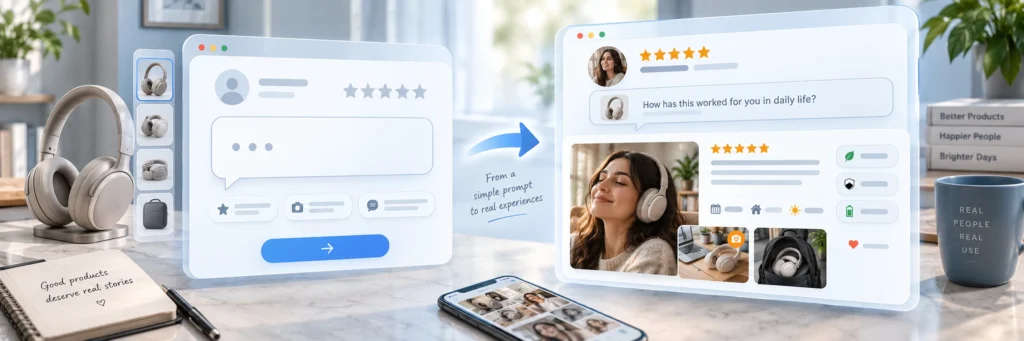
The better approach is to reward the act of reviewing, with a photo attached, regardless of the star rating given. A customer who leaves a fair, three-star review with a photo showing exactly what disappointed them is often more valuable to future shoppers than a suspiciously perfect five-star review with no detail at all. Shoppers are surprisingly good at sensing when a review section looks too polished to be trustworthy, and that skepticism can hurt conversion more than a few honest three-star reviews ever would.
Practically, this means checking your plugin’s settings to confirm the reward triggers on review submission, not on a minimum star threshold. If your current setup only rewards positive reviews, this is worth fixing even before you touch anything else on this list.
5. Follow up specifically for a photo if the first review didn’t include one
Not every customer attaches a photo the first time, even with a reward in place. Some forget. Some don’t realize photos are an option because they submitted the review too quickly. Some meant to add one later and never came back. This is a normal, recoverable gap, not a lost cause.
The fix is a second, more targeted email, sent only to customers who left a text-only review. This is different from a generic reminder. It’s a specific, low-effort ask, aimed at someone who has already shown they’re willing to engage, since they already left a review once.
Here’s a sample you can adapt directly: “Thanks for your review of [Product Name]! Got a quick photo of it in action? Add one to your review and we’ll send you an extra 5% off coupon. Just reply with a picture or upload it here: [link].” Notice what this does. It thanks them first, makes a small, specific request, offers a small additional reward, and gives a direct link so there’s no searching involved.
Timing matters here too. Send this follow-up somewhere between 3 and 7 days after the original review was submitted. That’s close enough that the product and the review are still fresh in their mind, but far enough that it doesn’t feel like you’re pestering them immediately after they just did what you asked.
6. Make the upload process work well on a phone
Nearly every photo review gets taken and uploaded from a phone. Almost nobody transfers a photo from their phone to a laptop just to leave a review. If your review form was designed and tested only on desktop, there’s a real chance it quietly breaks or frustrates people on mobile. You’ll never know, because a frustrated customer doesn’t file a bug report. They just close the tab.
A few common mobile problems worth checking for specifically. An upload button that’s too small to tap accurately. A form that loses the customer’s already-typed text if the photo upload fails or times out. A page that doesn’t resize properly and forces awkward horizontal scrolling. Or an upload that silently fails on a slower mobile connection with no error message telling the customer what went wrong.
The only real way to catch these problems is to test it yourself, on your own phone, under normal conditions. Open your actual review form. Try uploading a photo from your camera roll. Then try taking a photo live and uploading it directly, since that’s a common real-world flow and behaves differently on some forms than a pre-existing photo does. If anything feels slow, confusing, or breaks halfway through, that friction is costing you photo reviews right now, even if nobody has complained about it.
7. Show customers what a good photo review looks like
A lot of hesitation around photo reviews isn’t about effort, it’s about uncertainty. Customers genuinely don’t know what you’re expecting. Does it need to look professional? Should it be a clean product shot or a candid, in-use photo? Is a slightly blurry picture taken quickly good enough, or will it look bad next to other reviews? Without any guidance, plenty of customers default to skipping the photo entirely rather than risk getting it “wrong.”
You can remove almost all of this uncertainty with a single short line of text near the upload field. Something as simple as “Show us how you’re using it, no professional photo needed” tells a nervous customer exactly what’s acceptable. And it’s usually true: ordinary, slightly imperfect phone photos are exactly what builds trust with other shoppers, since they look real.
Even better than a line of text is showing an actual example. If you already have one good customer photo, even an average one, display it near the form as a sample. This does two things at once: it sets expectations, and it subtly signals that other customers are already doing this, which brings us to the next tip.
8. Ask a specific question instead of a generic one
“Please leave a review” is about as vague as a request can get. Vague requests reliably produce vague, low-effort answers: “Great product, works well.” No photo, no detail, nothing useful for the next shopper trying to decide.
A specific, product-relevant question changes this. It gives the customer something concrete to think about, describe, and photograph, instead of leaving them to invent a reason to write anything at all. The question should relate directly to how the product is actually used.

A few examples across different product types:
- Coffee mug: “What’s your morning routine with this mug?”
- Backpack: “Where has this backpack traveled with you?”
- Skincare product: “Show us your skin after two weeks of use.”
- Pet toy: “Show us your pet enjoying it.”
- Furniture: “Show us where you placed it in your home.”
Each of these does two things at once. It hints at exactly what to photograph, removing the “what should I even take a picture of” hesitation, and it turns the review into a small, specific story instead of a generic star rating. Stories get photos attached far more often than ratings do.
9. Display existing photo reviews prominently on the product page
Photo reviews create a feedback loop, once you have a few. They convince future shoppers to buy, and they also make future shoppers more likely to leave their own photo review, because people tend to match the behavior they see around them. If every existing review is plain text, a new customer assumes text is normal and photos are optional. If several existing reviews include real photos, a new customer is more likely to assume that’s simply what’s expected.
This means where and how you display existing reviews actually affects how many new photo reviews you get, not just how well the existing ones convert. A photo review gallery buried at the very bottom of a long product page, past shipping details, specifications, and other sections, gets far less visibility. One placed higher up, closer to where a shopper is actually deciding whether to buy, does much more work.
If your plugin supports it, consider a small, visible strip of customer photos near the top of the review section, even before the full list of written reviews. This sets the tone immediately: “photos are the norm here,” before the customer even reaches the form where they’ll eventually write their own.
10. Reduce the number of required fields on the review form
Every additional required field is a small tax on your completion rate. A review form is not the place to collect everything you might theoretically want to know. Each required field, a mandatory title, a minimum character count, five separate star ratings for different attributes, plus a required photo, adds one more reason for a customer to abandon the form partway through.
Think about it from the customer’s side. They’re willing to spend a minute or two doing something nice for your store. If the form asks for six different things before it will let them submit, several of them optional in spirit but required in practice, a meaningful share of people will simply give up. This is especially true on a phone, where filling out long forms is already more annoying than on a desktop.
Keep required fields to the genuine minimum: a star rating, and either a written comment or a photo, not necessarily both. Make everything else, title, detailed category ratings, a minimum word count, optional. Counterintuitively, a shorter, easier form tends to produce more total content over time, not less. A customer who submits an easy review today is far more likely to come back and leave a more detailed one on a future purchase, once the process has already proven quick and painless.
11. Use a direct link that takes customers straight to the review form
A review request email that says “please review your recent purchase” without an actual link forces the customer to do several small tasks before they can even start. They have to find your website, locate the right product, find the review tab or section, and scroll down to the form. Each of these is a small decision point where they might get distracted, close the tab, and never come back.
The fix is a direct link inside the request email. It should take the customer straight to the review form for the specific product they bought, ideally with the photo upload field already visible on the page they land on. This is sometimes called an anchor link, and most review plugins support generating one automatically.
The impact of this is bigger than it sounds. Every click you remove between “customer opens the email” and “customer is looking at the form” measurably increases how many people who start the process actually finish it. This is one of the easiest fixes on this entire list, since it usually just requires turning on a setting your plugin already has, rather than building anything new.
12. Let customers know their photo might get featured
A coupon is a transactional reward. Being featured is a different kind of reward entirely, one built on recognition rather than money, and it motivates a genuinely different group of customers. Some people who wouldn’t bother uploading a photo for a small discount will happily do it if they know their photo might end up on your product page, in a marketing email, or on your store’s social media. It puts their name or their photo in front of other people, which is its own kind of appeal.
To use this, simply mention the possibility somewhere in your review request: something like “Great photos might get featured on our site or social media.” Then actually follow through on it. If you feature a customer’s photo, even a quick shout-out or a tag on social media, and they see it, they become far more likely to leave another photo review on their next purchase. They often mention it to friends too, which brings in more reviews indirectly.
This costs you nothing beyond occasionally curating and sharing your best customer photos, something most stores should be doing anyway for their own marketing.
13. Add review schema so photo reviews help your SEO too
Photo reviews do more work than most store owners realize. Beyond convincing a shopper who’s already on your product page, they can also help that page get found in the first place, if your review plugin adds the right structured data behind the scenes.
Specifically, look for a plugin that adds Product and AggregateRating schema, sometimes called JSON-LD structured data, to your product pages. When this is set up correctly, your star ratings can appear directly in Google’s search results as a rich snippet. That’s the little star rating you sometimes see under a search result before you even click it. That visual element gives your listing a real edge over a competitor’s plain, unstyled search result.
This isn’t a reason to go collect photo reviews on its own, that’s still about building trust with shoppers, but it’s a meaningful bonus layered on top. To confirm it’s actually working, don’t just assume your plugin handles it. Check with Google’s Rich Results Test tool after setting it up, paste in your product page URL, and confirm the tool detects valid review schema. A nice-looking star display on your own page doesn’t automatically mean Google can read it as structured data.
14. Recover customers who never respond to the first request
Most customers who are ever going to leave a review will not do it after a single email. This is normal, not a sign that your request was poorly written. People are busy, emails get buried, and a review, even an easy one, is rarely at the top of anyone’s priority list.
A second, gentler reminder, sent only to customers who never responded to the first request, recovers a real, measurable share of reviews that would otherwise be lost entirely. The key word is gentler. This should not read like a repeat of the original, more formal request. It should feel like a small, casual nudge.
A sample second-attempt email: “Hi [Name], no rush at all, but if you have a minute, we’d still love to hear what you think about your [Product Name]. Bonus: reviews with a photo get an extra discount on your next order.” Notice the tone: low-pressure, personal, and it re-mentions the photo incentive in case they missed it or forgot about it the first time around.
Space this second attempt out reasonably, somewhere around 7 to 10 days after the first request went unanswered, and limit yourself to one follow-up. A third or fourth reminder tends to annoy people rather than convert them, and can start to feel like spam even to a customer who genuinely liked their purchase.
15. Moderate quickly so customers see their photo actually goes live
This last tip is easy to overlook, but it directly affects whether a customer bothers again next time. A customer who takes the time to upload a photo, then checks back later and sees nothing happened, no visible review, no photo on the page, has no real reason to believe their effort mattered. Some will assume it got lost or rejected. Very few will try again.
If your moderation queue sits untouched for days or weeks, you’re quietly training your best, most engaged customers to stop bothering. This matters more than it seems, because the customers most likely to leave a detailed photo review are often your most loyal ones, exactly the people you least want to discourage.
Make a habit of checking your review queue on a regular schedule, daily if your order volume supports it, at minimum a few times a week. Approve genuine, on-topic photo reviews promptly. Beyond keeping customers motivated to participate again, fast moderation also means the next shopper browsing your product page sees recent, current proof rather than reviews from months ago. This matters even more for products where trends, seasons, or use cases shift over time.
Putting it together
These 15 tips are not independent levers you can pull one at a time and expect equal results. They work as a system, and weak points in one area quietly undercut effort you’ve put into another. A store that adds a photo upload field but never times its request emails well will still get a disappointing response rate. A store that offers a generous photo reward but has a review form that breaks on mobile will lose people at the exact last step, right when they were ready to submit.

If you’re starting from nothing, prioritize in this order: first, make sure photo upload actually works and works well on mobile (tips 1 and 6). Second, get your timing and your basic reward structure right (tips 2, 3, and 4). Third, layer in the follow-up emails and the smaller trust-building details, the example photos, the specific questions, the direct links (tips 5, 7, 8, 9, 11, 14). Fourth, handle the ongoing maintenance work that keeps the whole system healthy over time, quick moderation and periodic review of what’s actually working (tip 15).
Photo reviews carry real weight with shoppers precisely because they’re difficult to fake convincingly. That same difficulty is exactly why collecting them takes real, deliberate effort rather than a single setting you flip once and forget about. Do the work consistently, and the payoff compounds. More photo reviews lead to more trust. More trust leads to more conversions. And a product page full of real customer photos becomes one of the strongest, quietest sales tools your store has.
Frequently Asked Questions
No, the native WooCommerce review system only supports basic star ratings and text comments. To allow customers to upload photos or videos, you must install a dedicated WooCommerce review plugin.
Always trigger your request based on the delivery date, not the purchase date. For small items, wait 3 to 5 days after delivery; for clothing, 5 to 7 days; and for skincare or supplements, wait 2 to 4 weeks so the customer sees actual results.
No, taking a photo requires more effort than typing a quick sentence. Offering a tiered reward—such as 10% off for a text review and 15% off for a photo review—provides a concrete incentive for the customer to upload visual proof.
Rewarding only positive reviews quietly encourages fake feedback and breaks shopper trust. You should reward the act of leaving an honest review with a photo, regardless of whether it is three, four, or five stars.
Stop asking generic questions like “Please review your purchase.” Instead, prompt them with specific, use-case questions like “Where did you place this in your home?” or “How does this compare to your old one?”
The most common culprit is a poor mobile experience. Since almost all photos are uploaded from smartphones, a form with tiny buttons, mandatory lengthy text fields, or slow upload times will frustrate users into closing the tab.
Send a targeted, gentle follow-up email 3 to 7 days later. Thank them for their text review and offer an additional small discount if they reply with or upload a photo of the product in action.
Yes, if your review plugin uses structured data. Properly configured plugins add Product and AggregateRating schema (JSON-LD) to your pages, which allows search engines to display your star ratings as rich snippets in Google search results.