
A shopper lands on your product page. They read the description and view the professional photos. Then, they scroll down looking for customer proof. Specifically, they want authentic photos from real buyers.
However, WooCommerce’s built-in review system does not support this well. Specifically, by default, customers can only leave a star rating and plain text, leaving your pages without genuine visual social proof.
That is where dedicated WooCommerce photo review plugins come in. The right plugin collects visual reviews automatically. In addition, it displays clean galleries and rewards customers for photos.
This guide compares the 7 best WooCommerce photo review plugins in 2026. Below, we break down features, pricing, pros, cons, and the best options for your specific store needs.
How I Evaluated These Plugins
Before the list, it helps to explain how these plugins were judged. A plugin can say it supports “photo reviews” and still make the upload process clunky, or fail to actually notify you when a new photo comes in. A long feature list does not tell you whether customers will actually bother to upload a picture.
Each plugin here was reviewed from the point of view of a WooCommerce store owner. How easy is it for a customer to attach a photo when leaving a review? Does the plugin follow up automatically, or do you have to remember to ask? Does it give customers a reason to upload a photo, not just permission to do so? Does it help your product pages rank better in Google, or is it just a front-end display?
Before you install any review plugin, back up your store first. Review plugins interact with your order data and customer emails, so a recent backup matters here too.
Here are the main things this comparison looked at:
- Photo and video support — can customers attach a real photo or video to their review, not just text?
- Review collection — does the plugin send automated review request emails after an order is complete, or is collection entirely manual?
- Incentives — does the plugin reward customers for reviewing, and does it reward photo or video reviews specifically?
- SEO support — does the plugin add review schema and rich snippets so star ratings can appear in Google search results?
- Pricing and free plan — can you collect real photo reviews for free, or is that feature locked behind a paid plan?
The Best WooCommerce Photo Review Plugins
| Plugin | Pricing | Best For |
|---|---|---|
| Hyoka | Freemium (native plugin, no monthly fee) | Photo and video reviews plus AI tools, Q&A, and loyalty rewards from one plugin |
| Photo Reviews for WooCommerce (VillaTheme) | Freemium (Pro from $69/yr) | A budget-friendly, genuinely usable free plan |
| Yuko | Freemium (hosted SaaS, free plan available) | A done-for-you, hosted review service |
| ReviewX | Freemium (Pro pricing varies, check official site) | Multi-criteria photo and video reviews |
| WiserReview | Freemium (check official pricing) | Larger stores needing email, SMS, and WhatsApp requests |
| Customer Reviews for WooCommerce (CusRev) | Freemium (Pro from $49.99/yr) | The most widely installed, dependable option |
| YITH WooCommerce Advanced Reviews | Freemium (Pro from $79/yr) | A clean, modern review layout |
1. Hyoka — Best All-in-One WooCommerce Photo Review Plugin
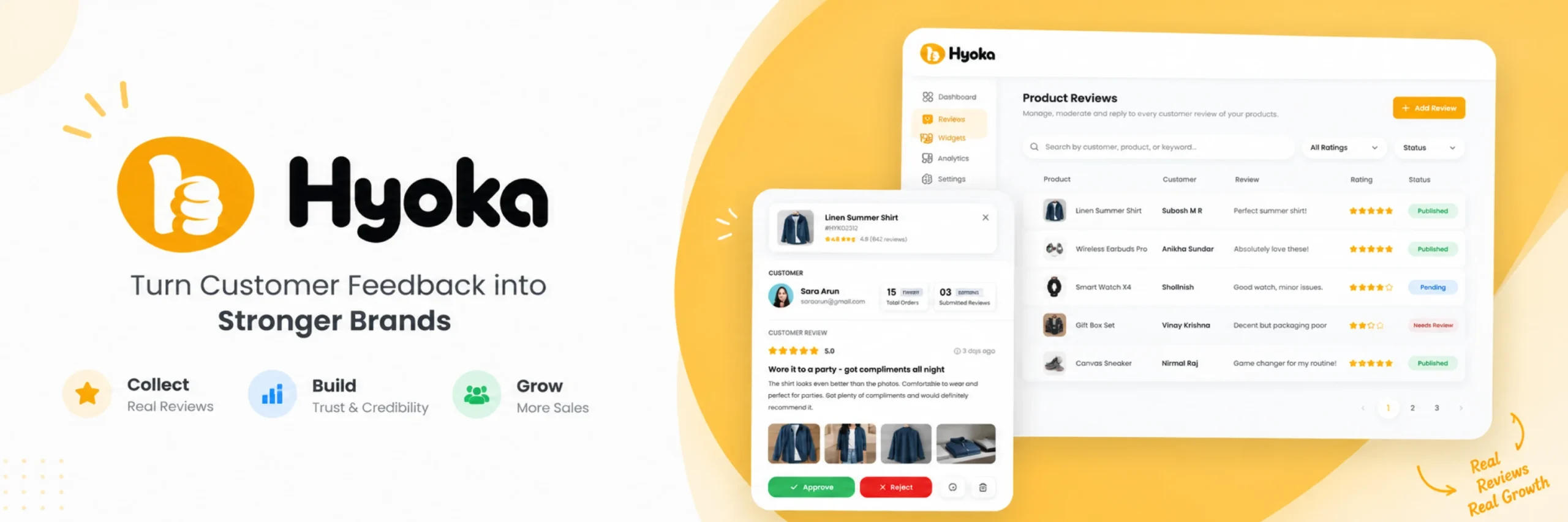
Hyoka works well for store owners who want photo and video reviews and automated request emails. It also includes loyalty rewards, all from one native WordPress plugin. If you want a single dashboard instead of stitching together a review plugin, an email tool, and a loyalty plugin separately, start here.
Hyoka automatically sends a review request email once an order is marked complete. Customers can rate the product, write feedback, and upload a photo or video from one simple form. If a review comes in without a photo, Hyoka can follow up with a second email asking specifically for one, a detail most photo review plugins skip. Photo and video reviews also earn a bonus coupon reward, which gives customers a real incentive to upload something visual instead of a plain text comment. On the SEO side, Hyoka adds Google Rich Snippets using Product and AggregateRating schema, plus a review sitemap for Yoast SEO, Rank Math, and All in One SEO.
Key features:
- Photo and video review uploads, from a simple, mobile-friendly form
- Automated review request emails, with a follow-up specifically asking for a photo if one wasn’t included
- Bonus coupon rewards for reviews that include a photo or video
- Built-in AI sentiment tagging, reply drafts, and spam filtering
- Google Rich Snippets and review sitemap support for Yoast SEO, Rank Math, and All in One SEO
- Product Q&A section and one-click import from Judge.me, Yotpo, or CSV
Pros:
- Genuinely rewards photo and video reviews, which increases how many customers bother to upload a picture
- A native WordPress plugin, so there’s no monthly fee and no cap on how many reviews you collect
- Strong SEO support with real schema markup and a dedicated review sitemap
Cons:
- Newer to the market, so it does not yet have years of reviews like some older, more established plugins
- Some advanced AI and moderation tools are part of the Pro plan
- Fewer third-party tutorials and community guides than long-established competitors
Pricing: Free to install with no monthly fee, since Hyoka is a native plugin rather than a hosted service. Some advanced features are part of a Pro plan; check the official Hyoka website for current pricing.
Final verdict: Hyoka is the strongest pick if you want photo and video reviews collected automatically and rewarded specifically. It turns that collection into real SEO value, without a recurring SaaS fee.
2. Photo Reviews for WooCommerce (VillaTheme) — Best Budget-Friendly Free Option
Photo Reviews for WooCommerce works well for store owners who want a straightforward, budget-friendly way to collect photo reviews without a big learning curve. If you want to start free and only pay once you actually need more, this is a reasonable starting point.
This plugin lets customers attach pictures to their review and displays them in a masonry, Instagram-style grid on the product page. It sends review reminder emails after a purchase and can reward customers with a thank-you email and a coupon. It also supports importing reviews from AliExpress and Amazon, which is useful for stores that are just starting out and want to build initial social proof quickly.

Key features:
- Photo attachments on reviews, shown in a masonry grid layout
- Review reminder emails sent automatically after purchase
- Thank-you emails with coupon rewards for submitting a review
- Import reviews from AliExpress and Amazon
- Export and import reviews between WooCommerce stores via CSV
- GDPR-friendly consent checkbox on the review form
Pros:
- A genuinely usable free version, not just a locked demo
- Simple to set up, without a lot of configuration
- Useful import options for stores building up initial reviews
Cons:
- Fewer AI or automation features than newer, more full-featured plugins
- No dedicated Q&A section on product pages
- Review schema and SEO features are more limited than dedicated review-and-SEO plugins
Pricing: Free version available on WordPress.org. The paid version starts at $69 per year.
Final verdict: A solid choice for budget-conscious stores. Specifically, it delivers a working photo review display without complex setup.
3. Yuko — Best Hosted, Done-for-You Review Service
Yuko works well for store owners who would rather not manage review requests, moderation, and widget design themselves. If you want a hosted service that handles most of the work automatically, this is worth a look.
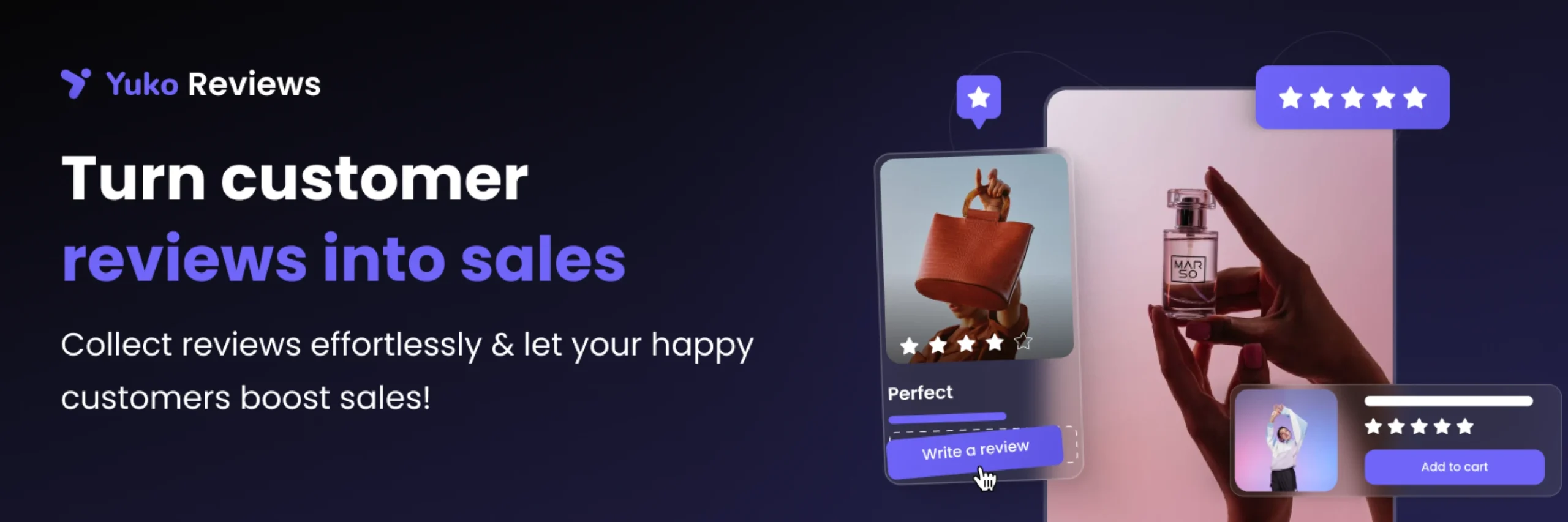
Yuko is a SaaS-based reviews plugin that connects your WooCommerce store to its own hosted platform. It automatically queues review request emails as orders are fulfilled. It offers a discount incentive specifically for photo submissions. It can also import existing reviews from Judge.me, Yotpo, Stamped, Okendo, or Loox in one click. It includes ten widget styles and a Q&A feature. Additionally, you can export top photo reviews directly for social media.
Key features:
- Automated review requests triggered by order fulfillment
- Discount incentive built specifically around photo submissions
- One-click import from Judge.me, Yotpo, Stamped, Okendo, or Loox
- Ten review widget layouts, including grid, carousel, and wall of love
- Export top reviews as Facebook and Instagram-ready content
- Google Shopping feed sync with review data
Pros:
- Handles most setup and ongoing work through a hosted platform
- Useful for stores migrating away from Judge.me, since it directly imports Judge.me exports
- A genuinely free starting plan with no credit card required
Cons:
- A hosted SaaS product, not a self-contained WordPress plugin, so your review data lives on an external platform
- Higher review volumes and advanced workflows need a paid plan
- Less control over data ownership compared with a fully native plugin
Pricing: A free plan is available with no credit card required. Paid plans unlock higher review volumes, advanced workflows, and multi-site syndication; check the official Yuko website for current pricing.
Final verdict: Worth considering for stores wanting managed services. However, native plugins offer greater control without ongoing service fees.
4. ReviewX — Best for Multi-Criteria Photo and Video Reviews
ReviewX works well for stores that want customers to rate more than one thing about a product, not just an overall star score. For example, shoppers can rate quality, fit, and delivery speed separately. This plugin is built specifically for that depth.
ReviewX enables attribute ratings alongside overall scores. Furthermore, it fully supports photo and video uploads. It includes review filtering and sorting, verified buyer badges, and moderation tools from a centralized dashboard. It also works with page builders like Elementor and Divi.

Key features:
- Multi-criteria ratings (for example: quality, value, delivery) alongside an overall star rating
- Photo and video uploads on reviews
- Review filtering, sorting, and verified buyer badges
- Centralized moderation dashboard
- Import reviews from AliExpress and Amazon (Pro)
- Compatible with Elementor and Divi
Pros:
- Multi-criteria ratings give shoppers more detail than a single star score
- Photo and video support alongside detailed ratings
- Reasonable free version to test the core review flow
Cons:
- More advanced import and customization options need the paid version
- Published Pro pricing varies noticeably between sources, so confirm current pricing directly on the official site
- No built-in AI moderation or sentiment tools
Pricing: A free version is available. Pro pricing has been reported at different figures by different sources; check ReviewX’s official pricing page for the current rate.
Final verdict: A strong choice for attribute-based reviews. In particular, it combines multi-criteria scoring with media uploads.
5. WiserReview — Best for Larger Stores Needing Multi-Channel Review Requests
WiserReview works well for growing stores that need review collection to scale beyond a manual, occasional ask. This plugin suits growing stores with higher order volumes. Therefore, you can automate review requests across multiple messaging channels.
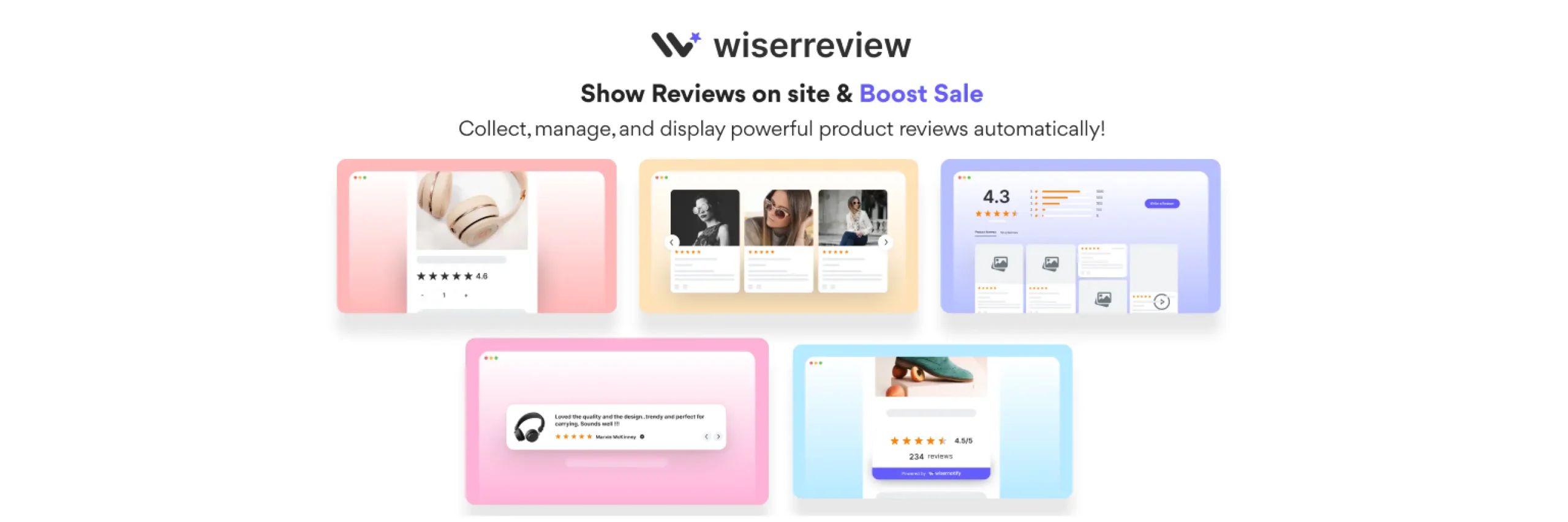
WiserReview automates review requests over email, SMS, and WhatsApp, rather than relying on email alone. It includes photo and video review support, AI-assisted review management, full moderation controls, and rich snippets for Google. Many stores migrate here from Judge.me. Because Judge.me ended WooCommerce support, WiserReview offers a reliable alternative.
Key features:
- Automated review requests over email, SMS, and WhatsApp
- Photo and video review collection
- AI-assisted review management and moderation
- Rich snippets for Google search visibility
- Import support for stores switching from other review platforms
Pros:
- Multi-channel requests (not just email) tend to recover more reviews from customers who forget to respond
- Well suited to stores with high order volume that need review collection to run without manual follow-up
- Popular, well-documented migration path for former Judge.me users
Cons:
- More setup complexity than a simple, single-purpose photo review plugin
- SMS and WhatsApp requests may involve additional messaging costs depending on volume
- Overkill for a smaller store that only needs a simple photo upload field
Pricing: Check the official WiserReview website for current plans, since pricing depends on review volume and channel usage.
Final verdict: Ideal for stores outgrowing email-only requests. However, smaller stores may find the interface overly complex.
6. Customer Reviews for WooCommerce (CusRev) — Most Widely Installed Option
Customer Reviews for WooCommerce offers a dependable, widely-tested solution. In addition, it provides a large support community. If an established track record matters most, this plugin represents a safe and proven option.
CusRev extends WooCommerce’s default review system rather than replacing it, which keeps the setup simple but also means it inherits some of WooCommerce’s default styling limitations. It automates review request emails after orders complete. Furthermore, it supports media uploads and verified buyer badges. It also supports WhatsApp integration for more personal manual requests and lets you offer discounts in exchange for reviews.

Key features:
- Automated, personalized review request emails
- Photo and video review uploads
- Verified review authenticity integration
- Q&A section on product pages
- WhatsApp integration for manual review requests
- Discount incentives for leaving a review
Pros:
- Installed on over 80,000 stores, with a long track record and strong documentation
- Familiar review format for shoppers used to standard WooCommerce reviews
- Includes both a Q&A feature and photo/video support in one plugin
Cons:
- Relies heavily on WooCommerce’s default styling, so deeper visual customization needs custom CSS
- Layout and UX flexibility are more limited than newer, purpose-built review plugins
- AI-assisted moderation and reply tools are less developed than in newer competitors
Pricing: A free version is available on WordPress.org. Paid plans start from $49.99 per year.
Final verdict: A dependable choice with widespread adoption. However, it lacks modern AI summaries and advanced design widgets.
7. YITH WooCommerce Advanced Reviews — Best for a Clean, Modern Review Layout
YITH WooCommerce Advanced Reviews works well for stores that want a more polished, modern-looking review section than the default WooCommerce layout, without a steep learning curve. If visual presentation matters as much as the review content itself, this plugin is worth a look.
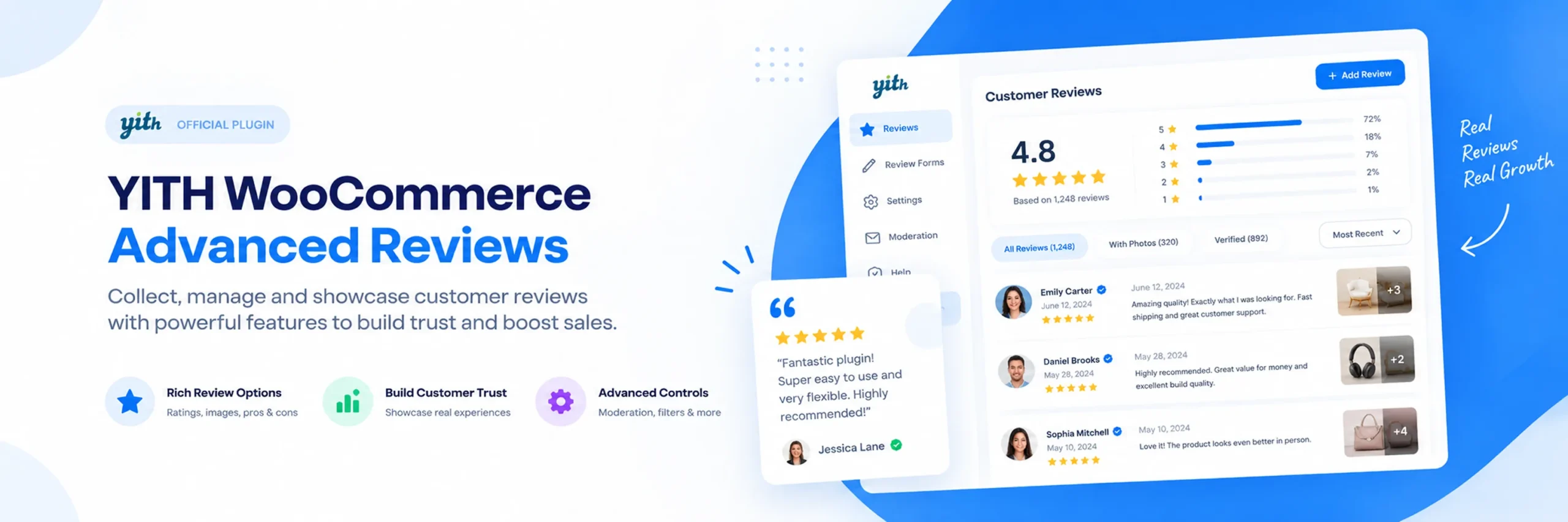
YITH focuses heavily on visual presentation. As a result, photo reviews appear substantially cleaner than default WooCommerce review boxes. It fits naturally alongside other YITH plugins if you already use the YITH ecosystem for your store.
Key features:
- Photo uploads on customer reviews
- Modern, redesigned review layout and formatting
- Familiar settings screen if you already use other YITH plugins
- Review moderation from the WordPress dashboard
Pros:
- Clean, modern visual presentation out of the box
- Straightforward to set up, especially if you already use YITH plugins
- Reasonable free tier to test basic review display
Cons:
- Fewer automation and incentive features than dedicated review-collection plugins
- No built-in AI tools or multi-channel request options
- Fuller feature set requires the paid license
Pricing: A free version is available. The paid premium license is priced at $79 per year.
Final verdict: A solid choice for clean review layouts. However, it lacks multi-channel requests and AI features.
Detailed Feature Comparison Table
| Plugin | Photo/Video Reviews | Automated Request Emails | Photo/Video Reward Bonus | Review Schema (SEO) | Free Version | Starting Price |
|---|---|---|---|---|---|---|
| Hyoka | ✅ | ✅ | ✅ | ✅ | ✅ | Free, native plugin |
| Photo Reviews for WooCommerce | ✅ | ✅ | ❌ | Limited | ✅ | $69/yr |
| Yuko | ✅ | ✅ | ✅ | ✅ | ✅ | Check official site |
| ReviewX | ✅ | ✅ (Pro) | ❌ | ✅ | ✅ | Check official site |
| WiserReview | ✅ | ✅ (multi-channel) | Check official site | ✅ | Check official site | Check official site |
| Customer Reviews for WooCommerce | ✅ | ✅ | ❌ | Limited | ✅ | $49.99/yr |
| YITH Advanced Reviews | ✅ | ❌ | ❌ | Limited | ✅ | $79/yr |
Best Plugins by Use Case
Here is a quick comparison summary. Below, you will find the best plugin match for each specific store requirement.
Best overall WooCommerce photo review plugin: Hyoka. It covers photo and video review collection, AI tools, Q&A, loyalty rewards, and review SEO from one native plugin.
Best budget-friendly free option: Photo Reviews for WooCommerce by VillaTheme. A genuinely usable free plan for basic photo review collection.
Best hosted, done-for-you service: Yuko. A managed platform that handles most of the setup and ongoing work for you.
Best for multi-criteria reviews: ReviewX. Lets customers rate specific product attributes alongside photo and video uploads.
Best for larger stores and multi-channel requests: WiserReview. Automated review requests over email, SMS, and WhatsApp.
Best for a long track record: Customer Reviews for WooCommerce. The most widely installed option in this comparison.
Best for a modern, clean layout: YITH WooCommerce Advanced Reviews. A more polished visual presentation than the default WooCommerce layout.
How to Choose the Right WooCommerce Photo Review Plugin
Choosing the right plugin depends on automation preferences. First, decide how much setup time you want to invest. Here are the main things to think about.
Best WooCommerce Photo Review Plugin for Full Coverage If you want photo and video review collection, automated emails, AI tools, Q&A, and loyalty rewards from one plugin, Hyoka is built for exactly that. It saves you from running a separate review plugin, email tool, and loyalty plugin side by side.
Best WooCommerce Photo Review Plugin for Beginners If you have never collected photo reviews before, choose a plugin with a genuinely useful free plan, not one with the most complex settings. Hyoka and Photo Reviews for WooCommerce both launch quickly. In fact, both require minimal initial configuration.
Best Free WooCommerce Photo Review Plugin Hyoka and Photo Reviews for WooCommerce both offer real, usable free plans for collecting photo reviews. Hyoka’s free plan includes automated emails and AI tools. Most free review plugins omit these features entirely.
Other factors to consider:
- Do you want customers rewarded specifically for photo or video reviews? Hyoka and Yuko both build in bonus incentives for visual reviews, which tends to increase how many customers bother to upload one.
- Do you want detailed, attribute-based ratings, not just an overall star score? ReviewX is the most focused option for multi-criteria reviews.
- Is your store growing past manual, occasional review requests? WiserReview’s multi-channel automation is built for that kind of volume.
- Do you want your review data to stay on your own server, with no monthly fee? Hyoka, Photo Reviews for WooCommerce, ReviewX, CusRev, and YITH are all native plugins. Yuko is a hosted SaaS platform instead.
- Do you also want product Q&A and review schema for SEO from the same plugin? Hyoka is the only plugin here that combines all three cleanly.
Integrations worth checking:
- Whether the plugin adds real Google rich snippets and review schema, not just a visual star display
- Whether review request emails are sent automatically, or require manual follow-up
- Whether you can import existing reviews from Judge.me, Yotpo, or a CSV file without losing photos
- Whether the plugin works with your existing page builder or theme
Thinking about growth: do you expect order volume to increase significantly? Automated tools like Hyoka or WiserReview save significant time compared to manual review requests.
How to Collect Photo Reviews on WooCommerce (Without Code)
Setting up your first campaign is straightforward. Indeed, most plugins follow the same basic steps outlined below.
- Install and activate your chosen WooCommerce photo review plugin from the WordPress admin area.
- Turn on photo and video uploads in the plugin’s review form settings.
- Set up an automated review request email, timed to send a few days after an order is marked complete.
- Decide whether to offer a coupon reward for reviews, and whether photo or video reviews should earn a bonus reward.
- Place a real test order to confirm the review request email sends correctly and the photo upload works on both desktop and mobile.
- Check the plugin’s review schema settings to confirm star ratings can appear in Google search results.
None of the plugins in this guide need coding knowledge to set up. A simple photo upload field can take just a few minutes with plugins like Hyoka or Photo Reviews for WooCommerce. Configuring multi-channel requests or attribute scoring takes slightly longer due to additional customization settings.
Why Hyoka Is a Strong Choice
Hyoka earns the top spot for a few clear reasons.
Rewards photo and video reviews specifically, not just any review. Most review plugins let customers attach a photo but give them no extra reason to bother. Hyoka’s bonus coupon provides clear customer motivation. Consequently, this significantly boosts how many reviews include real photos.
Follows up specifically for a photo if one wasn’t included. If a customer leaves a text-only review, Hyoka can send a second, dedicated email asking for a photo or video. This detail alone can meaningfully raise photo submission rates over time.
Combines review collection with real SEO value. Hyoka adds Google Rich Snippets via Product schema. In addition, it creates an All Reviews page and sitemap support for Yoast SEO. Many photo review plugins only handle the front-end display, not the structured data search engines actually read.
Includes AI tools at no extra cost. Sentiment tagging, one-click reply drafts, and spam filtering are built into the core plugin, not sold as a separate add-on.
Is a native plugin, not a hosted SaaS service. There are no monthly fees or review collection caps. Because data stays on your server, you retain total ownership.
Covers Q&A and loyalty in the same dashboard. In addition, a product Q&A section and referral program are included. Thus, you avoid running separate plugins for customer questions.
Photo Reviews vs. Video Reviews vs. Text Reviews
These three review types are not interchangeable, and knowing the difference helps you decide what to actually ask customers for.
Text review — a star rating with written feedback. Quick to leave, but it tells a shopper what someone thought, not what they actually experienced.
Photo review — a star rating and written feedback, with a real photo attached. This shows a shopper what the product actually looks like in real use, not just in a professional product shot.
Video review — a star rating and feedback, with a short video clip attached. This goes a step further than a photo, often showing the product in motion or in a real unboxing.
For visual categories like fashion and home decor, customer photos build far greater trust than text comments. Shoppers can judge the product with their own eyes, instead of relying only on someone else’s description.
Review Schema, Rich Snippets & WooCommerce SEO
Photo review plugins improve SEO in two distinct ways. Therefore, understanding both helps you evaluate plugins accurately.
Fresh, unique content. Every new review, especially one with a photo or video, adds fresh content to your product page. Search engines generally reward pages that keep gaining genuine, unique content over time.
Structured data. Fresh content alone does not make your star ratings appear in Google search results. Plugins must output Product and AggregateRating schema in JSON-LD format. This allows search engines to display rich snippet stars.
Not every plugin in this guide handles the second part equally well. Confirm whether your chosen plugin adds real schema markup. Furthermore, plugins should integrate with review sitemaps across Yoast SEO, Rank Math, or All in One SEO. Do not assume a nice-looking review display automatically means better search visibility.
Practical Tips Before You Install a Photo Review Plugin
Before adding any WooCommerce photo review plugin to your store, here are a few things worth keeping in mind.
Back up your store first. Review plugins interact with your order data, customer emails, and sometimes your SEO plugin’s sitemap settings. A recent backup means you can undo any problem quickly.
Time your review request correctly. Sending the request too soon, before the product even arrives, tends to get a lower response. Set the delay based on your typical shipping time, not a fixed default.
Give customers a real reason to add a photo. Offering bonus discounts for visual content motivates shoppers. As a result, media submission rates increase significantly.
Keep the review form simple. A long, complicated review form with too many required fields discourages customers from finishing it. Ask for what you actually need, not everything you could possibly ask.
Test the review flow yourself. First, place a test order to verify the workflow. Then, verify the request email, submit a photo review, and confirm frontend display.
Check your schema markup after installing. Use Google’s Rich Results Test or a similar tool to confirm your review schema is actually valid, not just present.
Review your incoming reviews regularly. Photo and video reviews need moderation too. Check that uploaded images are appropriate and genuinely show the product before they go live on your store.
Frequently Asked Questions
Hyoka, Photo Reviews for WooCommerce, and ReviewX are among the strongest options available. The ideal choice depends on your needs. Specifically, choose between full AI automation, budget options, or multi-criteria ratings.
Hyoka provides complete coverage for visual reviews, emails, AI tools, and rewards within one native plugin. This means you do not need several separate tools.
No. The built-in WooCommerce review system only supports a star rating and a text comment. For photo or video uploads, automated review request emails, or review rewards, you need a dedicated plugin.
Hyoka and Photo Reviews for WooCommerce both start easily. Neither requires complex setup before sending review requests.
Yes. Both plugins offer functional free versions supporting genuine photo collection rather than limited demos.
Generally, yes. Indeed, shoppers viewing customer photos trust product pages more. This proves especially true for visual retail categories. This is especially true for visual product categories like fashion, beauty, and home goods.
It depends on the plugin. Hyoka, Yuko, ReviewX, and WiserReview all support review schema to some degree. Therefore, confirm your plugin outputs genuine schema markup. Visual star widgets alone will not generate Google rich snippets.
It depends on the plugin and how many widgets you turn on. Well-built plugins only load review scripts on pages where a widget is actually shown. Check your site speed after installing a plugin, and again after adding each new review widget.
Choose Hyoka for visual reviews, automated emails, AI tools, and rewards in one native plugin without subscriptions. Choose Photo Reviews for WooCommerce for straightforward, budget-friendly photo reviews without AI tools or Q&A features.
Conclusion
The best plugin depends on your preferred automation level and available configuration time.
In summary, seven plugins provide seven distinct strengths. Hyoka covers photo and video collection, AI tools, Q&A, and loyalty rewards from one native plugin. Photo Reviews for WooCommerce is the simplest, most budget-friendly starting point. Yuko is the best hosted, done-for-you option. ReviewX goes deepest on multi-criteria ratings. WiserReview is built for larger stores needing multi-channel requests. Customer Reviews for WooCommerce is the most widely installed, dependable choice. YITH WooCommerce Advanced Reviews offers the cleanest, most modern layout.
In conclusion, here is my overall advice:
- Want everything from one plugin? Choose Hyoka.
- Want the simplest, most budget-friendly free option? Choose Photo Reviews for WooCommerce.
- Want a hosted, done-for-you service? Choose Yuko.
- Need detailed, multi-criteria ratings? Choose ReviewX.
- Running a larger store that needs multi-channel requests? Choose WiserReview.
- Want the most widely used, dependable option? Choose Customer Reviews for WooCommerce.
- Want a clean, modern review layout? Choose YITH WooCommerce Advanced Reviews.
Whichever plugin you choose, give customers a real reason to add a photo, and time your review request correctly. Confirm your schema markup is actually valid before assuming it’s working. Photo reviews succeed when they convey genuine customer proof. Moreover, incentives help ensure customers take time to participate.
Ready to collect photo reviews, automate rewards, and implement review schema in one native plugin? Install Hyoka and set up your first automated review request directly from your WooCommerce admin area.