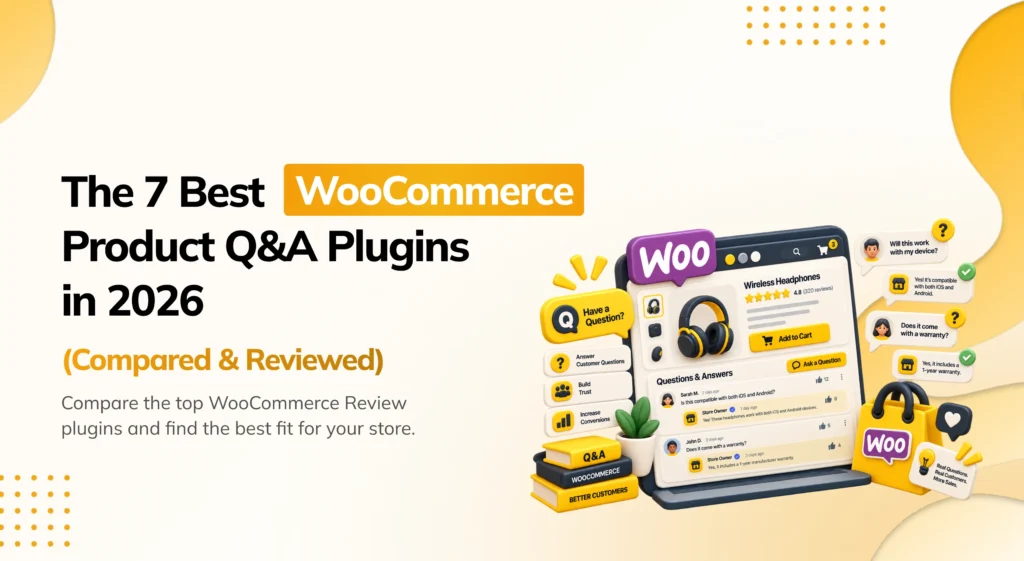
A shopper looking at a product page often has a quick question before buying. If there is no easy way to ask, they rarely email support; instead, they simply leave. Installing the best WooCommerce product Q&A plugins solves this problem by letting shoppers get clear answers directly on the product page.
Finding the best WooCommerce product Q&A plugins closes this exact gap. A product Q&A section lets shoppers ask questions directly. Store owners and past buyers can respond right on the product page.
WooCommerce does not include this by default. The native review system only supports a star rating and a comment after a purchase. There is no way for a shopper to ask a pre-purchase question directly on the product page. If you want a real question and answer section on your store, you need a dedicated plugin.
Multiple WooCommerce Q&A plugins exist today. However, they are built for very different store setups. Some are simple, single-purpose tools that just add a Q&A tab. Others are part of a larger review or marketplace system. A few are built specifically for multivendor marketplaces, where a vendor, not just the store owner, needs to answer. This guide compares seven leading plugins. You can easily choose the right tool for your specific store needs.
How I Evaluated These Plugins
Before the list, it helps to explain how the best WooCommerce product Q&A plugins were judged. Some plugins claim to support Q&A, yet lack basic alerts. You end up checking the admin dashboard manually. A long feature list does not tell you whether a real shopper’s question will actually get answered in time.
Each plugin here was reviewed from the point of view of a WooCommerce store owner. How easy is it for a shopper to ask a question without creating an account or leaving the product page? Does the store owner, or the right vendor, get notified automatically? Can questions be moderated before they go live? Does the plugin fit a single-vendor store, a multivendor marketplace, or both?
Before you install any Q&A plugin, back up your store first. These plugins add new data types to your site and can interact with your theme’s product page layout.
Here are the main things this comparison looked at:
- Ease of asking — can a shopper ask a question directly on the product page, without extra steps?
- Notifications — does the store owner or vendor get an email when a new question comes in, and does the shopper get notified when it’s answered?
- Moderation — can questions and answers be reviewed and approved before appearing publicly?
- Marketplace fit — does the plugin work for a single-vendor store, a multivendor marketplace, or both?
- Pricing and free plan — is a working Q&A tab available for free, or is it locked behind a paid plan?
The Best WooCommerce Product Q&A Plugins
| Plugin | Pricing | Best For |
|---|---|---|
| Hyoka | Freemium (native plugin, no monthly fee) | Q&A plus photo/video reviews, AI tools, and SEO from one plugin |
| YITH WooCommerce Questions and Answers | Freemium (Pro from $69.99/yr) | The most established, feature-rich standalone Q&A plugin |
| Product Questions & Answers for WooCommerce | Free | A simple, no-frills, budget-friendly Q&A tab |
| ProductQA | Freemium (check official pricing) | Multivendor marketplaces built on Dokan, WCFM, or WC Vendors |
| Dokan Product Q&A Module | Included with Dokan (paid modules available) | Stores already running the Dokan marketplace plugin |
| WCFM Marketplace | Free (paid add-ons available) | Stores already running the WCFM marketplace plugin |
| bbPress | Free | A full community discussion board instead of a simple Q&A tab |
1. Hyoka — Best All-in-One WooCommerce Product Q&A Plugin
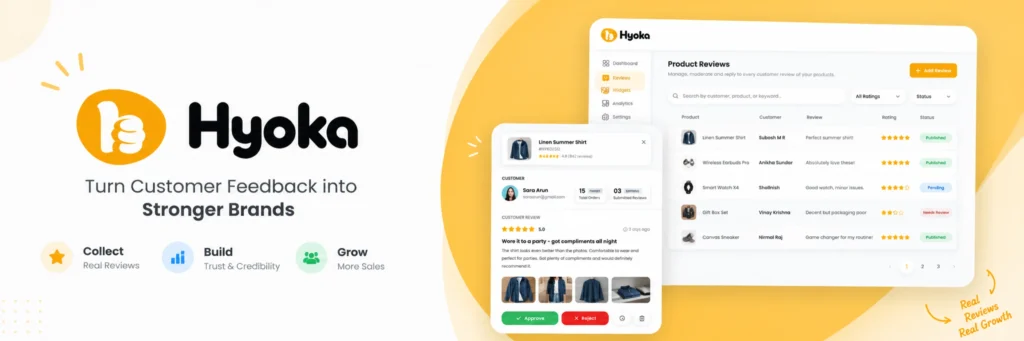
Hyoka works well for store owners who want a product Q&A section built into the same plugin that handles reviews, photos, and SEO. Manage shopper questions and reviews in a unified dashboard. You avoid installing separate plugins for each feature.
Hyoka adds a dedicated Q&A tab to product pages. Shoppers receive automatic notifications once their question is answered. Threaded replies let other buyers respond too, so a question does not always have to wait on the store owner. Spam protection and keyword filtering keep the discussion on-topic, and a full activity log tracks every question alongside your reviews. Q&A integrates directly with Hyoka’s visual review system. Shoppers see pre-sale questions alongside authentic customer photos. The store does not need two separate tools for this.
Key features:
- Dedicated Q&A tab on every product page
- Automatic email notifications when a question is answered
- Threaded replies, so buyers can respond to each other
- Spam protection and keyword filtering
- Full activity log of every question, answer, and review
- Bundled with Hyoka’s photo/video reviews, AI tools, and review schema
Pros:
- Q&A, reviews, and photos all live in the same dashboard, with no separate plugin needed
- A native WordPress plugin, so there’s no monthly fee and no cap on usage
- Combines Q&A with genuine SEO value through Hyoka’s review schema support
Cons:
- Newer to the market, so it does not yet have years of reviews like some older, more established plugins
- Built primarily for single-vendor stores, not multivendor marketplaces
- Fewer third-party tutorials and community guides than long-established competitors
Pricing: Free to install with no monthly fee, since Hyoka is a native plugin rather than a hosted service. Some advanced features are part of a Pro plan; check the official Hyoka website for current pricing.
Final verdict: Hyoka is the top pick for product Q&A running alongside visual reviews, AI tools, and rich schema markup. All of this comes from one plugin, instead of installing a separate tool just for questions.
2. YITH WooCommerce Questions and Answers — Most Established Standalone Option
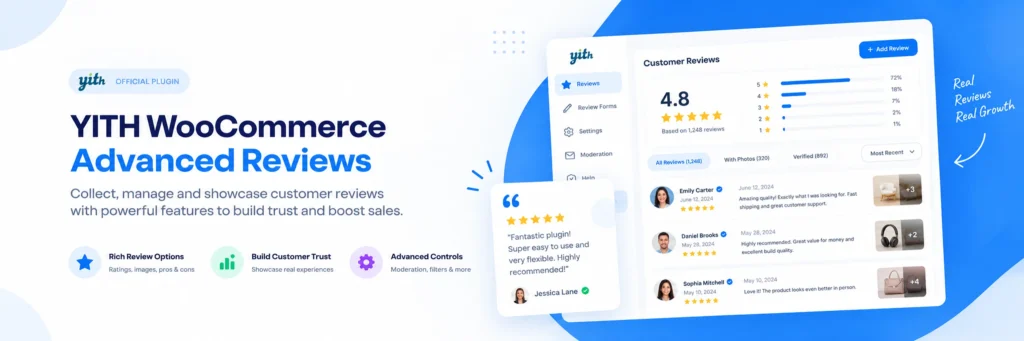
YITH WooCommerce Questions and Answers is one of the best WooCommerce product Q&A plugins for stores that want a dedicated, long-established solution with deeper moderation and voting features than a basic free tool. If a mature, well-documented plugin matters to you, this is the safest standalone name on this list.
This plugin adds a Q&A section to product pages. Shoppers can ask questions and vote on helpful community answers. Store admins get advanced moderation controls, including the ability to hide low-quality questions. Email notifications keep both the shopper and the store informed as a question moves through the process. It also pairs with YITH’s Tab Manager. Consequently, you can place the Q&A section inside custom product tabs.
Key features:
- Q&A section with a voting system for helpful answers
- Advanced moderation, including the ability to hide unhelpful questions
- Email notifications for both shoppers and store admins
- FAQ search functionality so shoppers can search past questions
- Works with YITH Tab Manager for custom tab placement
Pros:
- One of the most mature, widely documented Q&A plugins for WooCommerce
- Voting system helps surface the most useful answers over time
- Familiar settings style if you already use other YITH plugins
Cons:
- No standalone free version; the core plugin is paid
- Custom tab placement requires a separate YITH add-on
- Does not include review or photo functionality, so it’s Q&A only
Pricing: Starts from $69.99 per year.
Final verdict: A dependable choice for dedicated product discussions. However, it lacks built-in review or photo incentive features.
3. Product Questions & Answers for WooCommerce — Best Simple, Free Option
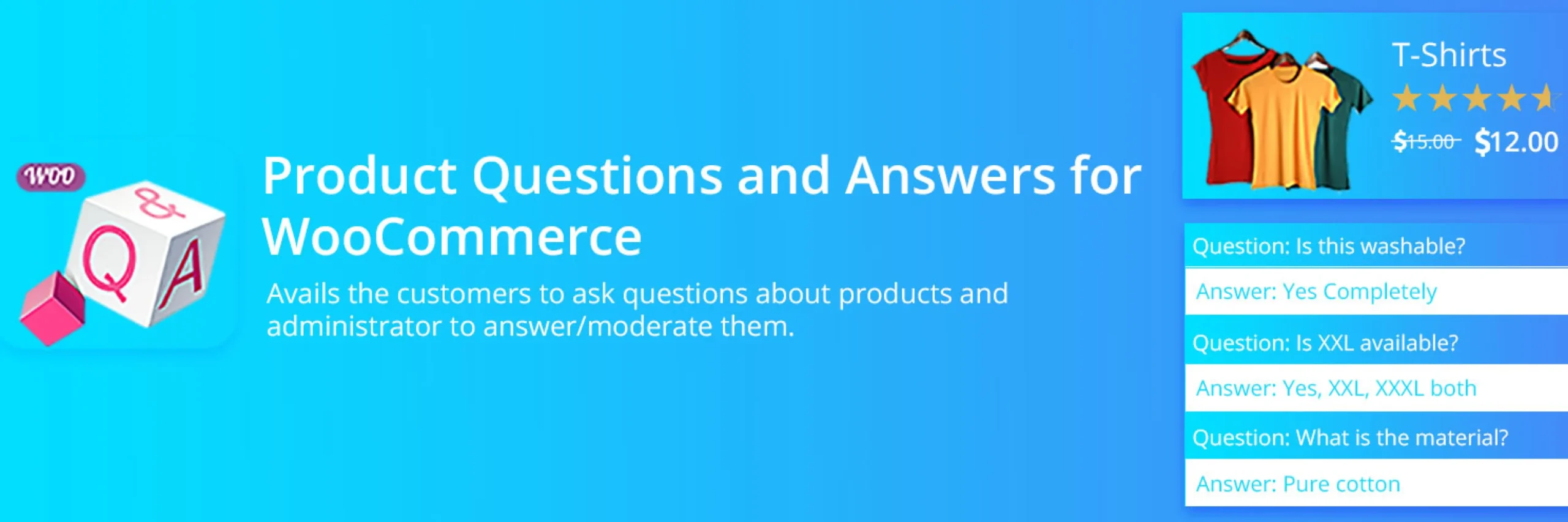
This plugin works well for store owners who just want a working Q&A tab without any cost or complex setup. If budget is the main concern and you don’t need voting or advanced moderation, this is a reasonable starting point.
Logged-in customers can submit product questions easily. Then, store managers reply directly from the product edit screen. Questions load smoothly with infinite AJAX scrolling. In addition, the plugin offers both list and accordion layouts. Flexible shortcodes let you display questions anywhere. For example, you can embed forms outside the default product tab.
Key features:
- Logged-in customers can ask questions per product
- Admin and shop manager can moderate, answer, and reorder questions
- Infinite AJAX loading and adjustable pagination
- Normal or accordion front-end display layouts
- Shortcodes to display the Q&A list or form anywhere
Pros:
- Completely free, with no paid tier required for core functionality
- Simple to set up, with no complicated configuration
- Shortcode support gives some flexibility in where Q&A appears
Cons:
- No built-in voting system
- Notifications have been reported as inconsistent by some users
- Fewer moderation tools than a paid, dedicated Q&A plugin
Pricing: Free, available on WordPress.org.
Final verdict: A solid choice for free Q&A tabs. However, it offers fewer advanced features than premium alternatives.
4. ProductQA — Best for Multivendor Marketplaces
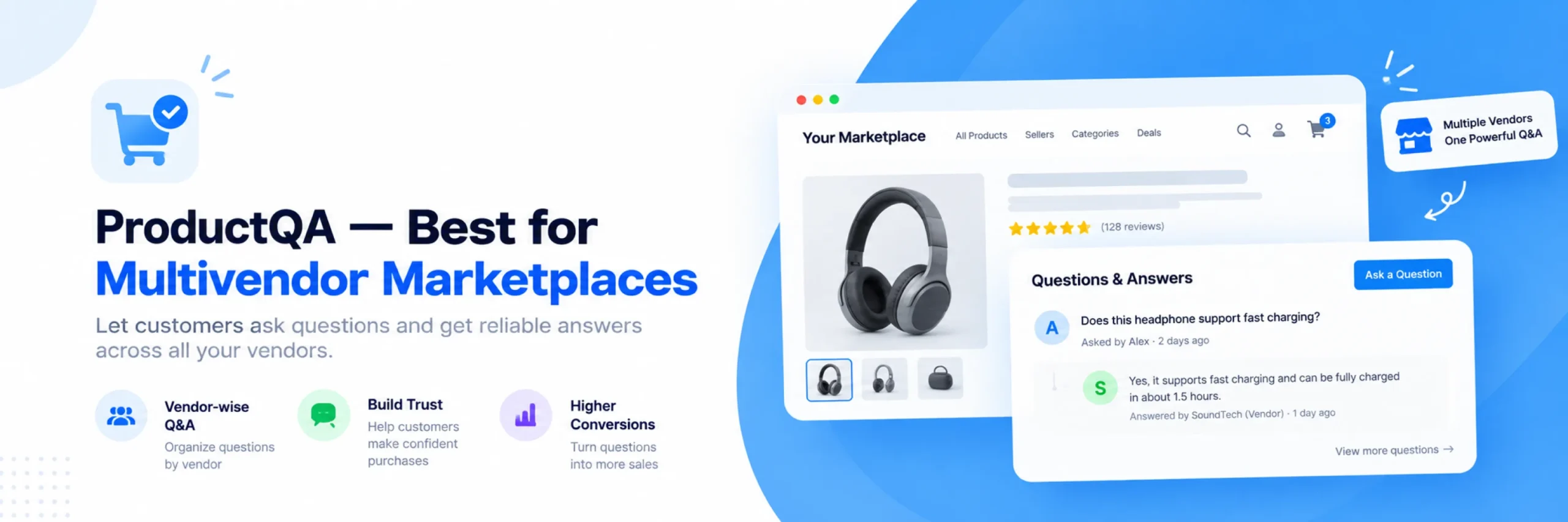
ProductQA works well for marketplace stores where a vendor, not the store admin, should be the one answering shopper questions. If you run a multivendor setup on Dokan, WCFM, or WC Vendors, this plugin is built specifically for that structure.
ProductQA adds a dedicated product tab. Crucially, it routes each question automatically to the correct vendor. Vendors get instant email notifications when a question comes in, and shoppers are notified once it’s answered. A centralized shortcode dashboard lets vendors manage all inquiries. Furthermore, unanswered questions sort to the top so nothing gets missed.
Key features:
- Dedicated Q&A tab with instant AJAX-powered submissions
- Automatic routing of questions to the correct vendor
- Email notifications for both vendors and customers
- Centralized management dashboard for admins and vendors
- New question indicators so unanswered items are easy to spot
Pros:
- Purpose-built for multivendor marketplaces, not adapted from a single-vendor tool
- Automatic vendor routing removes the need for manual question forwarding
- Works across the three most common WooCommerce marketplace plugins
Cons:
- Less useful for a single-vendor store, where a simpler plugin would do the same job
- Smaller, less established brand than YITH or the built-in marketplace Q&A modules
- No review or photo features bundled in
Pricing: Check the official ProductQA listing for current pricing, since plans depend on marketplace size and vendor count.
Final verdict: The best choice for multivendor marketplaces. Specifically, questions route directly to vendors rather than a general inbox.
5. Dokan Product Q&A Module — Best for Stores Already Running Dokan
Dokan’s Product Q&A Module is one of the best WooCommerce product Q&A plugins for stores that already use Dokan as their marketplace platform. It lets Q&A work natively with Dokan, rather than adding a separate third-party plugin. If Dokan is your marketplace foundation, this module is the most tightly integrated option.
This module adds a Q&A tab to every product page. As a result, shoppers can ask vendors questions directly. It works entirely from the front end, so neither the customer nor the vendor needs backend access to participate. Vendors manage their own Q&A through their existing Dokan dashboard, with tools to filter questions and remove inappropriate content. Admins get store-wide oversight to sort and manage Q&A across every vendor.

Key features:
- Native Q&A tab built specifically for the Dokan marketplace structure
- Fully front-end experience for both customers and vendors
- Vendor-level filtering and content moderation from the existing Dokan dashboard
- Admin-level oversight across all vendors and products
- No separate backend login required for vendors to answer
Pros:
- Built directly into Dokan, so there’s no compatibility gap with your existing marketplace setup
- Vendors manage Q&A from the same dashboard they already use daily
- Admin oversight tools scale across a large number of vendors
Cons:
- Only useful if you’re already running Dokan as your marketplace plugin
- Access to this module may depend on your Dokan plan or module bundle
- Not a fit for a standard, single-vendor WooCommerce store
Pricing: Included as part of the Dokan module ecosystem; check Dokan’s current plans for module availability.
Final verdict: The natural choice for Dokan marketplaces. Specifically, it eliminates compatibility risks from third-party plugins.
6. WCFM Marketplace — Best for WCFM-Based Marketplaces
WCFM Marketplace works well for stores already using WCFM as their multivendor platform and want Q&A handled within that same front-end vendor dashboard. If your marketplace already runs on WCFM, this keeps Q&A consistent with the rest of your vendor tools.
WCFM Marketplace is a comprehensive multivendor solution. Moreover, its Q&A features are included completely free in the core plugin. Vendors handle product questions from the same front-end interface they use for the rest of their store management. This keeps the experience consistent, instead of asking vendors to learn a second tool just for answering questions.

Key features:
- Q&A handled within the existing WCFM vendor dashboard
- Fully front-end vendor management, with no backend access required
- Free core plugin with a large existing user base
- Works alongside WCFM’s broader marketplace toolset
- Paid add-ons available for extended marketplace functionality
Pros:
- No separate plugin needed if you’re already running WCFM
- Vendors use one familiar dashboard for Q&A and everything else
- A large, active user base and free core functionality
Cons:
- Only relevant if WCFM is already your marketplace foundation
- Q&A here is a smaller part of a much larger plugin, not a dedicated Q&A tool
- Less specialized than a purpose-built Q&A plugin like ProductQA
Pricing: The core WCFM Marketplace plugin is free, with paid add-ons available for extended features.
Final verdict: Makes sense specifically if WCFM already runs your marketplace, since it keeps Q&A inside the same vendor workflow rather than adding another plugin to learn.
7. bbPress — Best for a Full Discussion Board Instead of a Simple Q&A Tab
bbPress works well for store owners who want a genuine discussion forum around their products, not just a one-question, one-answer format. If you want an open community space where customers can discuss products at length, this is a different kind of tool worth considering.
bbPress is a classic, well-established forum plugin managed by Automattic, and it integrates naturally with WordPress. It can be set up to place a forum-style discussion under product listings, letting customers ask questions and get answers from you or from other shoppers. Because it is a full forum system rather than a lightweight Q&A tab, it needs more active moderation. Open discussion boards can attract off-topic or negative posts if left unchecked.

Key features:
- Full forum functionality, not a simplified Q&A format
- Deep, native integration with WordPress
- Threaded discussions that support back-and-forth conversation
- Community-driven answers from other customers, not just the store
- Free and open source
Pros:
- Supports much deeper discussion than a simple question-and-answer tab
- Well-established, actively maintained, and tightly integrated with WordPress
- Completely free
Cons:
- Requires more ongoing moderation than a structured Q&A plugin
- Not purpose-built for WooCommerce product pages, so more setup is needed to fit it in
- Open discussion format can allow negative or off-topic content if unmoderated
Pricing: Free.
Final verdict: Worth considering only if you specifically want an open, ongoing discussion board rather than a simple, structured Q&A section on each product.
Comparison Table of the Best WooCommerce Product Q&A Plugins
Here is a side-by-side comparison of the best WooCommerce product Q&A plugins, showing how each solution handles customer question tabs, notifications, moderation, and pricing:
| Plugin | Q&A Tab | Vendor Routing | Voting System | Notifications | Free Version | Starting Price |
|---|---|---|---|---|---|---|
| Hyoka | ✅ | ❌ | ❌ | ✅ | ✅ | Free, native plugin |
| YITH Questions and Answers | ✅ | ❌ | ✅ | ✅ | ❌ | $69.99/yr |
| Product Questions & Answers | ✅ | ❌ | ❌ | ✅ | ✅ | Free |
| ProductQA | ✅ | ✅ | ❌ | ✅ | Check official site | Check official site |
| Dokan Product Q&A Module | ✅ | ✅ | ❌ | Check official site | Included with Dokan | Check Dokan plans |
| WCFM Marketplace | ✅ | ✅ | ❌ | Check official site | ✅ | Free core plugin |
| bbPress | Forum-style | ❌ | ❌ | ✅ | ✅ | Free |
Best WooCommerce Product Q&A Plugins by Use Case
Here is a quick summary of how the best WooCommerce product Q&A plugins match up against different store types and business requirements, based on the full reviews above.
Best overall WooCommerce product Q&A plugin: Hyoka. It combines Q&A with photo and video reviews, AI tools, and review SEO from one native plugin.
Best established standalone Q&A plugin: YITH WooCommerce Questions and Answers. A mature, dedicated tool with voting and advanced moderation.
Best free, no-frills option: Product Questions & Answers for WooCommerce. A genuinely free, simple Q&A tab.
Best for multivendor marketplaces generally: ProductQA. Routes questions directly to the right vendor across Dokan, WCFM, or WC Vendors.
Best if you already run Dokan: Dokan Product Q&A Module. Native integration with your existing vendor dashboard.
Best if you already run WCFM: WCFM Marketplace. Q&A built into the same front-end vendor tools you already use.
Best for open community discussion: bbPress. A full forum, not just a structured Q&A tab.
How to Choose the Best WooCommerce Product Q&A Plugins
Selecting from the best WooCommerce product Q&A plugins starts with understanding whether you run a single-vendor store or a multivendor marketplace, and how much moderation you’re prepared to do. Here are the main things to think about.
Best WooCommerce Product Q&A Plugin for Full Coverage If you want Q&A running alongside photo and video reviews, AI tools, and review SEO from one plugin, Hyoka is built for exactly that. It saves you from running a separate Q&A plugin next to your review system.
Best WooCommerce Product Q&A Plugin for Beginners If you have never added a Q&A section before, choose a plugin with a simple setup over one with the most configuration options. Hyoka and Product Questions & Answers for WooCommerce both get a working Q&A tab live quickly.
Best Free WooCommerce Product Q&A Plugin Hyoka and Product Questions & Answers for WooCommerce both offer genuinely usable free plans. Hyoka’s free plan also includes review and photo features that most free Q&A-only plugins do not include.
Other things to think about:
- Do you run a multivendor marketplace? ProductQA, Dokan’s Product Q&A Module, and WCFM Marketplace are all built around vendor-level routing, not just a central admin inbox.
- Do you want voting on the most helpful answers? YITH WooCommerce Questions and Answers is the strongest option here.
- Do you want an open discussion board instead of a structured Q&A format? bbPress is a different kind of tool built for that.
- Do you also want product reviews and photos from the same plugin? Hyoka is the only plugin here that combines Q&A with a full review and photo system.
- Are you already running Dokan or WCFM as your marketplace? Use the native Q&A module built into that platform instead of adding a third-party plugin.
Integrations worth checking:
- Whether the plugin notifies the right person automatically, whether that’s you or a specific vendor
- Whether questions and answers can be moderated before going live
- Whether the plugin works with your existing marketplace plugin, if you run one
- Whether the Q&A section can be placed in a custom tab or location on the product page
Thinking about growth: do you expect to add more vendors over time? A plugin built around vendor routing, like ProductQA or your marketplace platform’s native module, will scale better than a single-inbox tool built for one store owner.
How to Add a Product Q&A Section to WooCommerce (Without Code)
If this is your first time setting one up, the setup process for the best WooCommerce product Q&A plugins is straightforward and requires zero coding knowledge across most tools on this list.
- Install and activate your chosen WooCommerce Q&A plugin from the WordPress admin area.
- Confirm the Q&A tab or section appears correctly on a product page.
- Set up email notifications, so you or the right vendor is alerted when a new question comes in.
- Decide whether questions and answers need approval before appearing publicly.
- Place a real test question from a separate account to confirm the whole flow works end to end.
- If you run a marketplace, confirm questions route to the correct vendor, not just a single central inbox.
None of the plugins in this guide need coding knowledge to set up. A simple Q&A tab can take just a few minutes with plugins like Hyoka or Product Questions & Answers for WooCommerce. Setting up vendor routing with ProductQA, or configuring bbPress as a full discussion board, takes a bit longer, since there are more settings to configure.
Why Hyoka Is a Strong Choice
Hyoka earns the top spot among the best WooCommerce product Q&A plugins for a few clear reasons.
Q&A lives alongside a full review system, not as a separate tool. Most Q&A plugins do only Q&A. Hyoka’s Q&A tab sits in the same dashboard as its photo and video review collection, so shoppers see genuine customer questions right next to real product photos.
Automatic notifications keep questions from going stale. A shopper gets notified the moment their question is answered, and threaded replies let other buyers jump in too, so answers do not always depend on the store owner being available.
Spam protection keeps the section useful. Keyword filtering and moderation tools stop off-topic or low-quality submissions from cluttering a product page that’s meant to help shoppers decide.
Is a native plugin, not a hosted SaaS service. There is no monthly fee and no cap on usage, since your Q&A and review data stays on your own WordPress server.
Adds real SEO value on top of Q&A. Because Hyoka bundles Q&A with review schema and rich snippet support, the same plugin that answers shopper questions also helps your product pages appear better in Google search results.
Product Q&A vs. Reviews vs. Live Chat
When deciding between the best WooCommerce product Q&A plugins and other shopper engagement tools, it helps to understand how customer questions, reviews, and live chat complement each other.
Product Q&A — a public, product-specific question and answer section, visible to every future shopper who visits that page. Best for pre-purchase questions about fit, compatibility, or specifications that many shoppers are likely to ask.
Reviews — feedback left after a purchase, describing the shopper’s actual experience with the product. Best for judging quality, durability, and whether a product lived up to expectations. If you are also looking for feedback tools, check our guide to the best WooCommerce review plugins for visual reviews and reward coupons.
Live chat — a private, real-time conversation between one shopper and your support team. Best for account-specific or order-specific issues that shouldn’t be public, like a delayed shipment or a billing question. For real-time ecommerce messaging, tools like YS Desk provide automated customer support directly on store pages.
A Q&A section and live chat are not competing tools. A well-answered Q&A section actually reduces how many repetitive live chat conversations you need to have. Common pre-purchase questions get answered once, publicly, instead of being asked over and over in private chats.
Practical Tips Before You Install a Q&A Plugin
Before adding any of the best WooCommerce product Q&A plugins to your store, here are a few practical tips worth keeping in mind.
Back up your store first. Q&A plugins add new data types and sometimes new product tabs, so a recent backup means you can undo any problem quickly.
Decide on moderation before you launch. An open, unmoderated Q&A section can attract off-topic or negative content. Decide upfront whether questions need approval before going live.
Set up notifications correctly. A question that sits unanswered for a week defeats the purpose of the whole feature. Confirm the right person, you, or a specific vendor, gets notified automatically.
Answer quickly, especially early on. The first few questions on a new Q&A section set the tone. A fast, helpful answer encourages more shoppers to ask, instead of assuming the section is unmonitored.
Encourage customers to answer each other. If your plugin supports threaded replies, don’t feel like every question needs a store reply. Genuine customer-to-customer answers often carry more trust than a store’s own response.
Test the flow yourself. Ask a real test question from a separate account and confirm the whole process works, the notification, the answer, and the public display.
Review old questions periodically. Products change over time. An old answer that’s no longer accurate can mislead a new shopper if it’s left unchecked.
Frequently Asked Questions
Here are answers to common questions about selecting and managing the best WooCommerce product Q&A plugins on your store.
Hyoka, YITH WooCommerce Questions and Answers, and ProductQA are among the strongest options available. The right one depends on whether you want full review and Q&A coverage, a mature standalone tool, or multivendor marketplace support.
Hyoka is the strongest choice for covering product Q&A alongside photo and video reviews, AI tools, and review SEO from a single native plugin. This means you do not need a separate Q&A-only tool.
No. The built-in WooCommerce review system only supports a star rating and a comment after purchase. For a pre-purchase question and answer section on the product page, you need a dedicated plugin.
ProductQA is built specifically for multivendor setups on Dokan, WCFM, or WC Vendors. If you already run Dokan or WCFM specifically, their native Q&A modules are also strong, tightly integrated options.
Yes. Product Questions & Answers for WooCommerce is completely free, and it’s a strong pick if you’re specifically looking for the best free WooCommerce Q&A plugin with no paid tier required. Hyoka also offers a free plan that includes Q&A alongside photo and video reviews.
It can. Each new question and answer adds fresh, unique content to a product page, which search engines generally reward over time. Some plugins, like Hyoka, also add structured review data that supports broader search visibility.
Product Q&A is a public question and answer section, usually used before a purchase, to clarify details like fit or compatibility. Reviews are feedback left after a purchase, describing the shopper’s actual experience with the product.
It depends on the plugin and how the Q&A section loads. Well-built plugins only load their scripts on pages where the Q&A section actually appears. Check your site speed after installing a plugin.
Choose Hyoka if you want Q&A combined with photo and video reviews, AI tools, and review SEO from one plugin, with no monthly fee. Choose YITH WooCommerce Questions and Answers if you specifically want a mature, standalone Q&A tool with a voting system and don’t need it bundled with review features.
Conclusion
The best WooCommerce product Q&A plugin for you depends on whether you run a single-vendor store or a marketplace. It also depends on how much of your review and Q&A workflow you want handled by one plugin.
Seven plugins, seven different strengths. Hyoka combines Q&A with photo and video reviews, AI tools, and SEO from one native plugin. YITH WooCommerce Questions and Answers is the most mature standalone option. Product Questions & Answers for WooCommerce is the simplest free choice. ProductQA is built for multivendor marketplaces generally. Dokan’s Product Q&A Module and WCFM Marketplace both fit naturally if you already run those platforms. bbPress offers a full discussion board instead of a simple Q&A tab.
My overall advice:
- Want Q&A alongside reviews and photos from one plugin? Choose Hyoka.
- Want a mature, dedicated standalone Q&A tool? Choose YITH WooCommerce Questions and Answers.
- Want the simplest free option? Choose Product Questions & Answers for WooCommerce.
- Running a multivendor marketplace? Choose ProductQA.
- Already running Dokan? Choose Dokan’s Product Q&A Module.
- Already running WCFM? Choose WCFM Marketplace.
- Want an open community discussion instead of a simple Q&A tab? Choose bbPress.
Whichever of the best WooCommerce product Q&A plugins you choose, set up notifications correctly, decide on moderation before you launch, and answer the first few questions quickly. A Q&A section only builds trust if shoppers can see it’s actually being watched.
Ready to add product Q&A alongside photo and video reviews, all from one plugin? Install Hyoka and set up your Q&A section directly from your WooCommerce admin area.