
PickPair Features
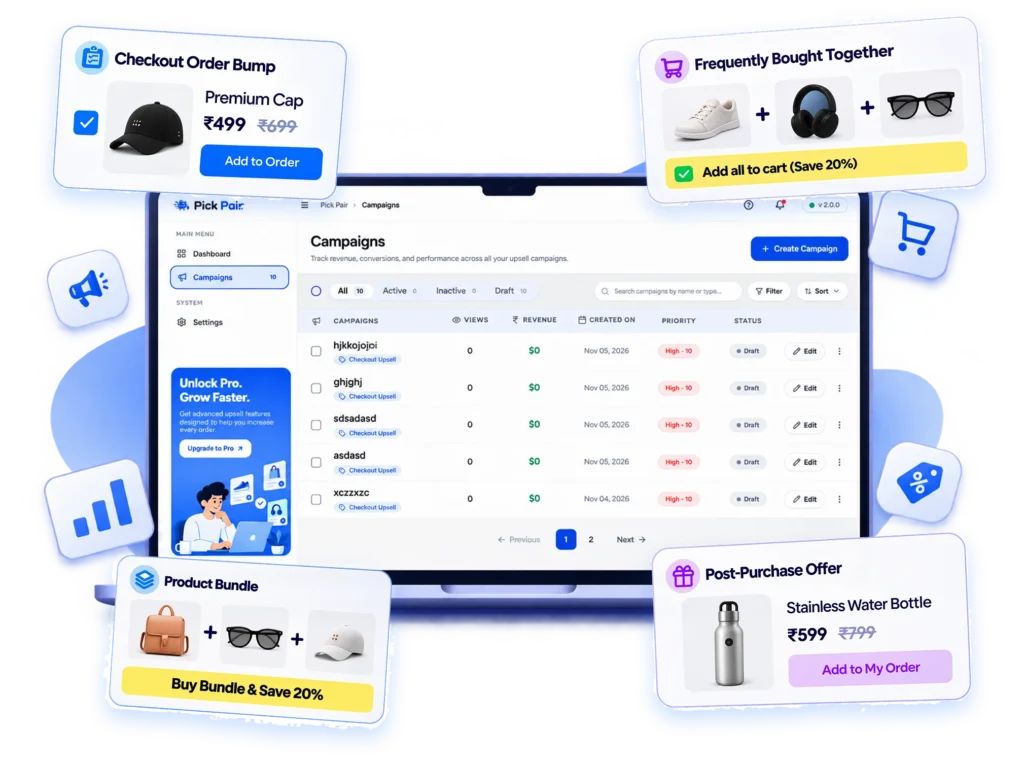
Explore all PickPair features for WooCommerce. Create product recommendations, bundles, cart upsells, checkout order bumps, post-purchase offers and more — with easy customization and powerful targeting options.
Multiple Offer Types
Product recommendations, bundles, cart upsells and more.
Smart Targeting
Show the right offers to the right customers.
Flexible Customization
Match your store design with easy settings.
Campaign Analytics
Track performance and improve your results.
ALL FEATURES
PickPair comes with a complete set of upsell and cross-sell tools to help you recommend products, increase order value, and create a better shopping experience in WooCommerce.
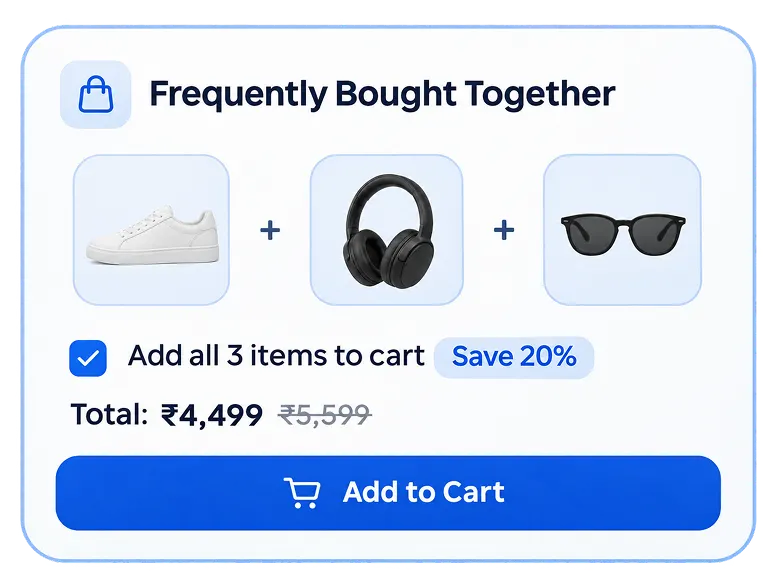
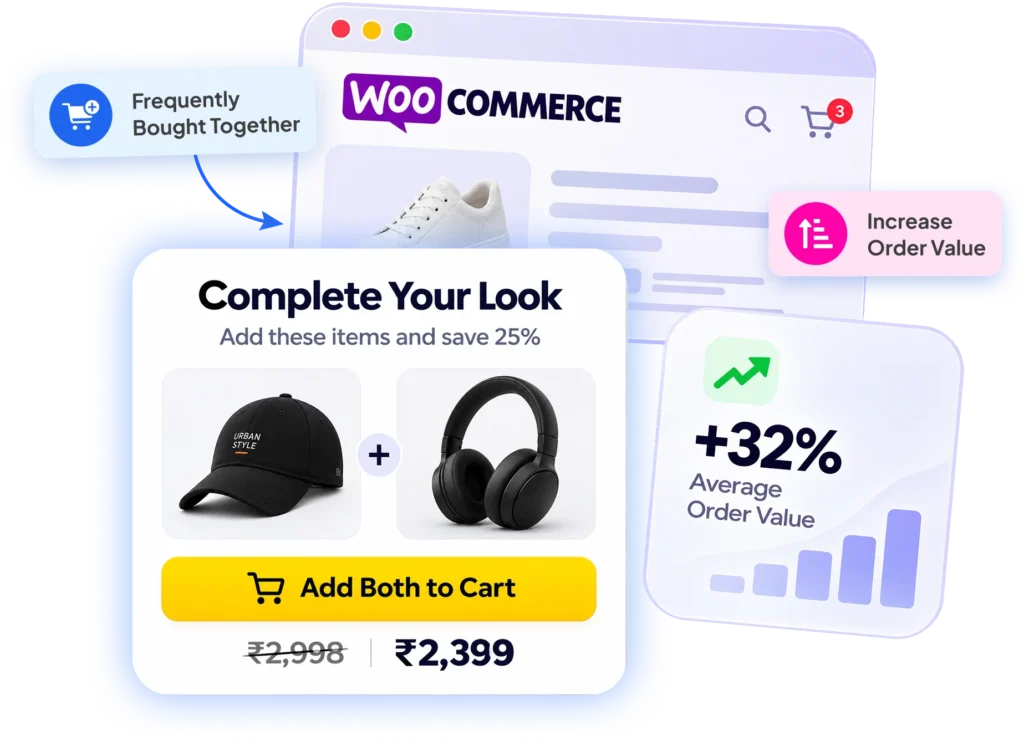
Frequently Bought Together
Recommend complementary products on the product page to increase average order value.
Try Demo
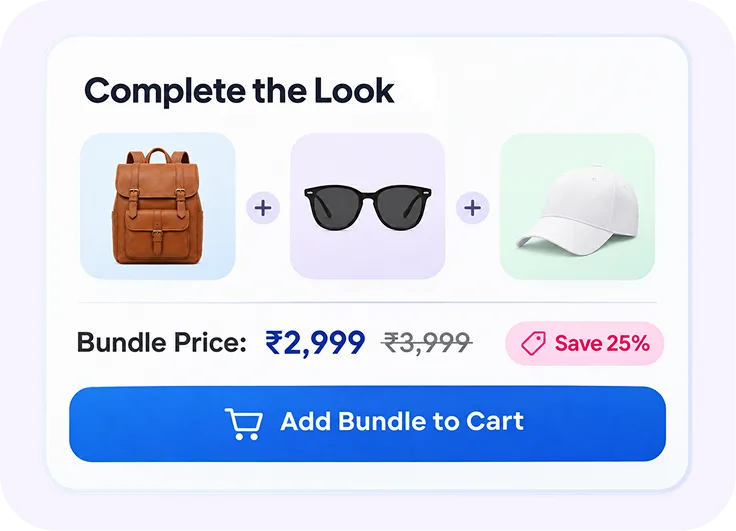
Product Bundles
Create product bundles and offer discounts to encourage customers to buy more.
Try Demo
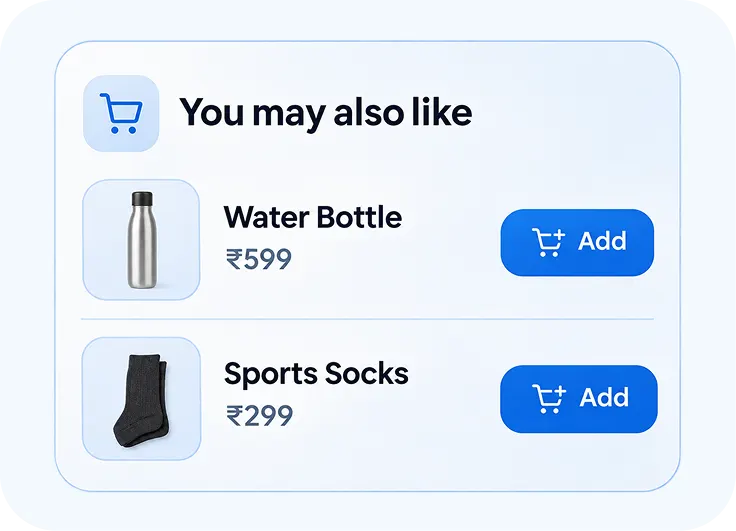
Cart Upsells & Cross-Sells
Show relevant upsell and cross-sell offers on the cart page to boost order value.
Try Demo
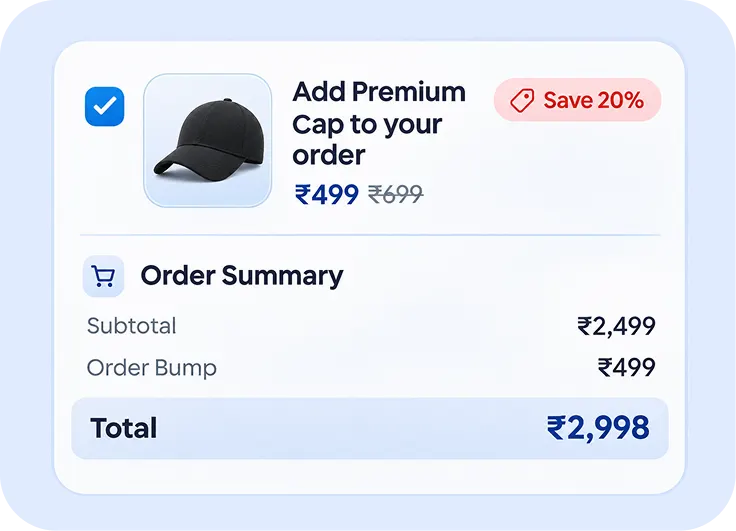
Checkout Order Bumps
Offer additional products at checkout with a single click to increase conversions.
Try Demo
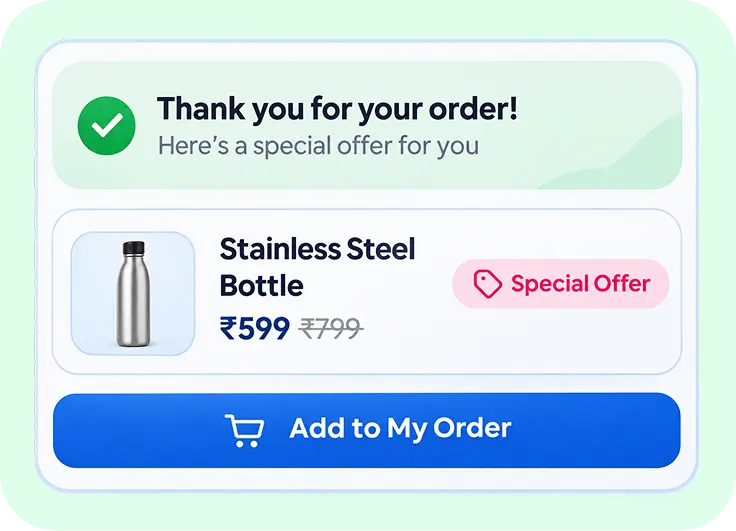
Post-Purchase Offers
Offer additional products at checkout with a single click to increase conversions.
Try Demo
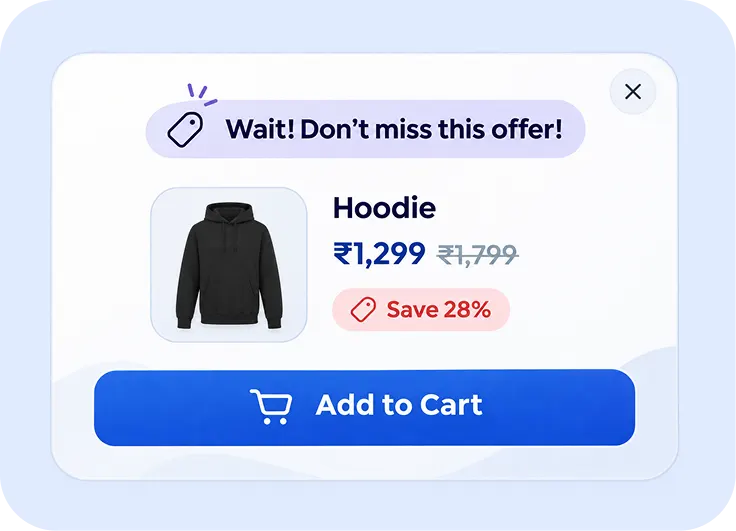
Upsell Popups
Show targeted upsell offers in popup after add to cart or based on customer behavior.
Try Demo
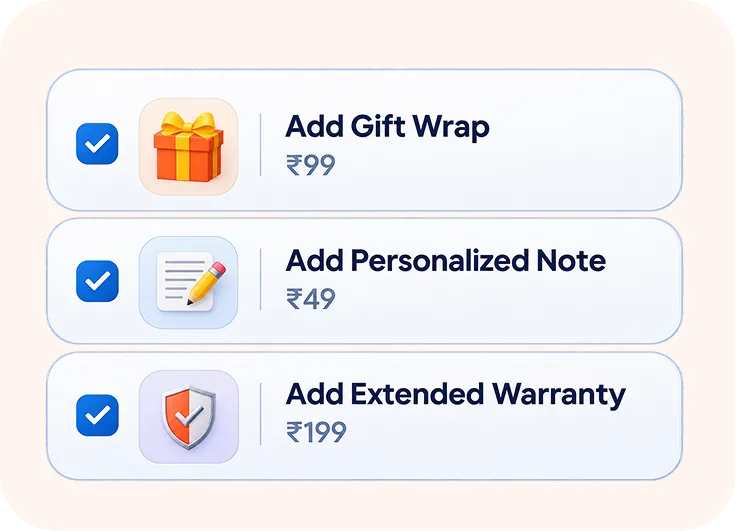
Product & Cart Add-Ons
Allow customers to add extra options and services to products or cart items.
Try Demo
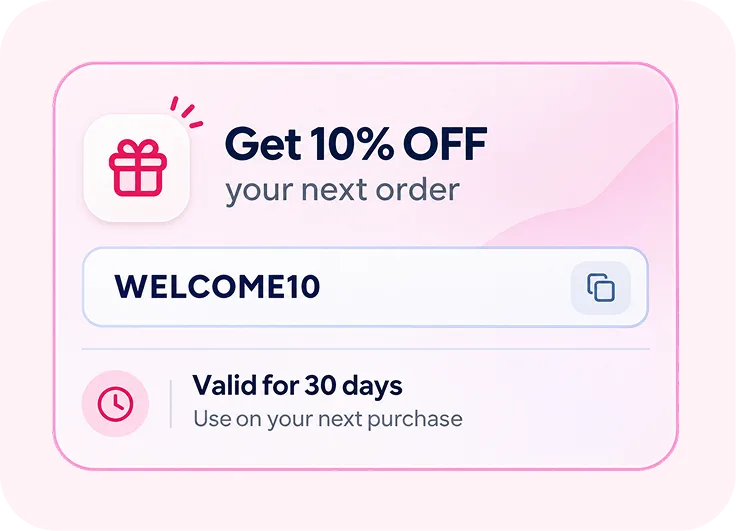
Next-Order Coupons
Offer discount coupons for the next purchase to bring customers back to your store.
Try Demo
COMPLETE SHOPPING JOURNEY
With PickPair, you can display relevant product offers throughout the entire shopping journey. From product page recommendations to post-purchase offers, reach your customers at the right moment and increase your average order value.
Right Offer, Right Moment
Show the most relevant offers based on customer behavior and purchase intent.
Increase Average Order Value
Encourage customers to add more products to their cart and complete higher-value orders.
Fully Customizable
Choose where to show offers and customize the design to match your store.
Product Page
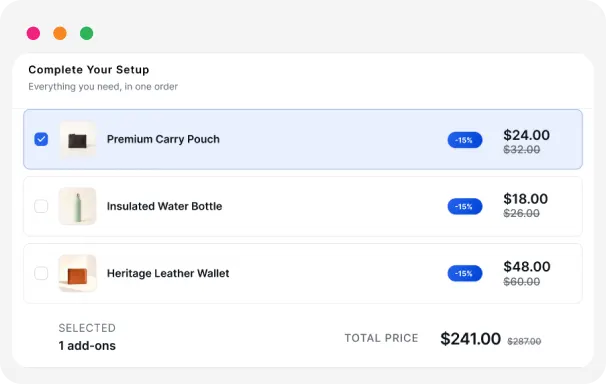
Add to Cart Popup
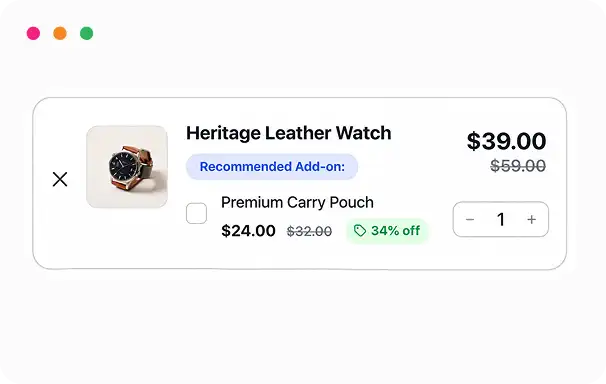
Cart Page
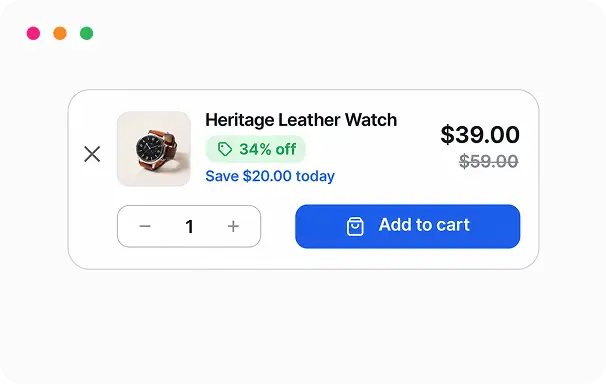
Checkout Page
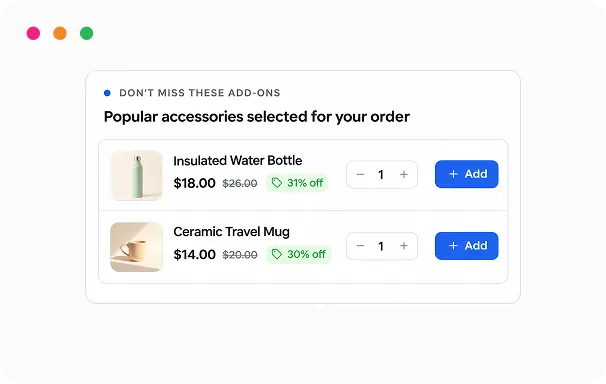
Product Page
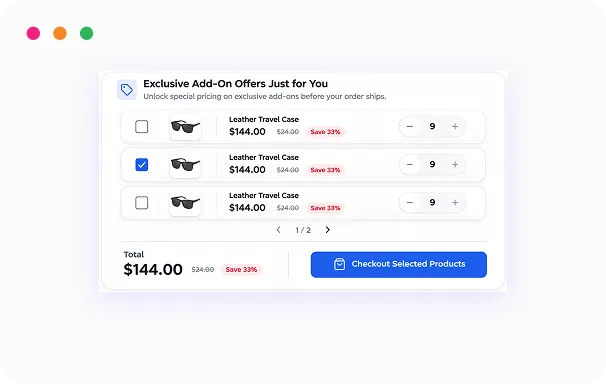
More Conversions
Show offers when customers are most likely to buy.
Higher Order Value
Encourage customers to add more products.
Better Customer Experience
Recommend relevant products that match their needs.
Repeat Purchases
Use post-purchase offers and next-order coupons to bring customers back.
Smart Targeting & Conditions
Use powerful targeting and display conditions to show relevant upsell and cross-sell offers based on your products, customers and shopping behavior. Deliver personalized offers and improve your conversion rates without any coding.
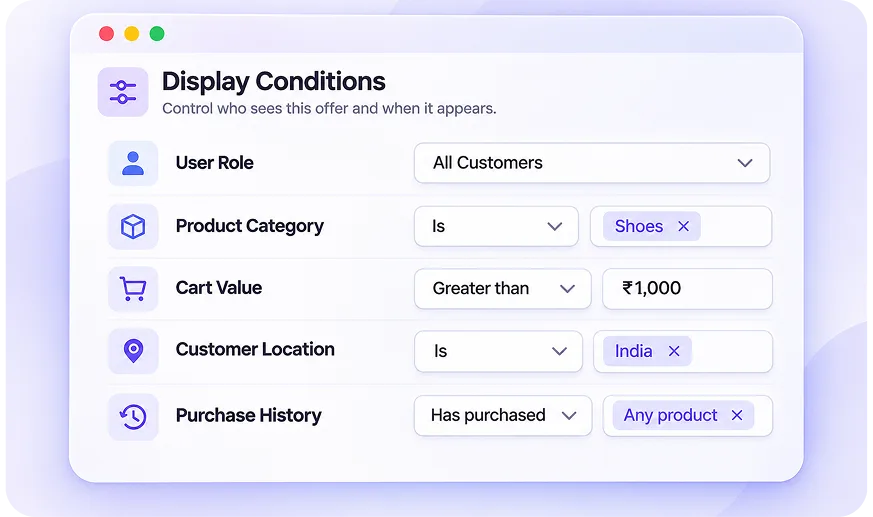
Target the Right Customers
Show offers based on user role, customer type, location and purchase history.
Product & Category Rules
Display offers for specific products, categories or tags.
Cart & Order Conditions
Set rules based on cart value, cart items, quantity and more.
Advanced Display Rules
Control when and where to show offers across product, cart, checkout and post-purchase pages.
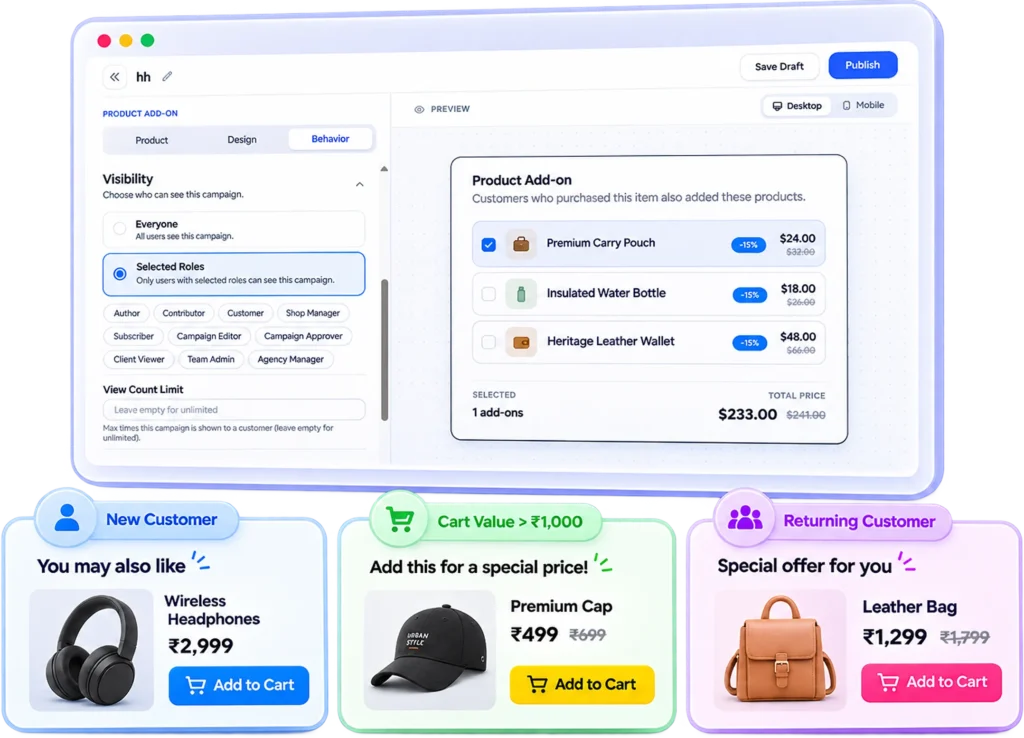
User Role Targeting
Show offers to specific user roles such as logged-in users, guests or wholesale customers.
Product Targeting
Display offers for specific products, categories, tags or custom attributes.
Cart Conditions
Set rules based on cart total, cart items or product quantity.
Geolocation Targeting
Show offers based on customer location or specific countries.
Customer History
Display offers based on previous purchases or customer behavior.
Page Targeting
Control where to show offers on product, cart, checkout or post-purchase pages.
CUSTOMIZABLE DISPLAY OPTIONS
Choose from multiple layouts and design options to display upsell and cross-sell offers that match your store’s style. PickPair gives you full control over how your offers look and where they appear.
Product Page Display
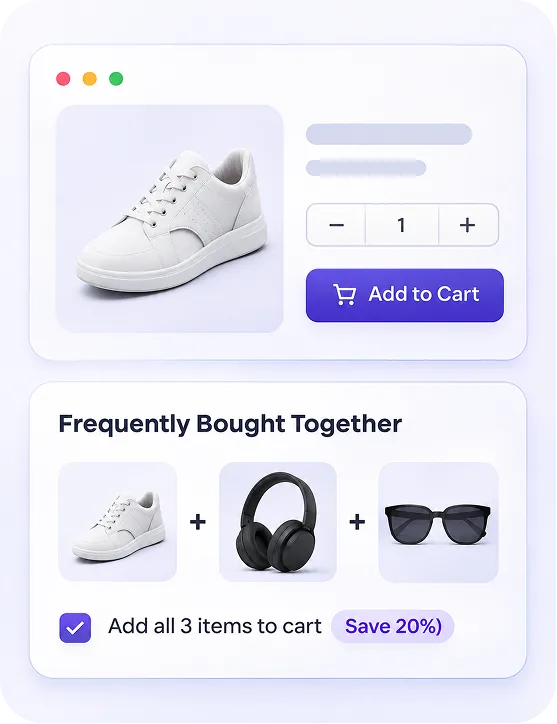
Show related products and frequently bought together offers directly on the product page.
Grid or list layouts
Frequently bought together
Custom headings and styles
Learn More
Cart Page Display
Show upsell and cross-sell offers on the cart page to encourage customers to add more products.
Product recommendations
Free shipping progress
Custom offer sections
Learn More
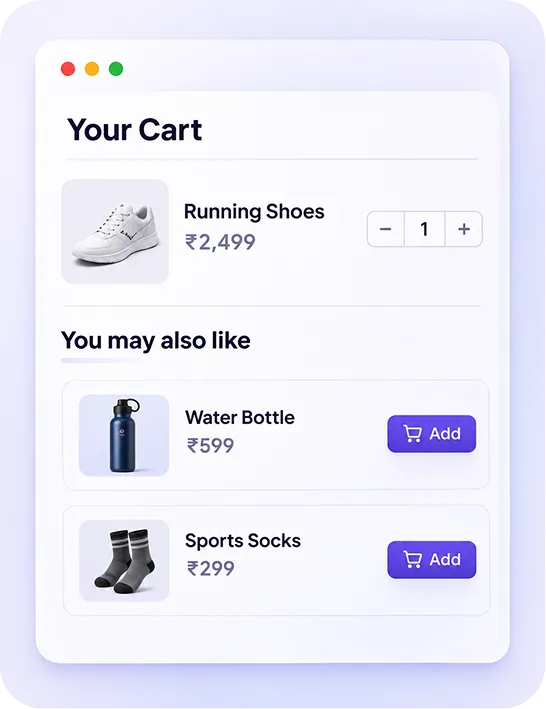
Checkout Page Display
Add order bumps and special offers on the checkout page with a single click.
One-click order bumps
Custom offer messages
Works with any theme
Learn More
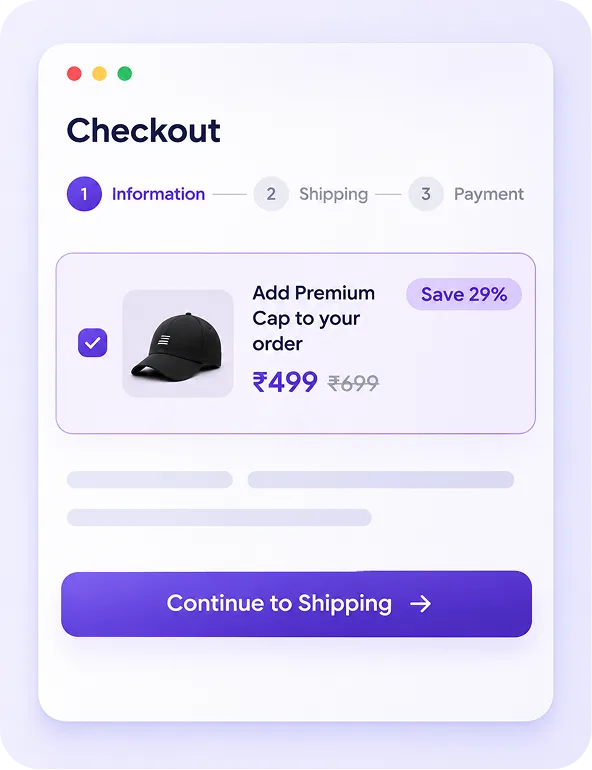
Post-Purchase Display
Show special offers on the thank you page to encourage repeat purchases.
One-click post-purchase offers
Custom thank you page design
Increase customer lifetime value
Learn More
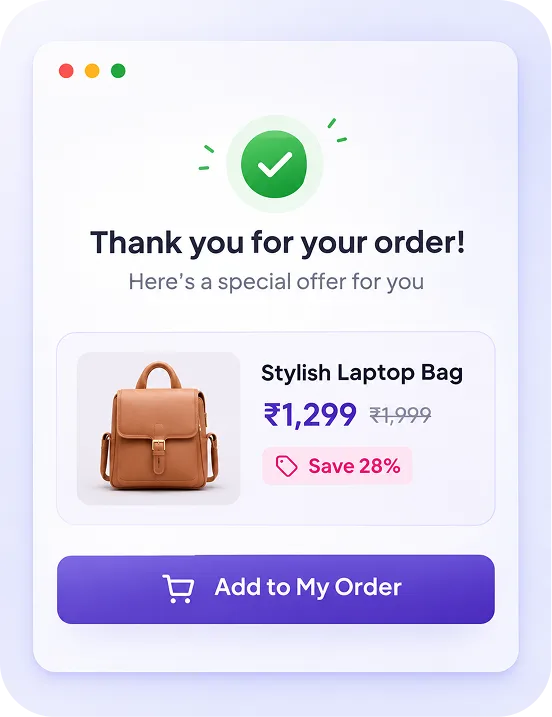
Popup Display
Show targeted upsell offers in a popup based on user behavior like add to cart, exit intent, or time delay.
Multiple popup triggers
Custom layouts and styles
Mobile responsive design
Learn More
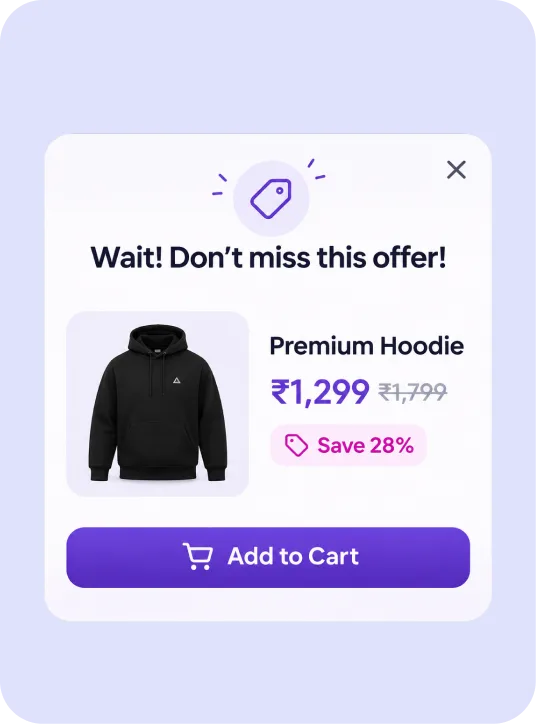
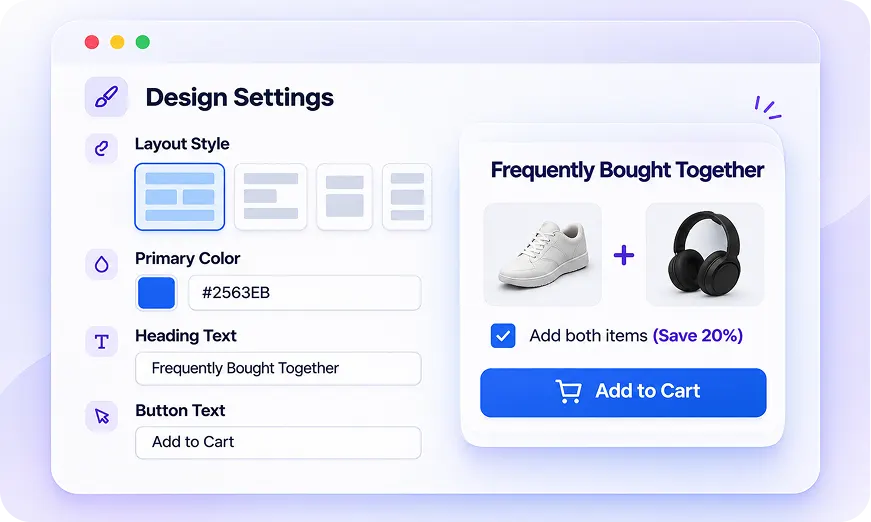
Custom Design Options
Match your store’s design with flexible customization options. No coding required.
Multiple layouts and styles
Custom colors and fonts
Mobile responsive design
Learn More
CAMPAIGN ANALYTICS
Get insights into how your upsell and cross-sell offers are performing. Track views, clicks, conversions and revenue for every campaign, so you can make data-driven decisions and create better offers.
Campaign Overview
See key metrics like views, clicks, conversions and revenue at a glance.
Detailed Reports
Track performance for each offer type and find your best-performing campaigns.
Identify What Works
Understand customer behavior and optimize your offers for higher conversions.
Make Better Decisions
Use real data to refine your strategy and increase your average order value.
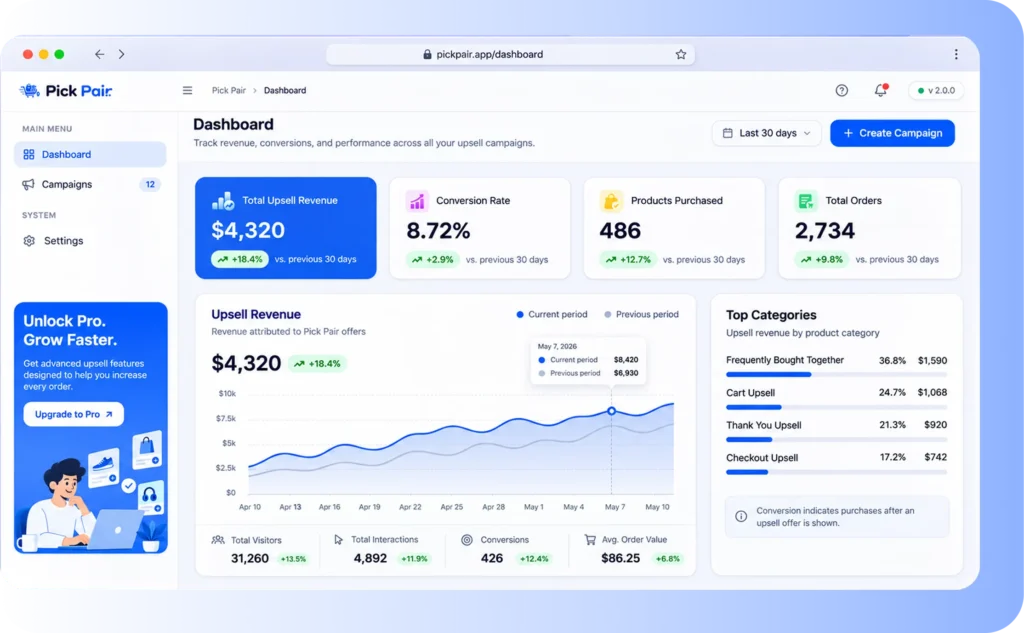
Track Real Results
Measure the impact of your offers with accurate data.
Optimize Campaigns
Find your best-performing offers and improve them over time.
Increase Conversions
Use insights to create more relevant and effective offers.
Grow Revenue
Make data-driven decisions that help increase your average order value.
WHY PICKPAIR
PickPair gives you all the essential features to create and manage upsell and cross-sell offers, so you can increase revenue and deliver a better shopping experience.
Increase Average Order Value
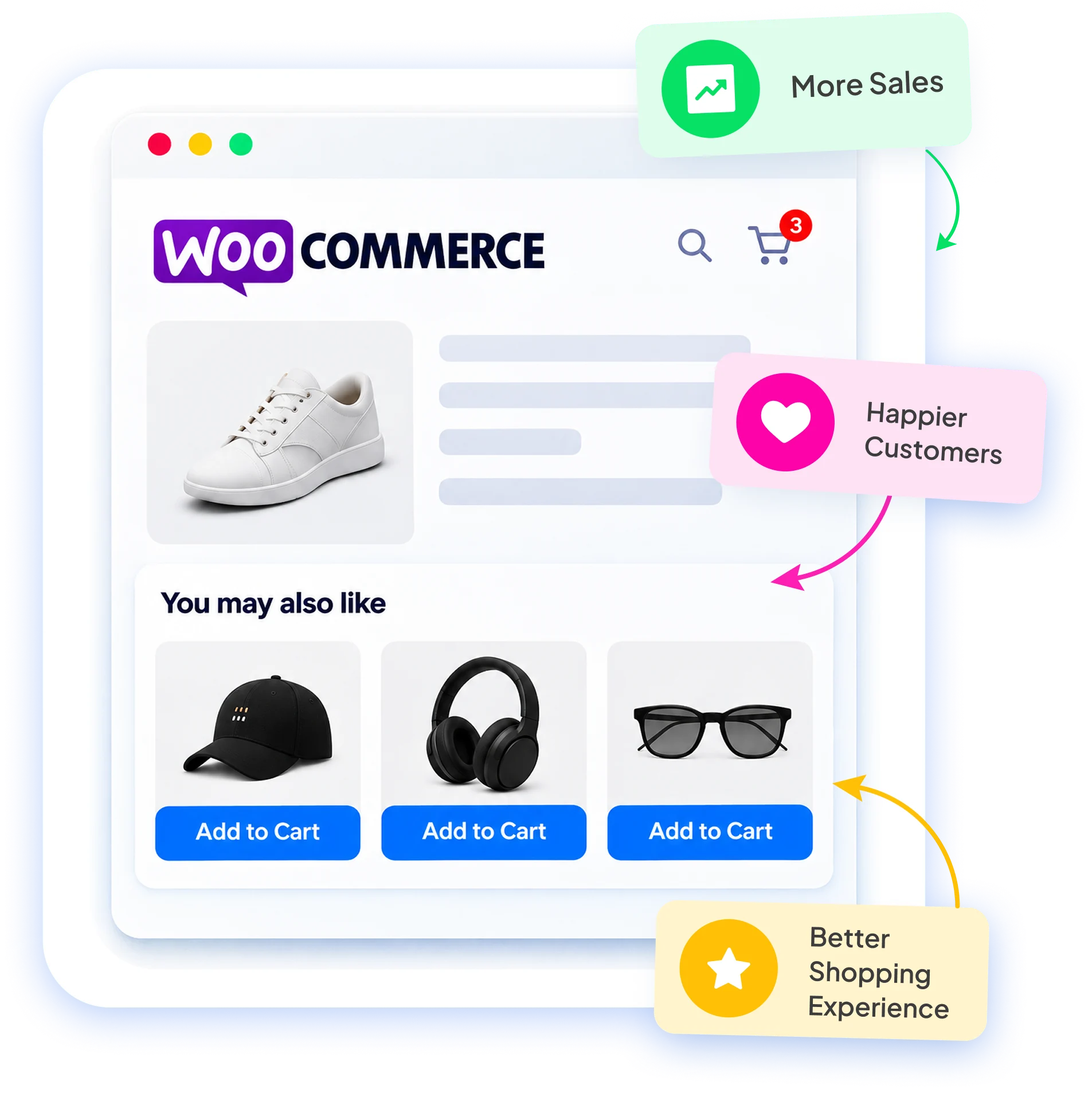
Show relevant upsell and cross-sell offers to encourage customers to add more products to their cart.
Multiple Offer Types
Create product recommendations, bundles, cart upsells, checkout order bumps, post-purchase offers and more.
Target the Right Customers
Display offers based on user role, customer type, product category, purchase history, location and more.
Fully Customizable
Choose from multiple layouts and design options to match your store's style. No coding required.
Actionable Analytics
Track views, clicks, conversions and revenue for every campaign to find what works best.
Works with Any Theme
Seamlessly integrates with any WooCommerce theme and popular page builders.
No Coding Required
Easy to set up and manage without any technical skills.
Lightweight & Fast
Built for performance and optimized for WooCommerce stores.
Regular Updates
New features and improvements to keep your store ahead.
Dedicated Support
Get help from our friendly support team whenever you need it.
HOW IT WORKS
PickPair gives you all the essential features to create and manage upsell and cross-sell offers, so you can increase revenue and deliver a better shopping experience.
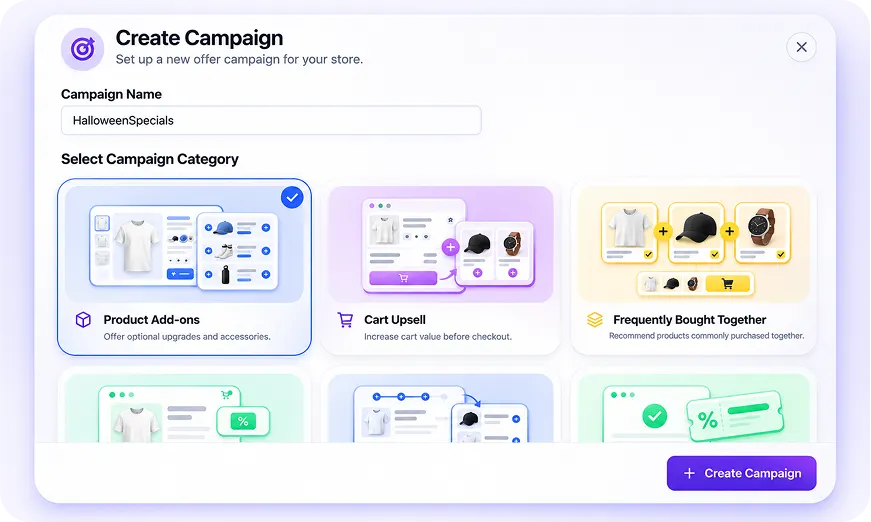
Choose Offer Type
Choose an offer type, such as recommendations, bundles, cart upsells, order bumps, or post-purchase offers.
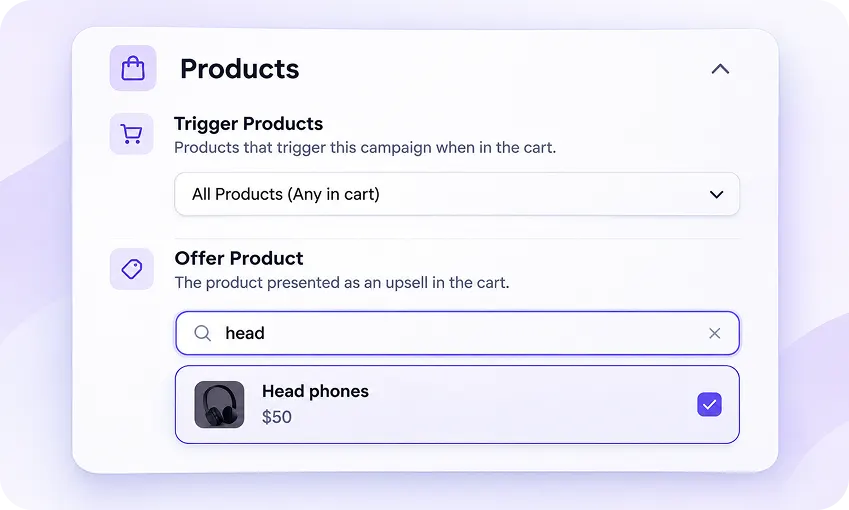
Select Products
Choose the products, categories or tags for which you want to display offers.
Customize Design
Choose a layout, customize the text, colors and design to match your store's style.
Set Display Conditions
Choose when and where to show your offers using powerful targeting options.
Quick Setup
Create and launch campaigns in minutes.
No Technical Skills
Easy to use and beginner friendly.
Works with Any Theme
Seamlessly integrates with your WooCommerce store.
Start Increasing Sales
Show relevant offers and
grow your revenue.
Create Your First Campaign
No coding required. Setup in minutes.
POWERFUL INTEGRATIONS
Easily integrate with popular email marketing, CRM and automation tools to grow your subscribers, sync your leads and streamline your marketing workflow.
Email Marketing
Add subscribers directly to your email marketing tools.
CRM & Sales
Send leads to your CRM and manage them efficiently.
Automation Tools
Connect with automation platforms to trigger actions and workflows.
Webhooks
Send form data to any third-party tool using webhooks.
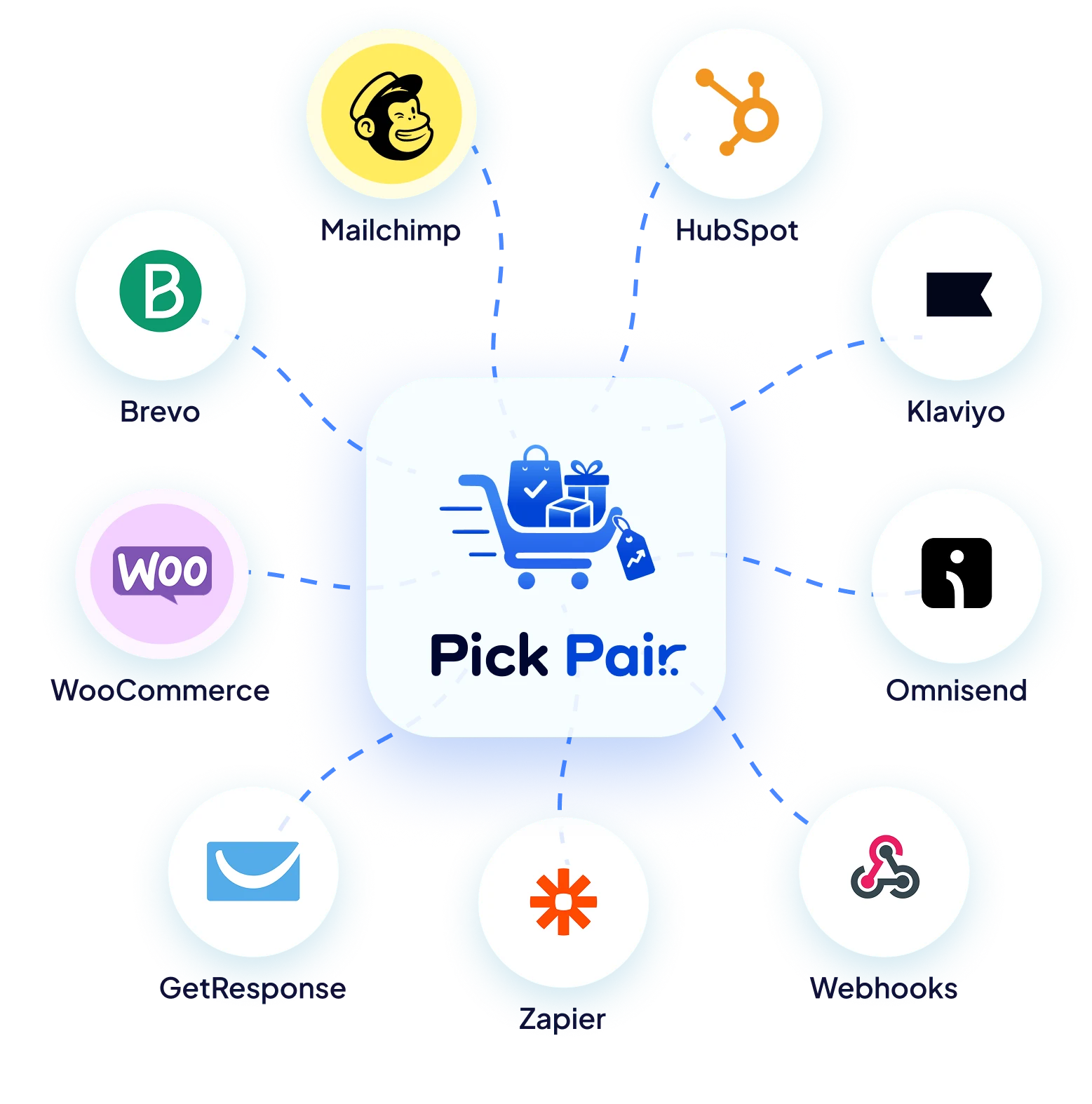
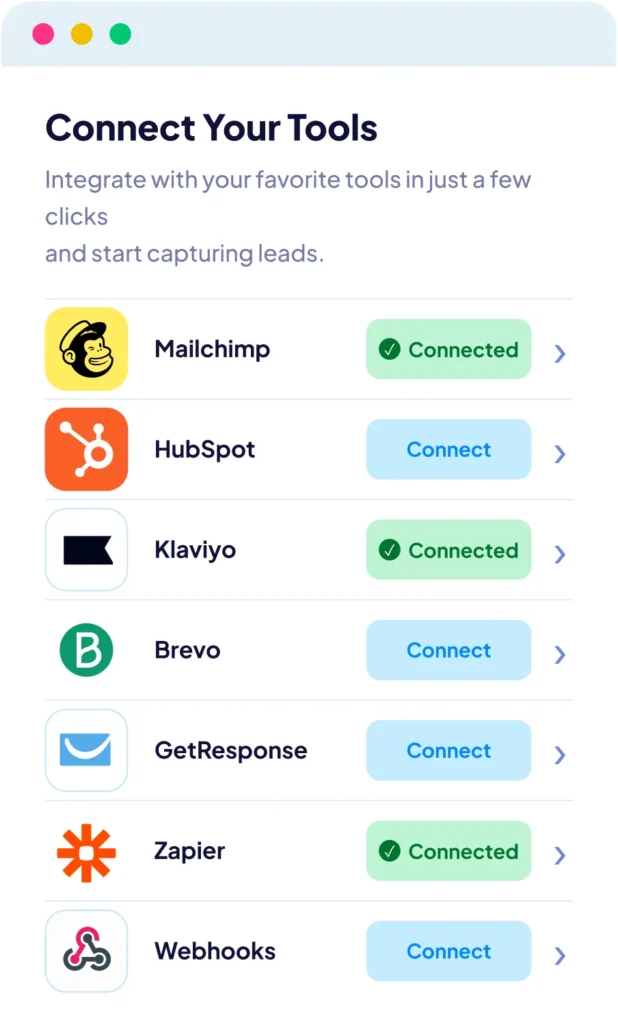
Supported Integrations
Works with all major email marketing, CRM, automation and webhook tools.

Mailchimp

Hubspot

Klaviyo

Brevo

GetResponse

Omnisend

Drip

ActiveCampaign

ConvertKit

MailerLite

Zapier
Webhooks
READY TO GROW YOURSTORE?
Get insights into how your upsell and cross-sell offers are performing. Track views, clicks, conversions and revenue for every campaign, so you can make data-driven decisions and create better offers.
Easy Setup
Create your first offer in minutes.
No Coding Required
Simple and beginner friendly.
Works with Any Theme
Seamless integration with WooCommerce.
Dedicated Support
Get help whenever you need it.
Create Your First Campaign
No Credit Card Required
30-Day Money Back Guarantee
Instant Download
Active Installations
Average Rating
Countries Worldwide
Would Recommend to other store owners
FREQUENTLY ASKED QUESTIONS
Find answers to common questions about PickPair and how it can help your WooCommerce store.
GET STARTED TODAY
Explore all PickPair features for WooCommerce. Create product recommendations, bundles, cart upsells, checkout order bumps, post-purchase offers and more — with easy customization and powerful targeting options.
Easy Setup
No Coding Required
Works with Any Theme
Dedicated Support