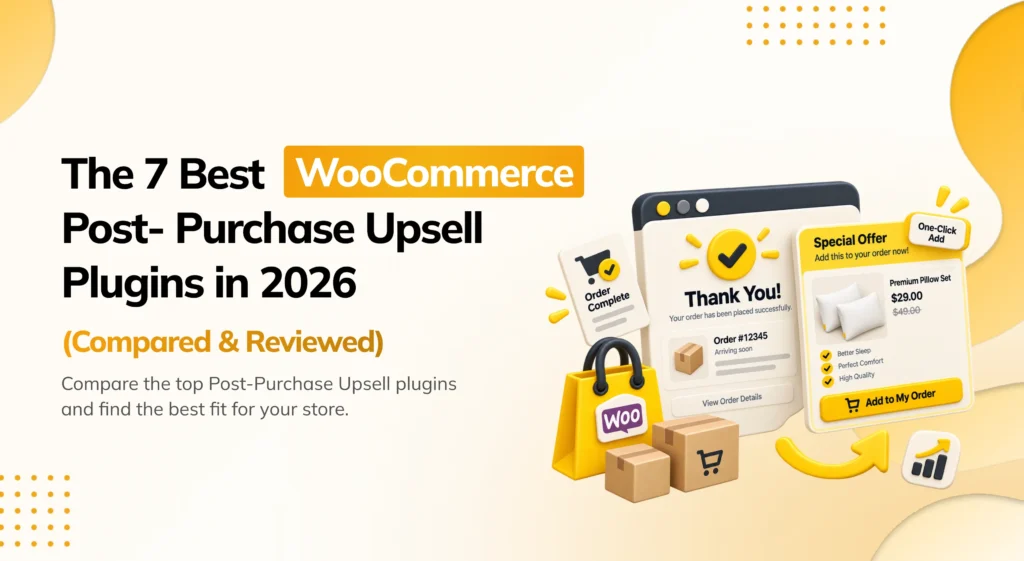
A customer just bought a mattress. The order is confirmed, the payment has gone through, and for the next few seconds they’re still on your site, relieved and a little excited about the purchase. This is the single best moment to offer them a pillow or a mattress protector, added to the same order with one click, no re-entering their card details. Most stores let this moment pass completely unused. This is exactly the gap a WooCommerce post-purchase upsell plugin is built to close.
WooCommerce comes with nothing built in for this. The default Thank You page is a plain confirmation screen with no way to offer anything else. If you want a one-click upsell that gets added to the same order the second after checkout, you need a dedicated plugin, and the gateway behind your store needs to support charging a saved card without asking the customer to type their details in again.
There are now several WooCommerce post-purchase upsell plugins on the market, and they are not all built to the same standard. Some plugins only work reliably with Stripe or PayPal. Others are part of a bigger funnel-builder suite where the post-purchase offer is just one feature among several. Picking a plugin just because it claims “one-click upsells” often leads to a broken or unreliable feature on your specific gateway. The better question is: does this plugin actually work with the payment gateway your store uses, and does it feel like a natural next step rather than a jarring extra step after checkout?
This guide looks at each plugin one by one. It explains what each one does, which gateways it supports for a true one-click upsell, what they cost, and where they fall short. By the end, you should be able to match a plugin to your store, not just install the most familiar name.
How I Evaluated These Plugins
Before the list, it helps to explain how these plugins were judged. A long feature list does not tell the whole story. A plugin can promise a “one-click” upsell and still fail quietly on a gateway it was never properly tested against, leaving a customer staring at a broken page right after they paid.
Each plugin was reviewed from the point of view of a WooCommerce store owner. How easy is it to get your first post-purchase offer live? Does the one-click charge actually work reliably on the gateways your store is likely to use? Does the offer feel like a natural next step, or does it interrupt the sense that the purchase is complete? Does it feel stable enough to trust on a live checkout, right after real money has already changed hands?
Before you install any post-purchase upsell plugin, back up your store first. These plugins connect directly to your payment gateway and order data. A recent backup matters more here than with most other plugin types.
Here are the main things this comparison looked at:
- One-click reliability — Does the plugin document which payment gateways it supports for a true one-click, no-re-entry upsell?
- Fallback behavior — What happens on a gateway that doesn’t support one-click charging? Does the plugin offer a safe fallback, or just not work?
- Targeting and sequencing — Can the offer be shown only to certain visitors, and can it change based on whether an earlier offer was accepted or declined?
- Checkout compatibility — Does the post-purchase flow work cleanly with WooCommerce’s Cart and Checkout Blocks?
- Pricing and free plan — Is the free version actually useful for a real post-purchase offer? Or is it just a demo meant to push you toward paying?
The Best WooCommerce Post-Purchase Upsell Plugins
| Plugin | Pricing | Best For |
|---|---|---|
| PickPair | Freemium (paid plans on request) | Post-purchase offers plus the full customer journey, from one plugin |
| FunnelKit | Freemium (from $99.50/yr) | Post-purchase upsells plus email automation |
| CartFlows | Freemium (check official pricing) | Rebuilding checkout and the post-purchase flow together |
| Smart Offers (StoreApps) | Premium (from $149/yr) | Advanced, sequenced post-purchase logic |
| WPFunnels | Freemium (Pro from $129.99/yr) | Regional or less common payment gateways |
| UpsellWP | Freemium (Pro from $69/yr) | Best free post-purchase upsell plugin to start with |
| CheckoutWC | Premium (check official pricing) | A fully redesigned, high-converting checkout with upsells built in |
1. PickPair — Best All-in-One WooCommerce Post-Purchase Upsell Plugin
PickPair works well for store owners who want a Thank You page upsell alongside product page bundles, cart cross-sells, and checkout order bumps, all from one plugin. If you want a single dashboard instead of a separate plugin just for the post-purchase moment, start here.
Right after checkout, PickPair shows a Thank You page offer, a relevant product the customer can add to their order in one click, giving the store one more chance to sell something related while the customer is still engaged. That same dashboard also runs an Amazon-style “Frequently Bought Together” box on the product page, cart cross-sells with a free shipping progress bar, checkout order bumps added with a single checkbox, and an add-to-cart pop-up offer. An automatic next-order coupon extends the relationship further, bringing the customer back for a second purchase later.
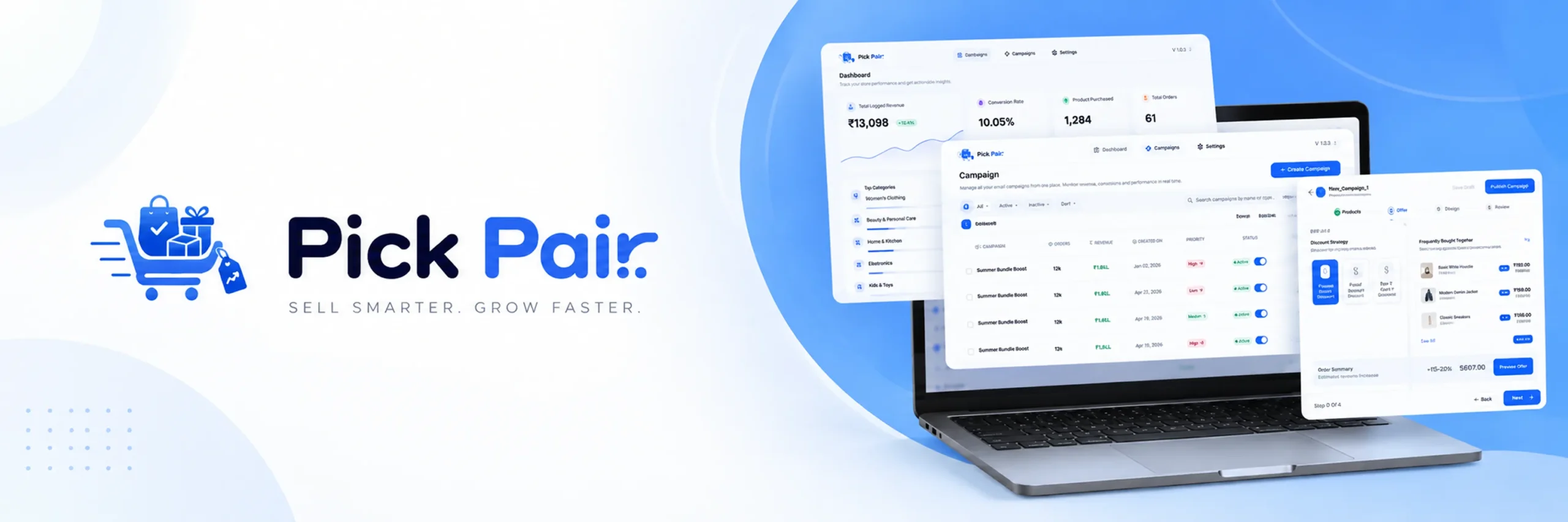
The post-purchase offer is not shown to every customer the same way. Smart Rules let you target it by product, category, cart total, customer type, login status, or past orders, so a first-time buyer and a returning customer don’t see the same offer. PickPair works with both the classic WooCommerce checkout and the newer Cart and Checkout Blocks, and every offer, including the post-purchase one, has its own report showing views, clicks, and revenue.
Key features:
- Post-purchase Thank You page offers.
- Frequently Bought Together bundles on the product page.
- Cart cross-sells and a free shipping progress bar.
- Checkout order bumps added with a single checkbox.
- Add-to-cart pop-up offer.
- Automatic next-order coupon to bring customers back.
- Smart Rules based on product, category, cart total, customer type, login status, and order history.
- Works with both the classic checkout and the Cart and Checkout Blocks.
- Built-in reporting for the post-purchase offer and every other offer, so you don’t need a separate analytics tool.
Pros:
- Covers the post-purchase offer plus four other offer locations from one plugin.
- Free plan is genuinely useful, not just a locked demo.
- Smart Rules stop the same post-purchase offer being shown to every visitor.
- Built-in reports show exactly how much revenue the Thank You page offer is adding.
- Works well with WooCommerce’s newer block-based checkout.
Cons:
- Newer to the market, so it does not yet have years of reviews like some older plugins.
- Fewer third-party guides and community discussions than more established tools.
- Gateway-by-gateway one-click support is less extensively documented than a plugin like WPFunnels that specializes in this.
- Paid plan pricing is not listed publicly; you need to check with the plugin’s own website for a quote.
Pricing: A free plan is available. Paid plans exist for stores that need higher limits or more advanced targeting. Check the official PickPair website for current pricing.
Final verdict: PickPair is a strong pick if you don’t want a plugin that only handles the Thank You page and nothing else. Getting the post-purchase offer alongside the product page, cart, and checkout from one dashboard, with shared rules and one set of reports, is its main advantage over a single-purpose post-purchase plugin.
2. FunnelKit — Best WooCommerce Post-Purchase Upsell Plugin with Email Automation
FunnelKit works well for stores that want post-purchase upsells along with built-in email marketing automation. If a Thank You page offer and post-purchase email sequences are both on your list, this plugin covers both.
FunnelKit, formerly WooFunnels, is really two tools joined together. One part handles checkout order bumps and one-click post-purchase upsells and downsells, letting you chain several offers together after the sale. The other part is a CRM and email automation system called FunnelKit Automations, handling things like abandoned cart recovery and win-back emails, the kind of work you would otherwise need a separate email tool for.
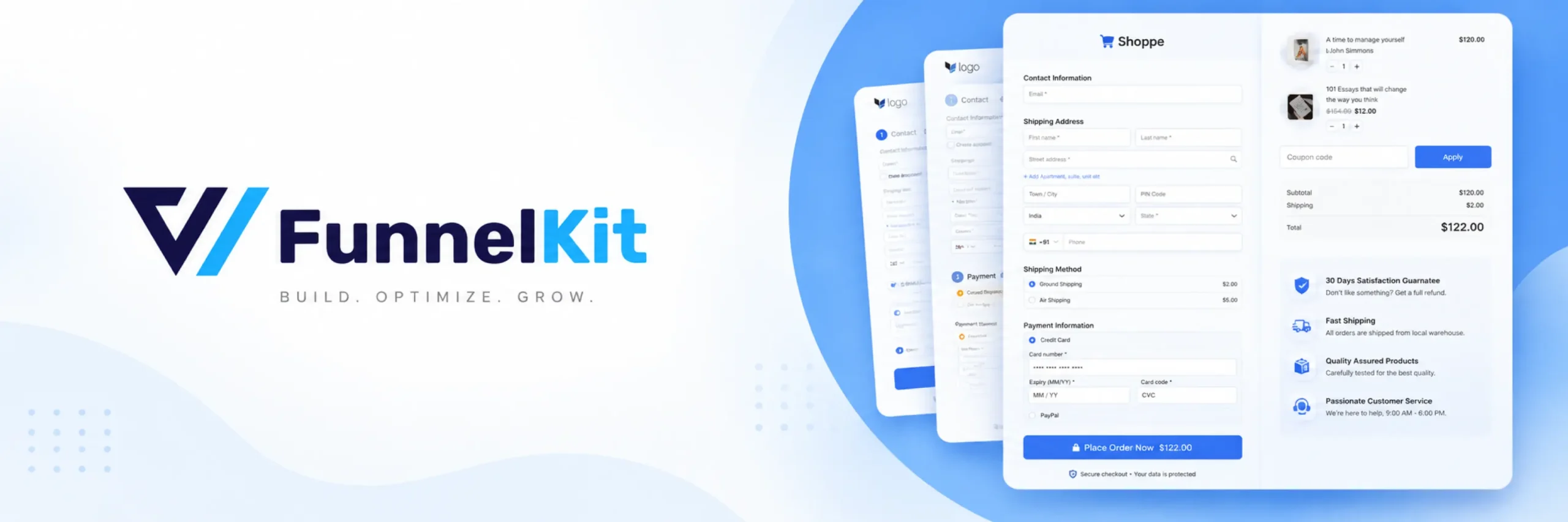
This combination is the main reason to choose FunnelKit over a smaller post-purchase plugin. If email marketing is already something you plan to set up, getting it and your post-purchase upsells from one company means fewer tools to manage.
Key features:
- One-click post-purchase upsells and downsells.
- Multiple sequential offers after checkout.
- Checkout order bumps with rules based on cart contents and customer behavior.
- A/B testing for offer wording and design, on higher-priced plans.
- Built-in CRM and email automation through FunnelKit Automations.
Pros:
- Combines post-purchase upsells with a real CRM and automation system.
- Supports several sequential offers after the sale, not just one.
- Well-known plugin with a large number of users.
- A/B testing helps you improve post-purchase results over time.
Cons:
- Full features like A/B testing and deeper automation need higher-priced plans.
- If you only want post-purchase upsells, you may pay for automation tools you never use.
- No dedicated product-page bundling feature.
Pricing: Paid plans start around $99.50 per year for one site. Higher plans, around $179.50 and $249.50 per year, unlock more sites and deeper automation features. A free version of the core Funnel Builder and Automations tools is also available for basic use.
Final verdict: FunnelKit is worth it if email marketing automation is genuinely part of your plan. If it is not, you may be paying for more plugin than you actually need just to get post-purchase upsells.
3. CartFlows — WooCommerce Checkout Builder with Post-Purchase Upsells
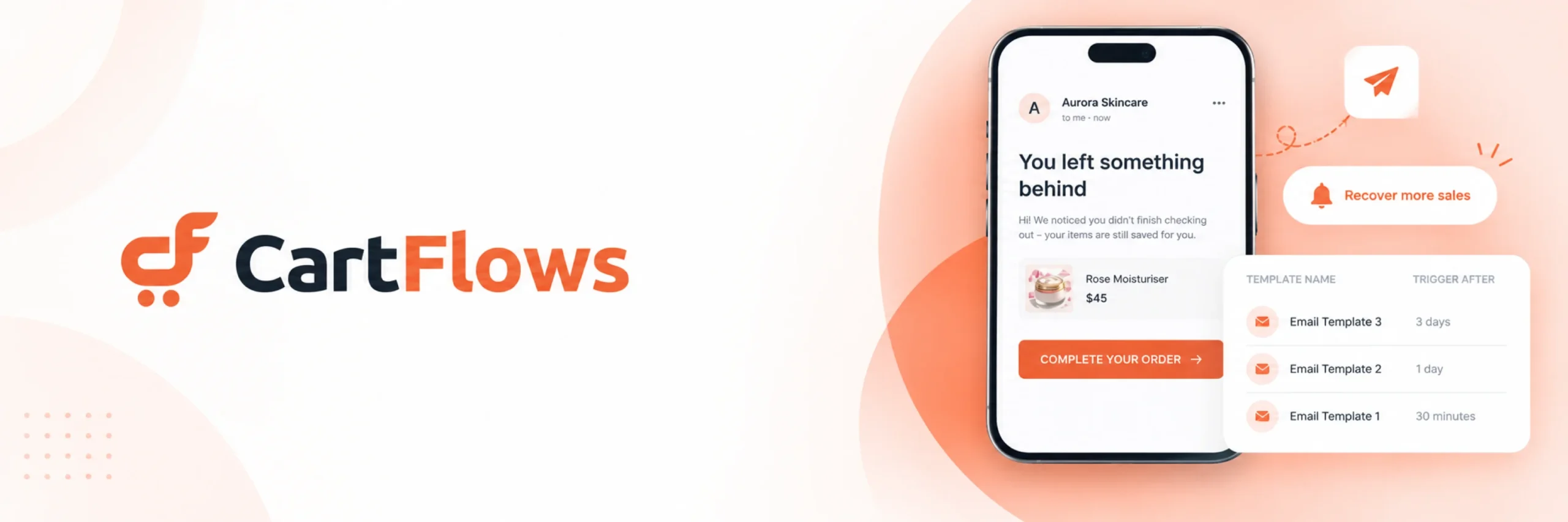
CartFlows works well for stores where the real problem is the checkout and post-purchase experience as a whole, not just a missing Thank You page offer. If you want to rebuild the entire flow, checkout through post-purchase, this plugin is built for that.
CartFlows replaces the default WooCommerce checkout entirely. Using a page builder like Elementor, you build a new checkout flow, either multi-step or single page, with one-click post-purchase upsells and downsells built directly into the sequence after checkout. This is a bigger project than simply installing a plugin and turning on a widget, but it makes sense for a store where the whole post-checkout experience needs work, not just the offer itself.
Key features:
- Visual, drag-and-drop checkout and funnel builder.
- One-click post-purchase upsells and downsells.
- Checkout order bumps.
- A/B testing on higher-priced plans.
- Multi-step or single-page checkout options.
Pros:
- Rebuilds the checkout and post-purchase flow together, not just the offer.
- The visual builder makes it easy to see and change your funnel.
- Templates are built specifically to help convert more visitors.
- Free version and lifetime license options are both available.
Cons:
- A bigger setup project than a plugin built around one simple Thank You page offer.
- More than you need if your checkout already converts well.
- Published prices have changed over time and vary between sources, so confirm current pricing on the official site before budgeting.
Pricing: A free version is available. Paid plans and lifetime licenses exist, but prices have changed with recent updates, so check CartFlows’ own pricing page directly.
Final verdict: CartFlows is worth it for stores where the entire checkout-through-post-purchase experience needs work. If your checkout already converts well and you just want to add a Thank You page offer to it, a smaller, simpler plugin will get you there faster.
4. Smart Offers by StoreApps — Advanced Sequenced Post-Purchase Plugin
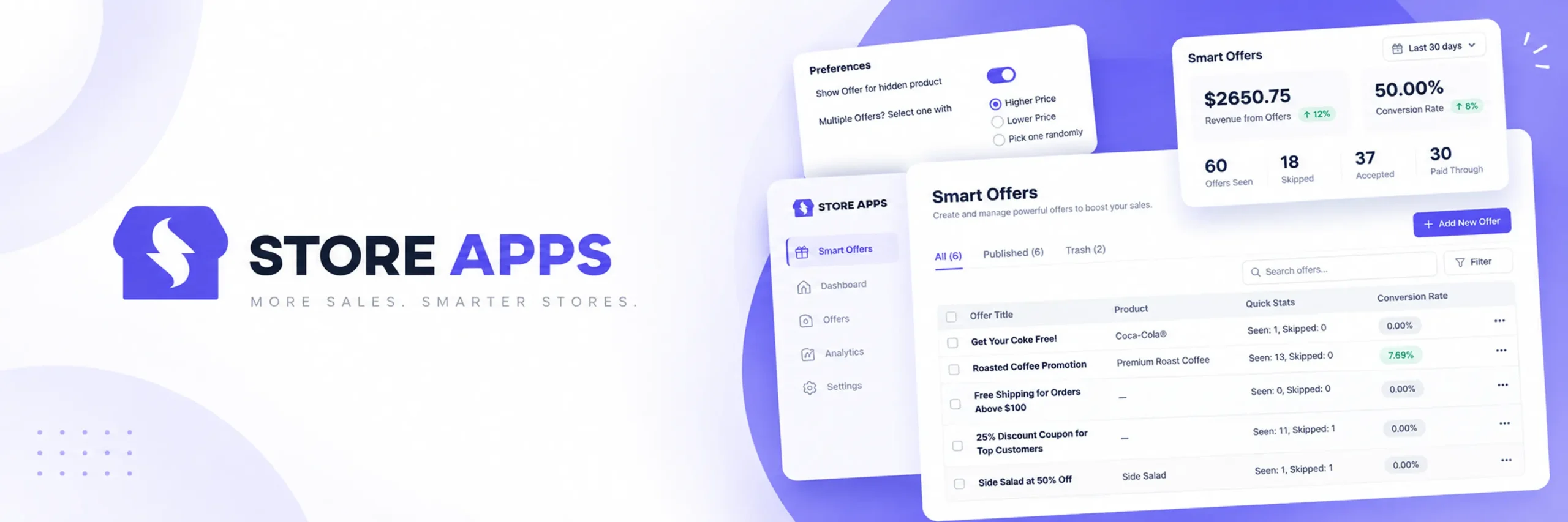
Smart Offers works well for stores that want post-purchase logic too complex for a single, static Thank You page offer. If your upsell strategy needs conditional rules and offers that change based on what the customer just did, this plugin is built for that.
Smart Offers supports one-click post-purchase upsells, cart and checkout bumps, BOGO (buy one get one) deals, and product bundles. All of these can be controlled with AND/OR rules based on product, variation, quantity, category, cart total, attribute, or user role. Its standout feature is sequencing: a post-purchase offer can lead to a different follow-up offer, depending on whether the customer accepts or declines the first one. A customer who just bought a mattress might see an offer for a pillow set; if they decline it, they could be shown a smaller, single-pillow offer instead. It also includes a “Buy Now” one-click repurchase feature that skips the cart and checkout pages entirely for returning customers.
Key features:
- One-click post-purchase upsells.
- Sequenced offers that change based on accept or decline behavior.
- Cart and checkout order bumps.
- BOGO offers and product bundles.
- AND/OR targeting rules based on product, category, cart total, attribute, and user role.
- “Buy Now” one-click repurchase that skips the cart and checkout pages.
Pros:
- The deepest targeting and sequencing engine of any plugin in this guide.
- Offer sequencing after a decline is not offered by any other plugin here.
- The “Buy Now” repurchase feature is genuinely useful for returning customers.
Cons:
- No free version, so you cannot test the sequencing engine before paying.
- Setup takes longer than plugins built around a single, simple offer.
- More plugin than you need if your post-purchase needs are simple.
Pricing: No free version. Starts at around $149 per year for one site.
Final verdict: Smart Offers is worth the price when your post-purchase logic is genuinely complex. If you just want “show one offer on the Thank You page,” a simpler, cheaper plugin will get you there faster.
5. WPFunnels — Best WooCommerce Post-Purchase Upsell Plugin for Any Payment Gateway
WPFunnels works well for stores using a payment gateway other than Stripe or PayPal. If reliable one-click post-purchase upsell support on a regional or less common gateway matters to you, this is the safest choice on this list.
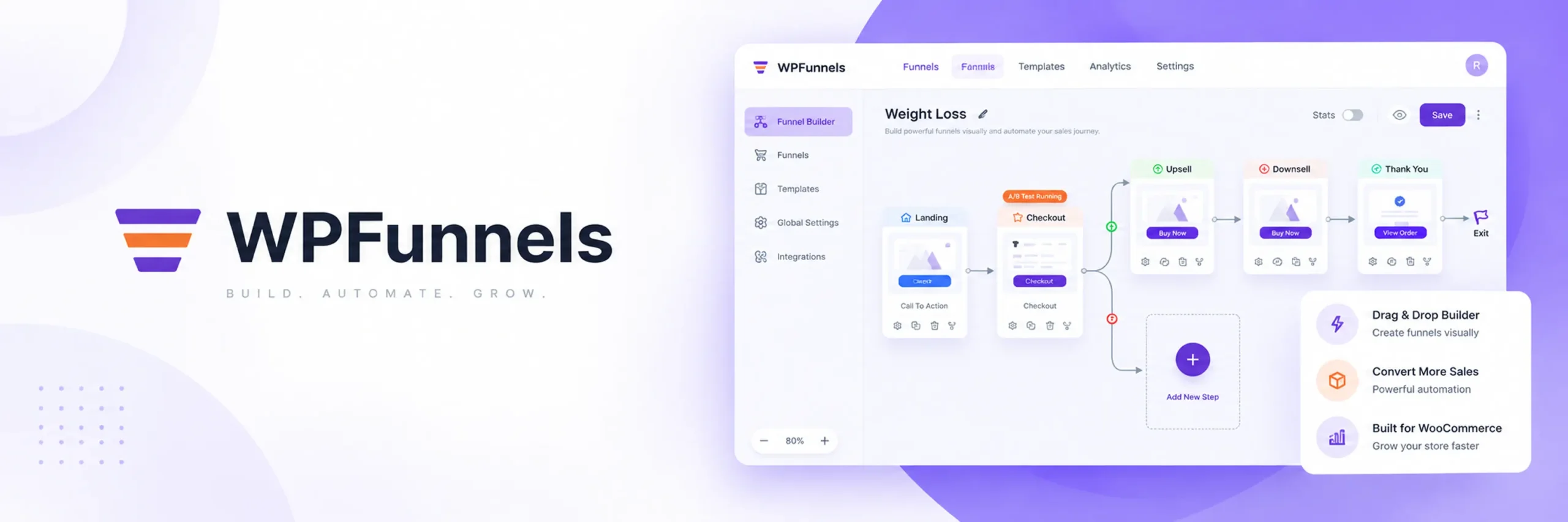
WPFunnels is a visual, drag-and-drop funnel builder built for the Gutenberg block editor, covering landing pages, checkout, order bumps, and post-purchase upsells. What sets it apart is payment gateway support. A one-click post-purchase upsell only works smoothly if the gateway can charge a saved card without asking the customer to enter their details again. Most plugins in this category are only tested reliably with Stripe and PayPal. WPFunnels documents working one-click upsells on nine or more gateways, and offers a two-step confirmation option, no card re-entry needed, but one extra click, on gateways outside that list.
Key features:
- Visual, Gutenberg-based funnel builder.
- One-click post-purchase upsells on 9+ payment gateways.
- Two-step confirmation upsells on other gateways.
- Checkout order bumps.
- Downsells built into the funnel flow.
Pros:
- The widest documented gateway support for one-click post-purchase upsells.
- The visual builder lets you plan the full checkout-through-upsell flow before publishing it.
- A free version is available with basic features.
Cons:
- Funnel-builder setup takes longer than a simple offer widget.
- Its advantage over CartFlows and FunnelKit mostly disappears if you already use Stripe or PayPal.
- A smaller number of third-party add-ons than more established funnel plugins.
Pricing: A free version is available. Pro plans start at around $129.99 per year.
Final verdict: For stores using a regional or less common payment gateway, WPFunnels’ gateway support is the main reason to choose it. For stores already using Stripe or PayPal, the choice between WPFunnels, CartFlows, and FunnelKit comes down to interface preference and price.
6. UpsellWP — Best Free WooCommerce Post-Purchase Upsell Plugin
UpsellWP works well for store owners who want to test whether post-purchase upsells work for them before paying for a plugin. If you want a free plan that actually works, not just a locked demo, this is the best free WooCommerce post-purchase upsell plugin on this list.
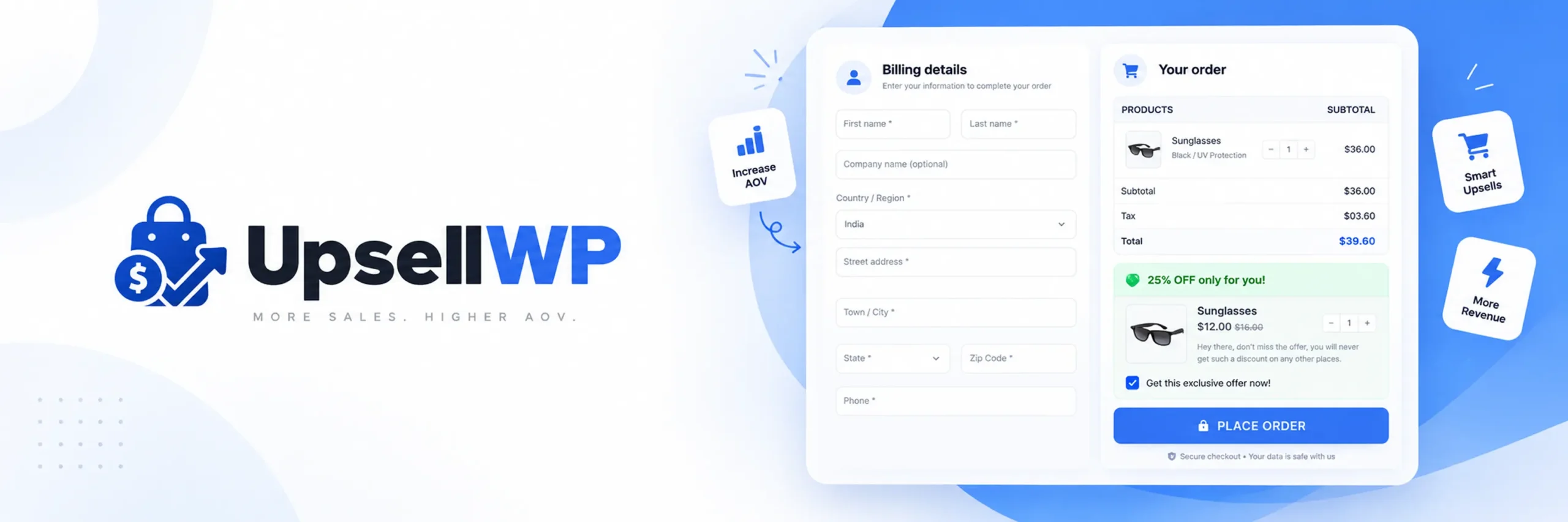
UpsellWP focuses only on upsell and cross-sell offers, rather than trying to be a full funnel builder. This keeps its interface simpler than CartFlows or FunnelKit. The free version, available on WordPress.org, covers checkout order bumps, cart cross-sells, and Frequently Bought Together suggestions, while post-purchase Thank You page offers are part of the Pro plan.
Key features:
- Checkout order bumps (free plan).
- Cart cross-sells (free plan).
- Frequently Bought Together suggestions (free plan).
- Post-purchase Thank You page offers (Pro plan).
- A/B testing (Pro plan).
- Advanced conditional targeting (Pro plan).
Pros:
- The free plan covers checkout and cart offers, a good way to test the concept before upgrading.
- Simpler interface than the larger funnel-builder plugins.
- A low-risk way to test whether upselling works before you pay for the post-purchase feature specifically.
Cons:
- Post-purchase offers themselves need the Pro plan, unlike PickPair’s free plan.
- Does not offer a full checkout redesign the way CartFlows does.
- Overall feature set is smaller than the bigger funnel platforms.
Pricing: Free version available on WordPress.org. Pro plans, which include post-purchase offers, start from around $69 per year.
Final verdict: UpsellWP is a good place to start if you are not yet sure whether upselling is worth the investment for your store, though you’ll need the Pro plan specifically to unlock the post-purchase Thank You page offer.
7. CheckoutWC — Full Checkout Redesign with Post-Purchase Upsells
CheckoutWC works well for stores where checkout conversion, not just the post-purchase moment, is the real bottleneck. If you want a completely redesigned, high-converting checkout page with a post-purchase upsell built into the same flow, this plugin is built for that.
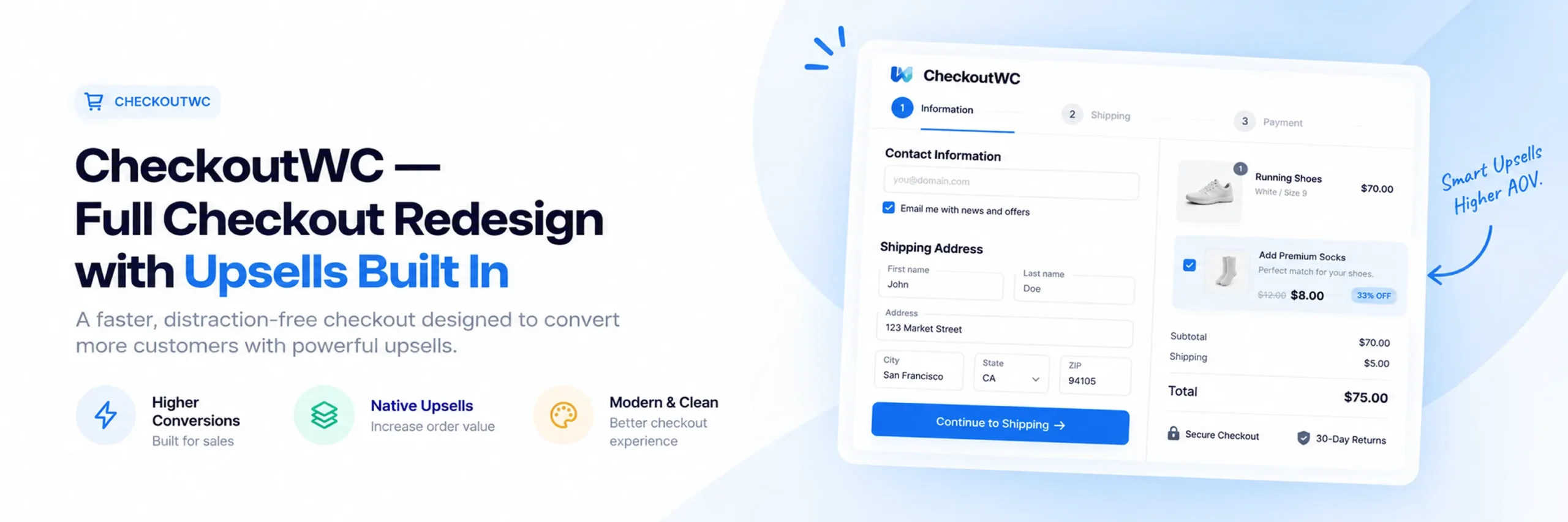
CheckoutWC replaces WooCommerce’s default checkout template with a redesigned, conversion-focused page, built by developers who specialize in checkout optimization. It includes a one-click post-purchase upsell as part of the broader checkout redesign, rather than as a bolt-on feature. The core value proposition here is the checkout page itself; the post-purchase upsell is a component of that larger rebuild.
Key features:
- Fully redesigned, conversion-optimized checkout page.
- One-click post-purchase upsell as part of the checkout flow.
- Address autocomplete and streamlined form fields.
- Built specifically around checkout conversion research.
Pros:
- The checkout redesign itself can improve conversion beyond just the upsell.
- Post-purchase upsell is integrated cleanly into a single, cohesive flow.
- Built by a team focused specifically on checkout optimization.
Cons:
- No free version.
- A much bigger project than installing a plugin just for the Thank You page.
- Overkill if your checkout already converts well and you only want the post-purchase offer.
Pricing: No free version. Check CheckoutWC’s official pricing page for current rates.
Final verdict: Worth it if checkout conversion overall is your bigger problem, and a post-purchase upsell as part of that redesign is a bonus rather than the main goal. If you just want a Thank You page offer, this is more project than you need.
Detailed Feature Comparison Table
| Plugin | One-Click Post-Purchase Upsell | Documented Gateway Support | Offer Sequencing | Checkout Bumps | Free Version | Starting Price |
|---|---|---|---|---|---|---|
| PickPair | ✅ | Standard (Stripe/PayPal-class) | ❌ | ✅ | ✅ | Free plan available |
| FunnelKit | ✅ | Standard (Stripe/PayPal-class) | ✅(sequential offers) | ✅ | ✅ | $99.50/yr |
| CartFlows | ✅ | Standard (Stripe/PayPal-class) | ❌ | ✅ | ✅ | Check official site |
| Smart Offers | ✅ | Standard (Stripe/PayPal-class) | ✅ (accept/decline logic) | ✅ | ❌ | $149/yr |
| WPFunnels | ✅ | 9+ gateways documented | ❌ | ✅ | ✅ | $129.99/yr |
| UpsellWP | ✅(Pro) | Standard (Stripe/PayPal-class) | ❌ | ✅ | ✅(bumps only) | $69/yr |
| CheckoutWC | ✅ | Standard (Stripe/PayPal-class) | ❌ | ✅ | ❌ | Check official site |
Best Plugins by Use Case
Here is a quick summary of which WooCommerce post-purchase upsell plugin is best for each type of need, based on the full reviews above.
Best overall WooCommerce post-purchase upsell plugin: PickPair. It covers the Thank You page offer plus product page, cart, and checkout offers from one plugin, with shared rules and reports.
Best for email marketing and sequential offers: FunnelKit. It combines post-purchase upsells with a full CRM and automation system.
Best for rebuilding checkout and post-purchase together: CartFlows. It replaces the default WooCommerce checkout and builds the upsell flow directly into it.
Best for advanced, sequenced logic: Smart Offers by StoreApps. It is the only plugin here with true accept/decline offer sequencing.
Best for regional payment gateways: WPFunnels. It has documented one-click post-purchase upsell support on 9 or more gateways.
Best free WooCommerce post-purchase upsell plugin: UpsellWP. Its free plan covers checkout and cart offers, with post-purchase upsells available on the Pro plan.
Best for a full checkout redesign: CheckoutWC. A conversion-focused checkout rebuild with the post-purchase upsell built in.
How to Choose the Right WooCommerce Post-Purchase Upsell Plugin
Choosing the right plugin starts with understanding your payment gateway and how much of the rest of the buying journey you want the same plugin to cover. Here are the main things to think about.
Best WooCommerce Post-Purchase Upsell Plugin for Full Coverage If you want the Thank You page offer plus product page, cart, and checkout offers all from one plugin, PickPair is built for exactly that. It saves you from managing separate settings, reports, and renewal dates across several different plugins.
Best WooCommerce Post-Purchase Upsell Plugin for Beginners If you have never run a post-purchase offer before, choose a plugin with a genuinely useful free plan over one with the longest feature list. PickPair lets you get a working Thank You page offer live for free, without building a full sales funnel first.
Best Free WooCommerce Post-Purchase Upsell Plugin PickPair’s free plan covers the post-purchase offer alongside several other offer types. UpsellWP’s free plan is strong for checkout and cart offers, but the post-purchase feature specifically needs its Pro plan.
Other things to think about:
- Which payment gateway does your store use? If it’s not Stripe or PayPal, check WPFunnels’ documented gateway list closely before choosing.
- Do you need offers that change based on customer behavior? Smart Offers has the deepest sequencing engine, useful for a different follow-up offer after a decline.
- Is checkout conversion your real problem, not just the Thank You page? CartFlows and CheckoutWC both rebuild the checkout itself, with the upsell built into that larger flow.
- Are you already using email marketing automation? FunnelKit combines post-purchase upsells with a built-in CRM and abandoned cart recovery.
Integrations worth checking:
- Payment gateways (Stripe, PayPal, and any regional gateway you use) and whether the plugin documents one-click support for it.
- Compatibility with WooCommerce Cart and Checkout Blocks.
- Analytics or reporting, whether built into the plugin or exported elsewhere.
- Email marketing platform, if the plugin does not include automation on its own.
Thinking about growth: if you plan to run more advanced sequenced offers, or expand into regional markets with different payment gateways, Smart Offers and WPFunnels respectively are worth evaluating early, since switching a post-purchase setup later means re-testing the one-click charge flow from scratch.
How to Add a Post-Purchase Upsell to WooCommerce (Without Code)
If this is your first time setting one up, the general steps for how to create a post-purchase upsell in WooCommerce are similar across most plugins on this list.
- Install and activate your chosen WooCommerce post-purchase upsell plugin from the WordPress admin area.
- Confirm your payment gateway is documented as supported for a true one-click charge, not just a general “compatible with WooCommerce” claim.
- Choose the product to offer on the Thank You page, ideally something genuinely related to what was just purchased.
- Set any targeting rules, for example by product or cart total, so the offer only shows to relevant customers.
- Place a real test order with a real (or sandboxed) payment method to confirm the one-click charge actually works without asking for card details again.
- Check the plugin’s built-in reports after a week or two to see whether the offer is actually converting before you add more.
None of the plugins in this guide need coding knowledge to set up. A simple Thank You page offer with a plugin like PickPair can take just a few minutes. A funnel-based tool like CartFlows or CheckoutWC needs more time, since you’re rebuilding the checkout flow as well.
Why PickPair Is a Strong Choice
PickPair earns the top spot for a few clear reasons.
Covers the post-purchase moment and the rest of the journey from one plugin. Most post-purchase plugins do the Thank You page offer and stop there, or lock it behind a paid tier. PickPair includes it in the free plan, alongside Frequently Bought Together bundles on the product page, cart cross-sells, checkout order bumps, and an add-to-cart pop-up, all from one dashboard.
Uses rules, not the same offer for every customer. Post-purchase offers can be limited by product, category, cart total, customer type, login status, or past orders. This means a first-time buyer and a returning customer do not have to see the exact same offer.
Has built-in reports. The post-purchase offer, and every other offer, tracks its own views, clicks, and revenue inside the plugin. You do not need a separate analytics tool to see what is actually working.
Works with the newer checkout blocks. It supports both the classic WooCommerce checkout and the newer Cart and Checkout Blocks, which matters more and more as new stores adopt the block-based setup.
Saves money and time for full coverage. Running one plugin instead of two or three to cover the Thank You page, the product page, and the cart means fewer subscriptions, fewer settings screens, and less chance of plugins conflicting with each other.
Helps bring customers back. The automatic next-order coupon extends the relationship past the post-purchase moment, aiming for a second purchase later, a feature most post-purchase plugins skip since they only focus on the current order.
Post-Purchase Upsell vs. Cross-Sell vs. Order Bump: What’s the Difference
These words are often used to mean the same thing, which makes comparing plugins confusing. Here is the plain difference between them, with simple examples.
Post-purchase (one-click) upsell — an offer shown after the order is placed, on the Thank You page, added to the same order without the customer entering their payment details again. A pillow set offered right after buying a mattress.
Cross-sell — suggesting a different but related product, usually on the product page or in the cart, before checkout. Someone buying a mattress sees an offer for a mattress protector while still shopping.
Order bump — a small, easy add-on shown at checkout, added with one checkbox before payment. A $9 pillowcase offered while buying a $900 mattress, right before the payment button.
Upsell — offering a higher-value version of the item a customer already wants. Someone looking at a queen-size mattress sees an offer for the king-size model.
Most of the plugins in this guide use two or three of these at once. This is why the real differences between them come down to which combination they do well, not which one lists the most features on its website.
Compatibility, Performance & Payment Gateways
A post-purchase upsell plugin depends entirely on your payment gateway, so compatibility matters more here than with almost any other plugin type in WooCommerce.
One-click charging. A true one-click post-purchase upsell requires the gateway to support charging a saved payment method without the customer re-entering their card. Stripe and PayPal are the most commonly supported gateways across every plugin on this list. If you use a regional or less common gateway, check WPFunnels’ documented list closely, since most other plugins don’t publish this level of detail.
Fallback behavior. On a gateway that doesn’t support one-click charging, some plugins offer a two-step confirmation (no card re-entry, but one extra click) rather than failing outright. Confirm what happens on your specific gateway before relying on this feature.
Cart and Checkout Blocks. WooCommerce’s block-based Cart and Checkout pages are now the default for new stores. Confirm your chosen plugin’s Thank You page offer renders correctly after a block-based checkout, not just the older shortcode-based one.
Testing before launch. A failed one-click charge is a worse experience for the customer than not offering the upsell at all. Always test with a real transaction, or your gateway’s sandbox mode, before turning this on for live customers.
Practical Tips Before You Install a Post-Purchase Upsell Plugin
Before adding any WooCommerce post-purchase upsell plugin to your store, here are a few things worth keeping in mind to avoid common problems.
Back up your store first. Post-purchase plugins connect directly to your payment gateway and order data. A recent backup means you can undo any problem quickly if something conflicts with your theme or another plugin.
Confirm your gateway before committing. Test the one-click charge on your actual payment gateway before assuming it will work, especially if you’re outside Stripe or PayPal.
Keep the offer genuinely relevant. A post-purchase offer that matches what was just bought tends to convert well. A random, unrelated offer feels like a bait-and-switch right after someone has already paid you.
Don’t overload the moment. One well-chosen offer on the Thank You page works better than several competing ones. Save the sequencing for a plugin built specifically for it, like Smart Offers or FunnelKit, if you want to go further.
Test the full flow end to end. Place a real test order and confirm the post-purchase offer appears, the one-click charge works, and the additional item shows correctly on the final order.
Check the built-in reports. Most plugins in this guide track views, clicks, and revenue for the post-purchase offer. Use this data to decide whether to keep, change, or remove it, instead of guessing.
Review results regularly. If acceptance rates for the post-purchase offer start dropping, try a different product or price point before assuming the plugin itself is the problem.
Frequently Asked Questions
PickPair, FunnelKit, and WPFunnels are among the strongest options available, depending on whether you want full coverage across your store, email automation, or the widest documented payment gateway support.
PickPair is the strongest choice for covering the Thank You page offer plus product page bundles, cart offers, and checkout bumps from a single plugin, instead of needing several separate tools.
PickPair is the easiest to start with, since the post-purchase offer is included in the free plan and doesn’t require building a visual sales funnel first. CartFlows, FunnelKit, and CheckoutWC all take more setup time, since they’re built around checkout or funnel customization.
No. WooCommerce’s default Thank You page is a plain confirmation screen with no built-in way to offer another product. For a genuine one-click post-purchase upsell, you need a dedicated plugin, and your gateway needs to support saved-card charging.
An order bump is shown before payment, as a checkbox added to the current order at checkout. A post-purchase upsell is shown after payment has already gone through, added to the same order with a separate one-click charge, on the Thank You page.
No. It depends on whether the gateway supports charging a saved payment method without the customer re-entering their details. Stripe and PayPal are the most widely supported. WPFunnels documents support on 9 or more gateways, which is the widest range in this guide.
PickPair’s free plan includes the post-purchase Thank You page offer alongside several other offer types. UpsellWP’s free plan covers checkout and cart offers, but its post-purchase feature specifically requires the Pro plan.
For most stores selling physical or digital products, yes. The moment right after checkout is one of the few times a customer is fully engaged and has already committed to buying, which makes it a low-friction moment to offer one more relevant item. The result depends heavily on relevance. An offer that matches what was just bought tends to convert well. A random, unrelated offer feels intrusive right after payment.
It depends on the plugin, but a well-built one only loads the offer on the Thank You page itself, after payment has completed, so it shouldn’t affect checkout speed. What matters more is testing that the one-click charge itself completes quickly and reliably on your specific gateway.
Choose PickPair if you want the post-purchase offer covered alongside product page, cart, and checkout offers from one plugin, with the Thank You page feature included in the free plan. Choose FunnelKit if you specifically want post-purchase upsells combined with sequential offers and a built-in CRM for email automation. Both are actively maintained. The real decision comes down to whether email marketing automation is part of your plan.
Conclusion
The best WooCommerce post-purchase upsell plugin for you comes down to two things: whether your payment gateway reliably supports one-click charging with the plugin you’re considering, and how much of the rest of the buying journey you want the same plugin to cover.
If you want full coverage from the product page all the way to the Thank You page, PickPair is the strongest all-around choice, with the post-purchase offer included in its free plan. If email marketing automation is part of your plan, FunnelKit combines that with sequential post-purchase offers. If your whole checkout-through-upsell experience needs a rebuild, CartFlows or CheckoutWC are built for that job. If your post-purchase logic needs real conditional sequencing, Smart Offers goes deeper than any other plugin here. If you use a regional payment gateway, WPFunnels offers the safest, best-documented coverage. And if you’re testing the idea for the first time, UpsellWP’s free plan is a reasonable starting point, though the post-purchase feature itself needs its Pro tier.
My overall advice:
- Want everything from one plugin, with post-purchase included free? Choose PickPair.
- Need email automation and sequential offers too? Choose FunnelKit.
- Is your whole checkout and post-purchase flow the real problem? Choose CartFlows or CheckoutWC.
- Running complex, sequenced promotions? Choose Smart Offers.
- Using a regional payment gateway? Choose WPFunnels.
- Testing post-purchase upsells for the first time and don’t mind paying for the Pro tier? Choose UpsellWP.
Whichever plugin you choose, confirm your payment gateway supports true one-click charging before you rely on it, keep the offer genuinely relevant to what was just bought, and check the built-in reports for a few weeks before adding more. Post-purchase upsells work best when they feel like a natural, easy add-on to a purchase the customer already feels good about, not an unexpected extra step after they thought checkout was done.
Ready to add a Thank You page upsell alongside product page, cart, and checkout offers, all from one dashboard? Install PickPair and set up your first post-purchase offer directly from your WooCommerce admin area.