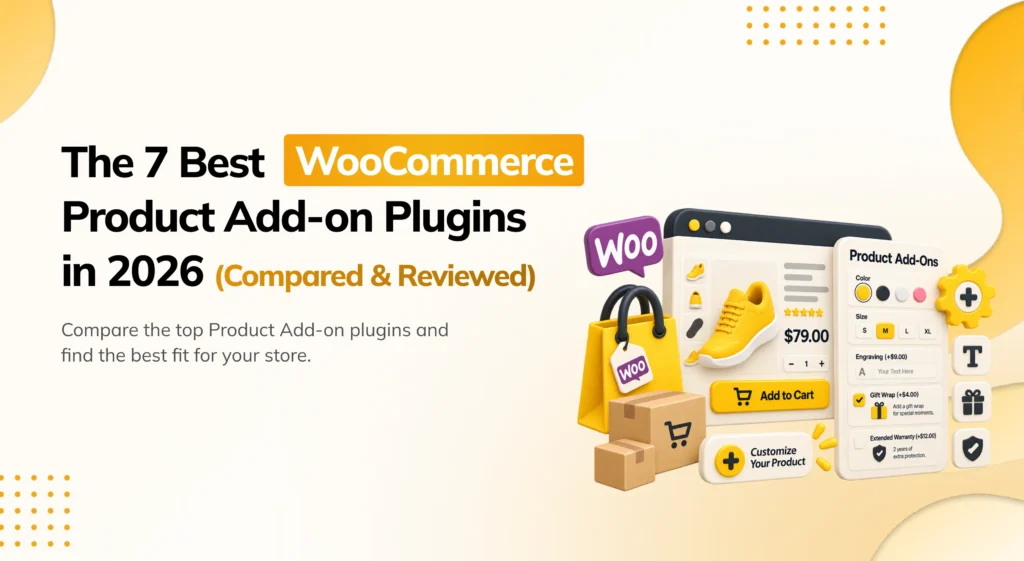
A customer buys a leather wallet as a gift. They never think to ask for a monogram, because there’s no field on the product page to request one, no checkbox, no way to say “add my initials for $8 more.” So they buy the wallet exactly as listed, and the store misses out on an easy extra sale. This is exactly the gap a WooCommerce product add-on plugin is built to close.
WooCommerce comes with almost nothing built in for this. There is no native way to let a customer choose a paid extra, gift wrap, engraving, a warranty, a custom size, next to the Add to Cart button. If you want customers to be able to personalize or extend a purchase before it ever reaches the cart, you need a dedicated plugin.
There are now many WooCommerce product add-on plugins on the market, and they are built for different levels of complexity. Some plugins handle simple checkboxes and dropdowns well. Others are built for complex, conditional forms with file uploads, date pickers, and pricing that changes based on what the customer selects. Picking a plugin just because it has the most field types often leads to a bloated setup for a store that only needed a simple checkbox. The better question is: how complex are the add-ons you actually need, and does the plugin keep your product pages fast while supporting them?
This guide looks at each plugin one by one. It explains what each one does, what field types it supports, what they cost, and where they fall short. By the end, you should be able to match a plugin to your store, not just install the most familiar name.
How I Evaluated These Plugins
Before the list, it helps to explain how these plugins were judged. A long list of field types does not tell the whole story. A plugin can support ten field types and still be confusing to set up, or slow down the product page it’s supposed to improve.
Each plugin was reviewed from the point of view of a WooCommerce store owner. How easy is it to add your first paid checkbox or dropdown? Does the pricing logic update correctly when a customer selects an option? Do add-ons work cleanly with variable products, not just simple ones? Does it feel stable enough to trust on a live product page, where a broken price calculation costs real money?
Before you install any product add-on plugin, back up your store first. Add-on plugins connect directly to your product pages, cart totals, and pricing logic. A recent backup matters more here than with most other plugin types.
Here are the main things this comparison looked at:
- Field type variety — Does it support checkboxes, dropdowns, text fields, file uploads, date pickers, and quantity-based pricing? Or just the basics?
- Pricing flexibility — Can each option add a flat fee, a percentage, or a per-unit charge? Does the total update live as the customer selects options?
- Placement — Do add-ons apply to a single product, or can they also apply globally across the cart, like gift wrapping for an entire order?
- Checkout compatibility — Does it work with both the classic WooCommerce checkout and the newer Cart and Checkout Blocks?
- Pricing and free plan — Is the free version actually useful? Or is it just a demo meant to push you toward paying?
The Best WooCommerce Product Add-On Plugins
| Plugin | Pricing | Best For |
|---|---|---|
| PickPair | Freemium (paid plans on request) | Product and cart add-ons plus the full upsell journey, from one plugin |
| WooCommerce Product Add-Ons | Premium (official WooCommerce.com extension) | Stores that want an official WooCommerce.com extension |
| YITH WooCommerce Product Add-Ons | Freemium (paid license, check pricing) | A genuinely useful free plan for general-purpose add-ons |
| WPC Product Add-Ons (WPClever) | Freemium (Pro pricing on request) | Deep conditional logic between add-on fields |
| Extra Product Options (Themehigh) | Freemium (Pro pricing on request) | Complex fields like file uploads and measurements |
| Advanced Product Fields (Barn2) | Premium (check official pricing) | Add-ons alongside other product customization tools |
| Product Add-Ons Ultimate (VillaTheme) | Freemium (Pro pricing on request) | Global add-ons applied across many products at once |
1. PickPair — Best All-in-One WooCommerce Product Add-On and Upsell Plugin
PickPair works well for store owners who want product and cart add-ons alongside product-page bundles, checkout order bumps, and post-purchase offers, all from one plugin. If you want a single dashboard instead of a separate plugin just for add-ons, start here.
PickPair’s Product Add-ons let you offer paid extras directly on a single product, gift wrapping, engraving, a warranty, while Cart Add-ons apply an extra across the whole order, like a store-wide gift wrap option shown once at checkout instead of once per item. Both are set up from the same dashboard that also runs an Amazon-style “Frequently Bought Together” box on the product page, cart cross-sells with a free shipping progress bar, checkout order bumps, an add-to-cart pop-up, and post-purchase Thank You page offers. An automatic next-order coupon brings the customer back for a second purchase later.

Add-ons and every other offer type are not shown to everyone the same way. Smart Rules let you target by product, category, cart total, customer type, login status, or past orders. PickPair works with both the classic WooCommerce checkout and the newer Cart and Checkout Blocks, and every offer, including each add-on, has its own report showing views, clicks, and revenue.
Key features:
- Product Add-ons for paid extras on a single product (gift wrap, engraving, warranty, and similar).
- Cart Add-ons for extras applied across the whole order.
- Frequently Bought Together bundles on the product page.
- Checkout order bumps added with a single checkbox.
- Cart cross-sells and a free shipping progress bar.
- Post-purchase Thank You page offers.
- Automatic next-order coupon to bring customers back.
- Smart Rules based on product, category, cart total, customer type, login status, and order history.
- Works with both the classic checkout and the Cart and Checkout Blocks.
- Built-in reporting for each add-on and offer, so you don’t need a separate analytics tool.
Pros:
- Covers product and cart add-ons plus four other offer locations from one plugin.
- Free plan is genuinely useful, not just a locked demo.
- Smart Rules stop the same add-on being shown to every visitor.
- Built-in reports show exactly how much revenue each add-on is generating.
- Works well with WooCommerce’s newer block-based checkout.
Cons:
- Newer to the market, so it does not yet have years of reviews like some older plugins.
- Fewer third-party guides and community discussions than more established tools.
- Fewer complex field types (like file uploads or date pickers) than dedicated form-building add-on plugins.
- Paid plan pricing is not listed publicly; you need to check with the plugin’s own website for a quote.
Pricing: A free plan is available. Paid plans exist for stores that need higher limits or more advanced targeting. Check the official PickPair website for current pricing.
Final verdict: PickPair is a strong pick if you don’t want a plugin that only handles add-ons and nothing else. Getting product and cart add-ons alongside the product page, checkout, and post-purchase offer from one dashboard, with shared rules and one set of reports, is its main advantage over a single-purpose add-on plugin.
2. WooCommerce Product Add-Ons — Official Product Add-On Extension
WooCommerce Product Add-Ons works well for stores that specifically want an extension built and maintained by WooCommerce.com itself. If sticking to official, first-party tools is a priority for your store, this is the safest name on this list.
This extension lets you add checkboxes, dropdowns, text fields, file uploads, and other custom options to any product, with per-option pricing that updates the total automatically. Because it is built directly by the WooCommerce.com team, it tends to stay closely in step with core WooCommerce updates, and it works cleanly with both simple and variable products.

Key features:
- Checkbox, dropdown, radio button, text field, and file upload add-on types.
- Per-option pricing (flat fee, percentage, or per-unit).
- Works with simple and variable products.
- Global add-ons that can apply to multiple products at once.
Pros:
- Built and maintained by the official WooCommerce.com team.
- Tends to stay well aligned with core WooCommerce updates.
- Solid range of field types for most general use cases.
Cons:
- No free version.
- No cart-wide add-ons (each add-on is tied to a specific product).
- No upsell, cross-sell, or order bump features beyond the add-on itself.
Pricing: No free version. Sold as a yearly subscription through the official WooCommerce Extensions store; check WooCommerce.com for current pricing.
Final verdict: Worth it if you specifically want an official, first-party extension for product customization and don’t need it bundled with upsell or cross-sell features. For a wider offer strategy, a more complete plugin goes further.
3. YITH WooCommerce Product Add-Ons — Solid General-Purpose Add-On Plugin
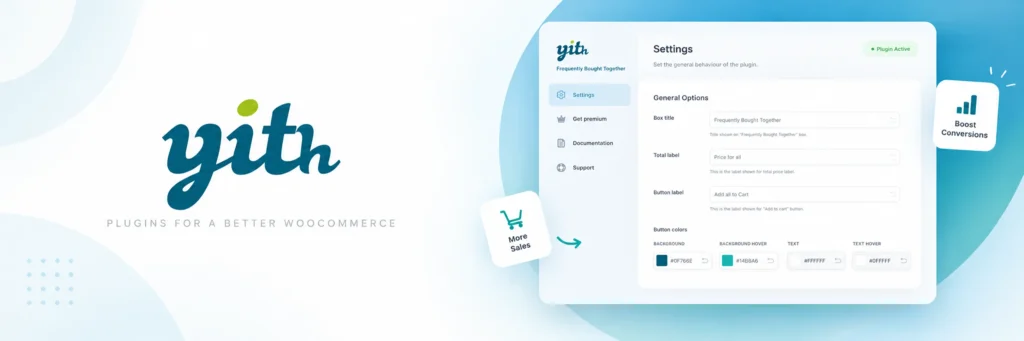
YITH’s plugin works well for stores that want a dependable, general-purpose add-on tool with a genuinely useful free version. If you want to test paid product customization before committing to a paid plugin, this is a reasonable starting point.
YITH WooCommerce Product Add-Ons supports checkboxes, dropdowns, text fields, and other common field types, with pricing that adjusts based on the customer’s selection. Its free version on WordPress.org covers the basics, checkboxes and simple pricing, while the paid license unlocks more field types and conditional logic.
Key features:
- Checkbox, dropdown, and text field add-on types.
- Per-option pricing.
- Basic conditional logic (Pro version).
- Works with simple and variable products.
Pros:
- A long-established plugin with years of real use behind it.
- Free version genuinely lets you test a basic add-on before paying.
- Familiar settings style if you already use other YITH plugins.
Cons:
- More advanced field types and conditional logic need the paid license.
- No cart-wide add-ons or wider upsell features.
- Fewer complex field types than dedicated form-building plugins.
Pricing: A free version is available on WordPress.org. A paid premium license unlocks more field types and logic; check current pricing on the official YITH website.
Final verdict: A solid, dependable choice if you want a general-purpose add-on plugin and are already comfortable with the YITH ecosystem. For deeper conditional logic or a wider offer strategy, other plugins on this list go further.
4. WPC Product Add-Ons (WPClever) — Best for Conditional Logic Between Fields
WPC Product Add-Ons works well for stores that need add-on fields to react to each other, showing or hiding one option depending on what the customer picked in another. If your add-ons need real “if this, then that” logic, this plugin is built for it.
WPC Product Add-Ons supports the standard field types, checkboxes, dropdowns, text fields, along with conditional logic that lets one field’s visibility depend on another field’s value. For example, a “custom engraving” text field can be set to only appear if the customer has already checked a “add engraving” checkbox. It also supports quantity-based and percentage-based pricing.
Key features:
- Checkbox, dropdown, radio button, and text field add-ons.
- Conditional logic between fields (show/hide based on other selections).
- Flat, percentage, and quantity-based pricing.
- Works with simple and variable products.
Pros:
- Conditional field logic is more developed here than in most add-on plugins.
- Reasonable free version to test basic add-ons.
- Regularly updated with a responsive support team.
Cons:
- More advanced conditional rules and field types need the paid version.
- No cart-wide add-ons or bundled upsell features.
- Interface takes slightly more setup time than the simplest plugins on this list.
Pricing: A free version is available on WordPress.org. Pro pricing is available on request from the developer’s site.
Final verdict: Worth it if your add-on forms genuinely need conditional logic between fields. For a simple checkbox or two, this is more plugin than you need.
5. Extra Product Options (Themehigh) — Best for Complex Custom Fields
Extra Product Options works well for stores that need genuinely complex customization forms, file uploads for custom artwork, measurement fields for made-to-order items, date pickers for personalized gifts. If your products need more than a simple checkbox, this plugin covers the widest range of field types here.
This plugin supports an extensive set of field types: text fields, text areas, checkboxes, dropdowns, radio buttons, file uploads, date pickers, color swatches, and image swatches. Pricing can be set per option, as a percentage, or based on a formula involving quantity or other fields. It is built for stores selling customizable or made-to-order products, like printed goods, engraved items, or custom apparel.

Key features:
- Wide range of field types, including file uploads, date pickers, and swatches.
- Flat, percentage, and formula-based pricing.
- Conditional field logic.
- Works with simple and variable products.
Pros:
- The widest range of field types of any plugin in this guide.
- Well suited to made-to-order and custom-print businesses.
- Formula-based pricing handles more complex calculations than most competitors.
Cons:
- More setup time than a plugin built around simple checkboxes.
- No cart-wide add-ons or wider upsell features.
- The breadth of options can feel like more than a simple store needs.
Pricing: A free version is available with basic field types. Pro pricing is available on request from the developer’s site.
Final verdict: Extra Product Options is worth it if your products are genuinely customizable, custom prints, engraved gifts, made-to-order items, and need field types beyond a simple checkbox. For a basic gift-wrap checkbox, it’s more than you need.
6. Advanced Product Fields (Barn2) — Add-Ons Alongside Other Customization Tools
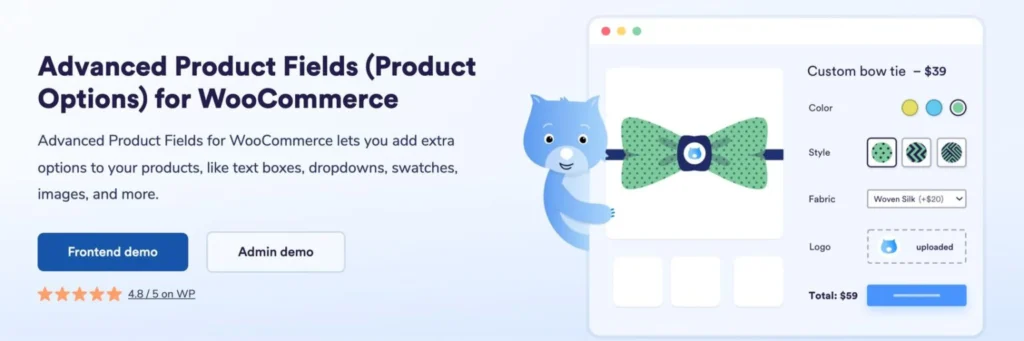
Advanced Product Fields works well for stores that want add-ons as part of a broader product customization toolkit from the same developer. If you’re also interested in things like product table displays or bulk ordering tools, sourcing your add-on plugin from the same company can simplify support.
This plugin covers the standard set of add-on field types, checkboxes, dropdowns, text fields, with per-option pricing and conditional logic. It’s built by Barn2, a company known for a range of WooCommerce product-display and customization plugins, so it tends to integrate cleanly if you already use their other tools.
Key features:
- Checkbox, dropdown, radio button, and text field add-ons.
- Per-option pricing.
- Conditional logic between fields.
- Designed to integrate with other Barn2 plugins.
Pros:
- Clean integration if you already use other Barn2 plugins.
- Solid, dependable field type coverage for general use.
- Responsive, well-documented support.
Cons:
- No free version.
- No cart-wide add-ons or bundled upsell features.
- Fewer complex field types than Extra Product Options.
Pricing: No free version. Check Barn2’s official pricing page for current rates.
Final verdict: A reasonable choice if you’re already invested in Barn2’s other WooCommerce plugins. On its own, its add-on feature set is solid but not more advanced than several other options on this list.
7. Product Add-Ons Ultimate (VillaTheme) — Best for Global Add-Ons Across Many Products
Product Add-Ons Ultimate works well for stores that want to apply the same add-on, like a warranty or gift-wrap option, across many products at once, without configuring it product by product. If you manage a large catalog and want add-ons applied in bulk, this plugin is built for that.
This plugin supports standard field types with per-option pricing, and its standout feature is bulk assignment: you can create one add-on group and apply it to an entire category or a large set of products in one action, instead of editing each product individually.

Key features:
- Checkbox, dropdown, and text field add-ons.
- Per-option pricing.
- Bulk assignment of add-on groups across categories or many products at once.
- Works with simple and variable products.
Pros:
- Saves significant setup time for stores with large catalogs.
- Straightforward interface for applying the same add-on broadly.
- Reasonable free version to test bulk assignment.
Cons:
- More advanced field types and logic need the paid version.
- No cart-wide add-ons or wider upsell features.
- Less suited to stores needing highly customized, product-specific add-ons.
Pricing: A free version is available with basic functionality. Pro pricing is available on request from the developer’s site.
Final verdict: Worth it specifically for stores with a large catalog that want the same add-on applied broadly without manual, product-by-product setup. For a small catalog, the bulk-assignment advantage matters less.
Detailed Feature Comparison Table
| Plugin | Field Type Variety | Cart-Wide Add-Ons | Conditional Logic | Bulk Assignment | Wider Upsell Features | Free Version | Starting Price |
|---|---|---|---|---|---|---|---|
| PickPair | Moderate | ✅ | ❌ | ❌ | ✅ | ✅ | Free plan available |
| WooCommerce Product Add-Ons | High | ❌ | ❌ | ✅ (global add-ons) | ❌ | ❌ | Check WooCommerce.com |
| YITH Product Add-Ons | Moderate | ❌ | ✅(Pro) | ❌ | ❌ | ✅ | Check official site |
| WPC Product Add-Ons | Moderate | ❌ | ✅ | ❌ | ❌ | ✅ | Check official site |
| Extra Product Options | Very High | ❌ | ✅ | ❌ | ❌ | ✅ | Check official site |
| Advanced Product Fields | Moderate | ❌ | ✅ | ❌ | ❌ | ❌ | Check official site |
| Product Add-Ons Ultimate | Moderate | ❌ | ❌ | ✅ | ❌ | ✅ | Check official site |
Best Plugins by Use Case
Here is a quick summary of which WooCommerce product add-on plugin is best for each type of need, based on the full reviews above.
Best overall WooCommerce product add-on plugin: PickPair. It covers product and cart add-ons plus the product page, checkout, and post-purchase offers from one plugin, with shared rules and reports.
Best official extension: WooCommerce Product Add-Ons. Built and maintained directly by the WooCommerce.com team.
Best free general-purpose option: YITH WooCommerce Product Add-Ons. Its free plan lets you test a real add-on before paying.
Best for conditional logic between fields: WPC Product Add-Ons. Fields can show or hide based on what the customer already selected.
Best for complex custom fields: Extra Product Options. File uploads, date pickers, and formula-based pricing for made-to-order products.
Best for a broader customization toolkit: Advanced Product Fields by Barn2. Fits naturally alongside other Barn2 plugins.
Best for large catalogs: Product Add-Ons Ultimate. Bulk-assign the same add-on across many products at once.
How to Choose the Right WooCommerce Product Add-On Plugin
Choosing the right plugin starts with understanding how complex your add-ons actually need to be, and how much of the wider offer journey you want one plugin to cover. Here are the main things to think about.
Best WooCommerce Product Add-On Plugin for Full Coverage If you want product and cart add-ons plus product page, checkout, and post-purchase offers all from one plugin, PickPair is built for exactly that. It saves you from managing separate settings, reports, and renewal dates across several different plugins.
Best WooCommerce Product Add-On Plugin for Beginners If you have never set up a paid add-on before, choose a plugin with a genuinely useful free plan over one with the longest list of field types. PickPair and YITH WooCommerce Product Add-Ons both let you get a working add-on live without a lot of setup.
Best Free WooCommerce Product Add-On Plugin YITH WooCommerce Product Add-Ons and Extra Product Options both offer real, usable free versions for basic add-ons. PickPair’s free plan also covers Product and Cart Add-ons alongside several other offer types.
Other things to think about:
- Do you need complex fields like file uploads or date pickers? Extra Product Options has the widest range of field types on this list.
- Do your fields need to react to each other? WPC Product Add-Ons has the most developed conditional logic.
- Do you manage a large catalog? Product Add-Ons Ultimate’s bulk assignment saves significant setup time.
- Do you want an official, first-party extension? WooCommerce Product Add-Ons is built and maintained directly by WooCommerce.com.
- Do you also want upsells, cross-sells, and order bumps from the same plugin? PickPair is the only plugin here that combines add-ons with a full offer strategy.
Integrations worth checking:
- Compatibility with WooCommerce Cart and Checkout Blocks.
- Whether the plugin works with variable products, not just simple ones.
- Whether pricing updates live on the page as options are selected.
- Whether add-ons apply per product or across the whole cart.
Thinking about growth: if your product line is likely to need more complex customization over time, custom sizing, engraving, made-to-order options, a plugin with strong conditional logic and a wide range of field types will save you from switching plugins later.
How to Add Product Add-Ons to WooCommerce (Without Code)
If this is your first time setting one up, the general steps for how to create product add-ons in WooCommerce are similar across most plugins on this list.
- Install and activate your chosen WooCommerce product add-on plugin from the WordPress admin area.
- Choose the field type for your first add-on: a checkbox for a simple yes/no extra, or a dropdown for several paid options.
- Set the price for each option, whether that’s a flat fee, a percentage of the product price, or a per-unit charge.
- Decide whether the add-on applies to a single product, a category, or the whole cart, depending on what your plugin supports.
- Place a real test order to confirm the price updates correctly and the selected option is recorded on the order.
- Check how the add-on choice appears in the order confirmation email and admin order screen, so fulfillment has the details it needs.
None of the plugins in this guide need coding knowledge to set up. A simple checkbox add-on can take just a few minutes with any of them. A complex, conditional custom-order form, with file uploads and formula-based pricing, will take longer regardless of which plugin you choose.
Why PickPair Is a Strong Choice
PickPair earns the top spot for a few clear reasons.
Covers add-ons and the wider offer journey from one plugin. Most add-on plugins do the add-on and stop there. PickPair adds Product and Cart Add-ons, but also covers Frequently Bought Together bundles on the product page, checkout order bumps, an add-to-cart pop-up, and post-purchase Thank You page offers, all from one dashboard.
Offers both product-level and cart-level add-ons. Product Add-ons apply to a single item, while Cart Add-ons apply once across the whole order, useful for something like store-wide gift wrapping that shouldn’t be repeated per item.
Uses rules, not the same add-on for every visitor. Offers, including add-ons, can be limited by product, category, cart total, customer type, login status, or past orders.
Has built-in reports. Every add-on and offer tracks its own views, clicks, and revenue inside the plugin. You do not need a separate analytics tool to see what is actually working.
Works with the newer checkout blocks. It supports both the classic WooCommerce checkout and the newer Cart and Checkout Blocks, which matters more and more as new stores adopt the block-based setup.
Saves money and time for full coverage. Running one plugin instead of two or three to cover add-ons, bundles, and checkout offers means fewer subscriptions, fewer settings screens, and less chance of plugins conflicting with each other.
Product Add-On vs. Variation vs. Upsell: What’s the Difference
These words are often used loosely, which makes comparing plugins confusing. Here is the plain difference between them, with simple examples.
Product add-on — an optional paid extra a customer can choose on a product, separate from the core product itself. A customer buying a wallet adds monogram engraving for $8 more.
Variation — a required choice between different versions of the same product, usually with no separate add-on price beyond what the variation itself costs. A customer buying a T-shirt must choose a size: small, medium, or large.
Upsell — offering a higher-value version of the item a customer already wants. Someone looking at the base model of a product sees an offer for the premium version with more features.
Order bump — a small, easy add-on shown at checkout, added with one checkbox before payment, often unrelated to customization of the item itself. A $9 phone case offered while buying a $600 phone.
Most of the plugins in this guide focus specifically on add-ons and sometimes variations, while a few, like PickPair, also cover upsells and order bumps. This is why the real differences between them come down to which combination they support, not just how many field types they list.
Compatibility, Performance & Checkout Blocks
A product add-on plugin sits directly on your product page and pricing logic, so compatibility and performance matter more here than with most other plugin types.
Cart and Checkout Blocks. WooCommerce’s block-based Cart and Checkout pages are now the default for new stores. Some older add-on plugins, built for the older, shortcode-based checkout, do not always carry add-on selections through cleanly to a block-based cart or checkout. Check this clearly before you buy, especially if your store was set up recently.
Variable product support. Not every add-on plugin works cleanly with variable products (products with sizes, colors, or other variations). If your catalog relies heavily on variations, confirm this before choosing a plugin.
Live price updates. A good add-on plugin updates the displayed price immediately as a customer selects options, without a page reload. A plugin that requires adding to cart before the price is confirmed creates a worse, more confusing shopping experience.
Caching and page builders. Add-on plugins that calculate pricing dynamically can sometimes clash with strong caching plugins or page builder templates. Test a live add-on after installing it, rather than assuming it will work everywhere without checking.
Practical Tips Before You Install a Product Add-On Plugin
Before adding any WooCommerce product add-on plugin to your store, here are a few things worth keeping in mind to avoid common problems.
Back up your store first. Add-on plugins connect directly to your product pages, pricing logic, and cart. A recent backup means you can undo any problem quickly if something conflicts with your theme or another plugin.
Start with your most requested add-on. If customers already email you asking for gift wrap or a custom message, start there. It’s a faster way to prove the value of the plugin than guessing at new add-ons from scratch.
Keep pricing clear. Make sure the extra cost of an add-on is obvious before the customer adds the product to their cart, not just revealed at checkout. Surprise charges at checkout are a common reason for cart abandonment.
Test with a variable product, not just a simple one. If your store sells products with sizes or colors, confirm the add-on plugin works correctly with variations before relying on it across your catalog.
Test the checkout after activating. Place a real test order and confirm the selected add-on shows correctly in the cart, at checkout, and on the order confirmation, on both desktop and mobile.
Check how add-ons appear on the order screen. Make sure whoever fulfills the order can clearly see which add-ons were selected, so a requested engraving or custom message doesn’t get missed.
Review results regularly. If an add-on isn’t getting picked, try adjusting its price, its wording, or where it appears on the page before assuming customers simply don’t want it.
Frequently Asked Questions
PickPair, WooCommerce Product Add-Ons, and Extra Product Options are among the strongest options available, depending on whether you want full offer coverage, an official extension, or complex custom fields.
PickPair is the strongest choice for covering product and cart add-ons plus product page bundles, checkout bumps, and post-purchase offers from a single plugin, instead of needing several separate tools.
PickPair and YITH WooCommerce Product Add-Ons are both easy to start with, since neither requires building complex conditional forms before your first add-on goes live.
No. WooCommerce has no native way to add optional, paid extras to a product beyond variations. For checkboxes, dropdowns, custom text fields, or file uploads with their own pricing, you need a plugin.
A variation is a required choice between different versions of the same product, like size or color, usually included in the base setup. A product add-on is an optional paid extra layered on top, like engraving or gift wrap, that a customer can choose to add or skip.
Some plugins support this. Product Add-Ons Ultimate is built specifically for bulk-assigning the same add-on group across a category or many products at once. WooCommerce Product Add-Ons also supports global add-ons applied to multiple products.
It depends on the plugin and how many fields or offer types you turn on at once. Well-built plugins only load extra code on the product pages where an add-on is actually shown. Check your site speed after installing a plugin, and again after adding each new field.
Choose PickPair if you want product and cart add-ons covered alongside product page bundles, checkout bumps, and post-purchase offers from one plugin, with a free plan and built-in reports. Choose WooCommerce Product Add-Ons if you specifically want an official, first-party extension with a wide range of field types and don’t need it bundled with upsell or cross-sell features. Both are actively maintained. The real decision comes down to how much of the wider offer journey you want one plugin to cover.
Conclusion
The best WooCommerce product add-on plugin for you comes down to two things: how complex your add-ons need to be, and how much of the wider offer journey, upsells, cross-sells, order bumps, you want the same plugin to cover.
If you want full coverage from add-ons all the way to post-purchase offers, PickPair is the strongest all-around choice. If you specifically want an official WooCommerce.com extension, WooCommerce Product Add-Ons is built directly by that team. If you want a dependable free option to start with, YITH WooCommerce Product Add-Ons is a solid pick. If your fields need conditional logic, WPC Product Add-Ons handles that well. If your products need complex custom fields like file uploads or formula-based pricing, Extra Product Options goes the furthest. If you’re already using other Barn2 tools, Advanced Product Fields fits naturally alongside them. And if you manage a large catalog and want to apply the same add-on broadly, Product Add-Ons Ultimate saves the most setup time.
My overall advice:
- Want everything from one plugin? Choose PickPair.
- Want an official WooCommerce.com extension? Choose WooCommerce Product Add-Ons.
- Want a dependable free general-purpose option? Choose YITH WooCommerce Product Add-Ons.
- Need fields that react to each other? Choose WPC Product Add-Ons.
- Need complex custom fields like file uploads? Choose Extra Product Options.
- Already using other Barn2 plugins? Choose Advanced Product Fields.
- Managing a large catalog? Choose Product Add-Ons Ultimate.
Whichever plugin you choose, start with your most requested add-on, keep the extra cost clear before checkout, and check how it appears on the order screen so nothing gets missed during fulfillment. Product add-ons work best when they feel like a natural extra a customer was already looking for, not an unexpected charge sprung on them at the last step.
Ready to offer product and cart add-ons alongside bundles, order bumps, and post-purchase offers, all from one dashboard? Install PickPair and set up your first add-on directly from your WooCommerce admin area.