Anyone who has ever been asked “would you like to make that a large?” has already experienced an upsell. Anyone who has been asked “would you like fries with that?” has already experienced a cross-sell. Both questions are trying to increase the size of the order, but they’re doing it in completely different ways, and mixing them up is one of the most common reasons store owners set up the wrong kind of offer in the wrong place.
This mix-up matters more than it sounds. An upsell shown where a cross-sell belongs, or the reverse, tends to convert poorly, because it doesn’t match what the customer is actually deciding at that moment. Getting the distinction right is the difference between an offer that feels helpful and one that feels like noise.
This guide breaks down exactly what separates an upsell from a cross-sell, with plain examples for each, a side-by-side comparison, and guidance on when to use one, the other, or both together in a WooCommerce store.
What Is an Upsell?
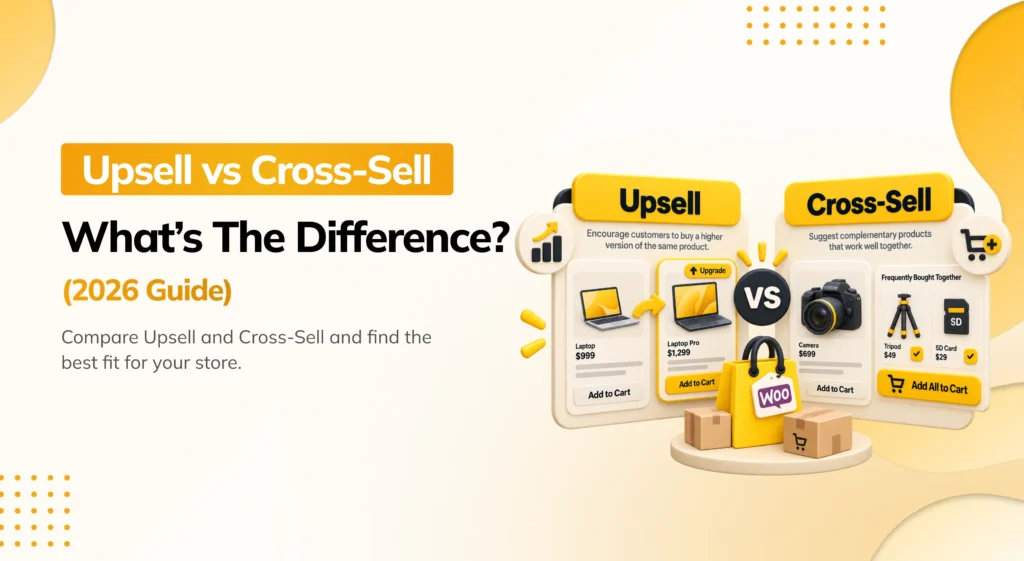
An upsell offers a better version of the exact thing a customer is already considering. The customer’s core decision doesn’t change, they still want a laptop, a subscription, a hotel room, but the upsell tries to move them toward a higher-value option within that same decision.
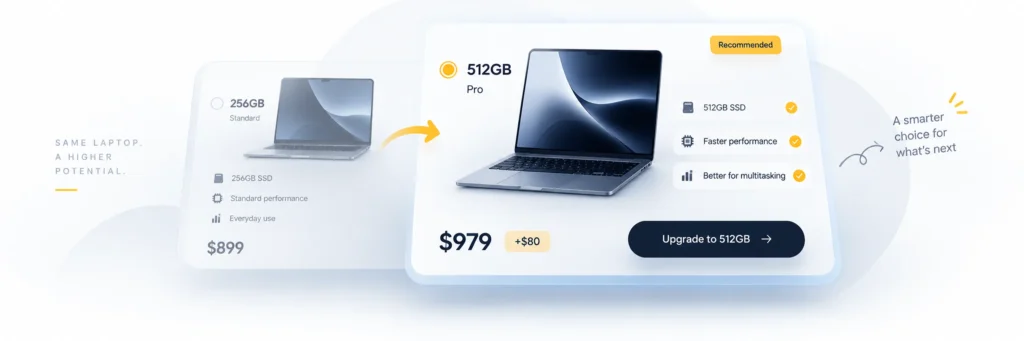
Example: A customer is looking at a laptop with 256GB of storage. A message on the page says “Need more space? Get the 512GB model for $80 more.” The customer still wants a laptop. The upsell just changes which laptop.
Example: A streaming service customer signs up for the basic ad-supported plan. At checkout, an offer appears: “Upgrade to ad-free for $3 more a month.” Same core product, a better version of it.
Example: A coffee shop customer orders a medium coffee. The person at the counter asks, “Want to make that a large for 50 cents more?” The order hasn’t changed, just its size.
The common thread: an upsell replaces or upgrades the item already in the customer’s mind. It doesn’t introduce something new to the cart, it makes what’s already there bigger, better, or more capable.
What Is a Cross-Sell?
A cross-sell offers a different, but related, product alongside the one the customer is already buying. The core purchase doesn’t change, laptop, subscription, hotel room, but something separate gets added next to it.
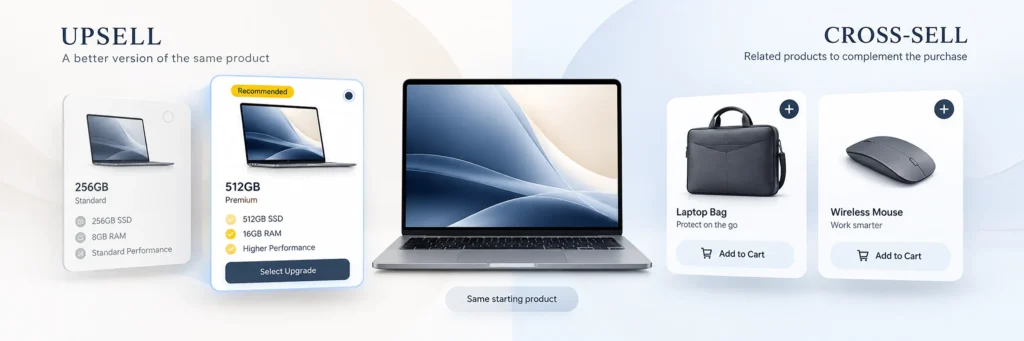
Example: A customer buying a laptop sees a suggestion for a laptop bag and a wireless mouse. The laptop itself stays exactly the same. Two new, separate items are being added to the order.
Example: A customer signing up for a streaming subscription sees an offer to also add a second profile pack for a household member. It’s a separate add-on, not a change to the subscription itself.
Example: The classic fast food line, “would you like fries with that?”, is a cross-sell. The burger doesn’t change. Fries are a completely separate item being added to the order.
The common thread: a cross-sell introduces something new, related, but distinct from the original purchase. It doesn’t touch the item the customer already decided on.
Upsell vs. Cross-Sell: Side-by-Side Comparison
| Upsell | Cross-Sell | |
|---|---|---|
| What it does | Offers a better version of the same product | Offers a different, related product |
| Changes the original item? | Yes, replaces or upgrades it | No, adds alongside it |
| Typical price jump | Moderate to large (a version upgrade) | Small to moderate (an add-on) |
| Best shown where | Product page, before purchase decision is final | Product page, cart, or checkout |
| Customer’s decision | “Which version should I get?” | “What else do I need?” |
| Classic example | “Make it a large” | “Would you like fries with that?” |
| Risk if done poorly | Feels pushy or like a bait-and-switch | Feels cluttered or irrelevant |
Real-World Examples Side by Side
Seeing both side by side on the same purchase makes the difference clearest.
Buying a phone:
- Upsell: “Get the 256GB model instead of the 128GB for $100 more.”.
- Cross-sell: “Add a case and screen protector for $25.”.
Buying a mattress:
- Upsell: “Upgrade to the memory foam hybrid for $150 more.”.
- Cross-sell: “Add a pillow set and mattress protector for $60.”.
Buying a software subscription:
- Upsell: “Move up to the Pro plan for $10 more a month, with unlimited projects.”.
- Cross-sell: “Add a second team seat for $8 a month.”.
Buying a bicycle:
- Upsell: “Get the carbon-frame version for $200 more.”.
- Cross-sell: “Add a helmet and a lock for $45.”.
In each case, the upsell changes what’s actually being bought. The cross-sell leaves the original item untouched and adds something next to it.
When to Use an Upsell vs. a Cross-Sell

Use an upsell when:
- The customer hasn’t finalized their choice yet, they’re still deciding between versions or tiers.
- A genuinely better option exists that solves the same need more completely.
- The price difference is justified by a clear, easy-to-explain benefit (more storage, better material, extra capacity).
Use a cross-sell when:
- The customer has already decided what to buy, and the goal is to add something complementary.
- There’s an accessory, consumable, or companion product that naturally goes with the purchase.
- You want to increase order value without touching the core decision the customer already made.
A good rule of thumb: if the offer changes the answer to “which one am I buying,” it’s an upsell. If it changes the answer to “what’s in my cart,” it’s a cross-sell.
Can You Use Both Together?
Yes, and the strongest-converting stores generally do, just at different points in the journey rather than at the same moment.
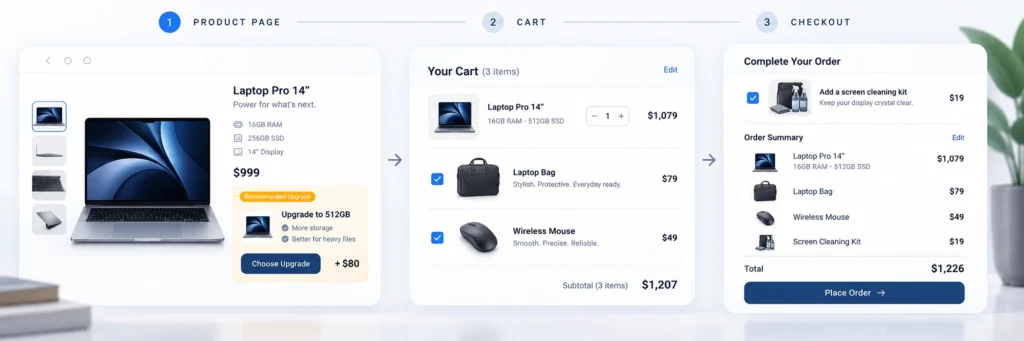
Example flow for a laptop store:
- Product page (upsell): The customer views the 256GB model. A box suggests the 512GB version for $80 more.
- Product page (cross-sell): Below that, a “Frequently bought together” box suggests a laptop bag and a mouse.
- Cart (cross-sell): The cart page shows one more related item, a laptop sleeve, with a note about free shipping if the order crosses a certain total.
- Checkout (cross-sell as order bump): A small checkbox offers a cheap screen-cleaning kit for $9.
Notice the upsell appears once, early, while the customer is still deciding which version to buy. The cross-sells appear multiple times, at different stages, since they don’t require the customer to reconsider their core decision each time.
Where Order Bumps Fit In
Order bumps are worth mentioning here because they’re often confused with both upsells and cross-sells. An order bump is really a specific delivery mechanism, usually a cross-sell, shown at checkout as a single checkbox, right before payment. A $9 phone case offered while checking out for a $600 phone is a cross-sell, delivered as an order bump.
A post-purchase, one-click upsell is a different mechanism again, an offer (either an upsell or a cross-sell) shown after the order is placed, added to the same order without re-entering payment details. The underlying offer, upgrade or add-on, is still either an upsell or a cross-sell. Order bump and post-purchase upsell describe when and how the offer is shown, not what kind of offer it is.
How to Implement Both in WooCommerce
WooCommerce’s native tools are limited: a basic “Upsells” and “Cross-sells” field on the product edit screen, shown as plain product listings with no discount logic, no targeting, and no reporting.
To run both effectively, most stores use a dedicated plugin that supports:
- A product-page upsell, shown as a clear “upgrade” prompt near the Add to Cart button.
- A product-page cross-sell, shown as a Frequently Bought Together box with checkboxes and a bundle discount.
- A cart cross-sell, with related items and a free shipping progress bar.
- A checkout cross-sell, delivered as a low-friction order bump.
- A post-purchase upsell or cross-sell, shown as a one-click Thank You page offer.
A plugin like PickPair covers all five of these from one dashboard, with targeting rules so a first-time visitor and a returning customer don’t see the exact same offer, and built-in reporting so you can see which offers, upsells or cross-sells, are actually earning their place on the page.
Common Mistakes to Avoid
Calling every offer an “upsell.” In casual conversation, “upsell” is often used to mean any offer that increases order value. This loose usage causes confusion when setting up an actual strategy, since an upsell and a cross-sell need to be placed differently to work well.
Showing an upsell after the decision is already made. If a customer has already added an item to their cart, a “buy the better version instead” message is more disruptive than helpful, since it asks them to undo a decision rather than add to one.
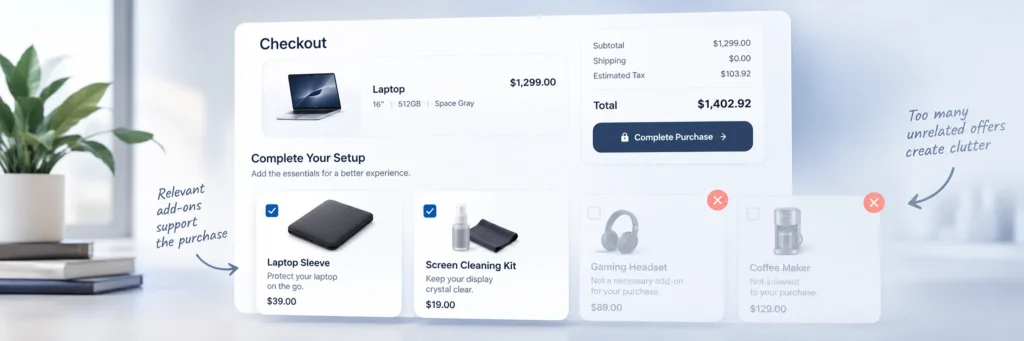
Showing too many cross-sells at once. A cart or checkout page crowded with five different “you might also like” boxes competes with the actual checkout button. One or two well-chosen cross-sells outperform a wall of them.
Making the upsell’s benefit unclear. “Upgrade to Pro” means nothing without a clear reason why. Lead with the specific benefit: more storage, more users, better material, not just a higher price tag.
Cross-selling something irrelevant. A cross-sell only works if it’s genuinely related. A phone buyer cross-sold a phone case makes sense. A phone buyer cross-sold an unrelated kitchen gadget does not, and tends to get ignored or feel like clutter.
Frequently Asked Questions
An upsell is “a better version of what you’re already getting.” A cross-sell is “something else to go with it.” If the core item changes, it’s an upsell. If something new gets added next to it, it’s a cross-sell.
Neither is universally better, they solve different problems. Cross-sells, especially low-priced ones shown as checkout order bumps, tend to have very high acceptance rates because they require little decision-making. Upsells can add more revenue per accepted offer, since the price difference is often larger, but they usually convert at a lower rate since they ask the customer to reconsider their choice.
Yes. A premium phone case might be an upsell if it’s replacing a basic case already in the cart, or a cross-sell if it’s being added to a phone purchase where no case was previously selected. The distinction depends on whether it’s replacing something or adding to it.
It can be either. “Post-purchase” describes when the offer is shown, right after checkout, not what kind of offer it is. A post-purchase upgrade offer is an upsell; a post-purchase add-on offer is a cross-sell.
Cross-sells generally work better at checkout, delivered as a cheap, low-friction order bump. Checkout is a poor moment for an upsell, since the customer has already committed to a specific item and asking them to switch to a different version disrupts a decision they’ve already made.
Not necessarily. Several WooCommerce plugins, including PickPair, handle both from the same dashboard: an upgrade-style upsell on the product page, a Frequently Bought Together cross-sell below it, cart and checkout cross-sells, and post-purchase offers of either type.
Conclusion
An upsell and a cross-sell are trying to do the same thing, increase how much a customer spends, but they get there in opposite ways. An upsell changes the item itself into something bigger or better. A cross-sell leaves the item alone and adds something new beside it. Confusing the two usually means showing the wrong kind of offer at the wrong moment, an upgrade prompt after the decision is made, or a random add-on before the customer has settled on what they actually want.
Used correctly, and at the right point in the journey, the two work well together: one upsell early in the decision, several small, relevant cross-sells throughout the rest of the process. Most stores don’t need to choose between them. They need a way to run both, cleanly, without turning every page into a wall of competing offers.
Ready to run both upsells and cross-sells, on the product page, in the cart, at checkout, and after purchase, from one dashboard? PickPair covers all of it with built-in targeting and reporting, so you can see exactly which offers are actually working.