Average Order Value is one of the few numbers in a WooCommerce store that you can move without spending a cent on new traffic. Every visitor who already decided to buy something is a visitor who’s already past the hardest part, getting them to trust you enough to pay. The only question left is how much they end up paying.
Most stores leave this on the table. They sell one item at a time, on a plain product page, with a plain cart, and a plain checkout, and never ask whether the customer might want one more thing. A handful of well-placed offers, shown at the right moment, with the right discount, can lift AOV meaningfully without touching ad spend or conversion rate at all.
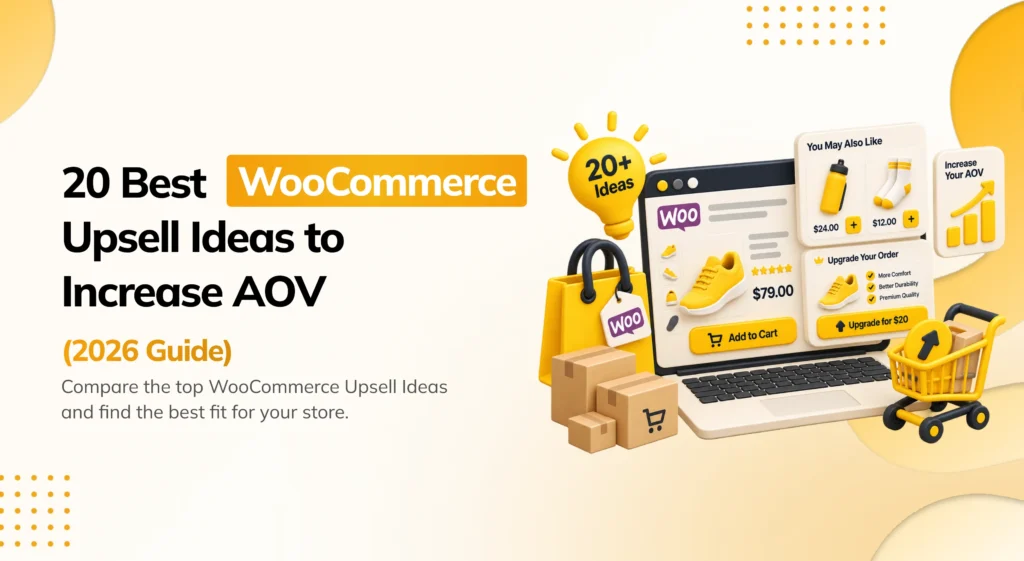
This guide walks through 20 concrete upsell ideas you can apply to a WooCommerce store, organized by where they show up in the buying journey: the product page, the cart, checkout, and after the sale. Each one includes what it looks like in practice and a quick note on how to set it up.
Product Page Upsell Ideas
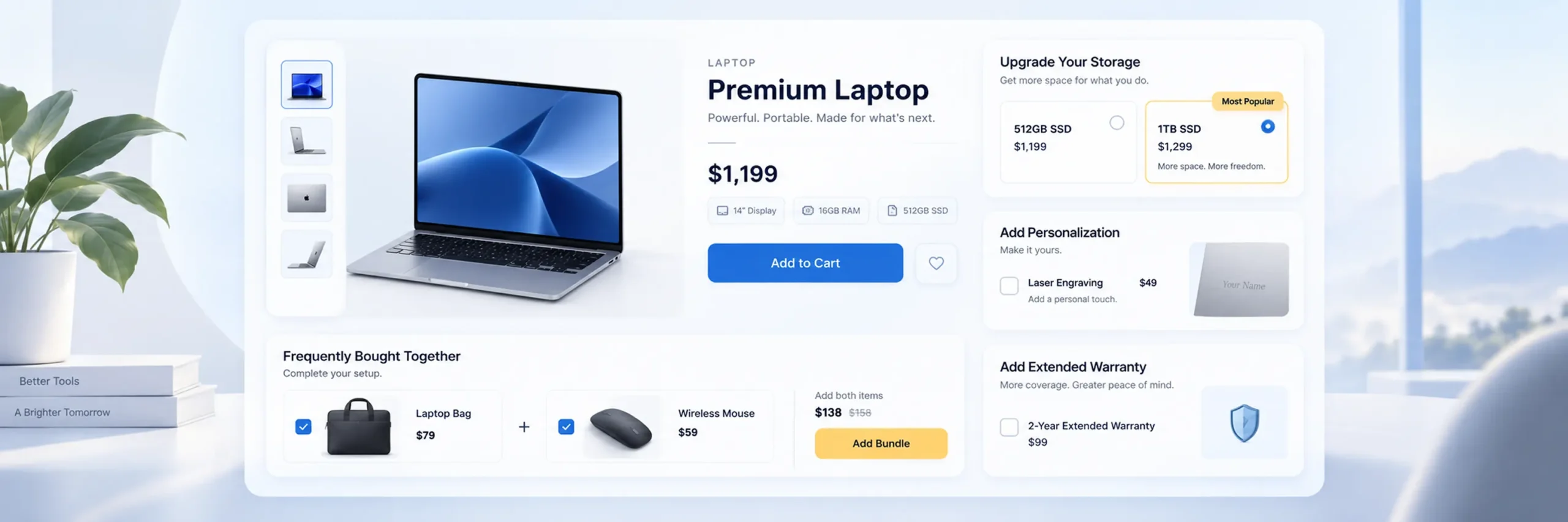
1. Show a Frequently Bought Together bundle
Show a box of items customers commonly buy alongside the one they’re viewing, with checkboxes to add some or all of them in one click.
Example: A customer looking at a camera sees a box below the price that says “Frequently bought together.” A memory card and a camera case are already ticked, and the page shows one combined price that’s a little cheaper than buying all three separately. The customer just clicks “Add all to cart” instead of hunting for accessories on their own.
How to set it up: Choose the pairing by hand for accuracy, especially on a smaller catalog, and set a percentage or fixed-amount discount for buying the bundle. A plugin like PickPair handles the checkboxes, pricing, and stock checks automatically.
2. Offer a higher-value version of the same product
If a customer is looking at the base model, show them what the next tier up gets them, more storage, a better material, extra capacity, right on the same page.
Example: A customer is viewing a 128GB laptop. Just under the price, a small box says “Need more space? Get the 256GB model for $80 more” with a link straight to that version. No searching required, the upgrade is right there.
How to set it up: Place the upgrade offer close to the Add to Cart button, and lead with what’s different, not just the price difference.
3. Add paid product customization options
Let customers pay extra for gift wrapping, engraving, a monogram, or a warranty, directly on the product page.
Example: A customer buying a leather wallet sees a checkbox that says “Add monogram engraving (+$8)” with a small text field to type in initials. It’s optional, clearly priced, and doesn’t get in the way if they skip it.
How to set it up: Use a product add-on feature to add a checkbox or dropdown with its own price. Keep the extra cost visible before the item is added to the cart, not hidden until checkout.
4. Show a “Customers also bought” recommendation
A more general version of Frequently Bought Together, showing items other buyers picked up, without necessarily bundling them into one purchase.
Example: Below a blender product page, a row of thumbnails reads “Customers who bought this also bought,” showing a smoothie cup set and a cleaning brush. The customer can click through to either one, but there’s no combined bundle price, it’s just a helpful suggestion.
How to set it up: This works well either from manual selection or from order-history-based automatic suggestions once your store has enough sales data to make the pattern meaningful.
5. Highlight a bundle discount visually, not just in the price
A bundle that saves money only works if the customer notices the saving. Show the original combined price crossed out next to the bundle price.
Example: Instead of just showing “$142,” the bundle box shows “$164 $142” with the higher number crossed out, plus a small tag that says “You save $22.” The customer doesn’t have to do the math themselves to see it’s a deal.
How to set it up: Most Frequently Bought Together and bundle plugins support this display style natively; make sure it’s turned on rather than just showing the final price alone.
6. Use a quiz or product finder for complex catalogs
If your catalog has many similar products, skincare, supplements, sizing-dependent items, a short quiz that recommends the right one can prevent a shopper from leaving out of indecision, and naturally leads into recommending complementary items too.
Example: A skincare store shows a “Find your routine” button. A customer answers three quick questions, skin type, main concern, budget, and lands on a results page recommending a specific cleanser and moisturizer together, instead of scrolling through forty products trying to guess.
How to set it up: Keep the quiz to 3–5 questions maximum. Longer quizzes see higher drop-off than they gain in accuracy.
Cart Page Upsell Ideas
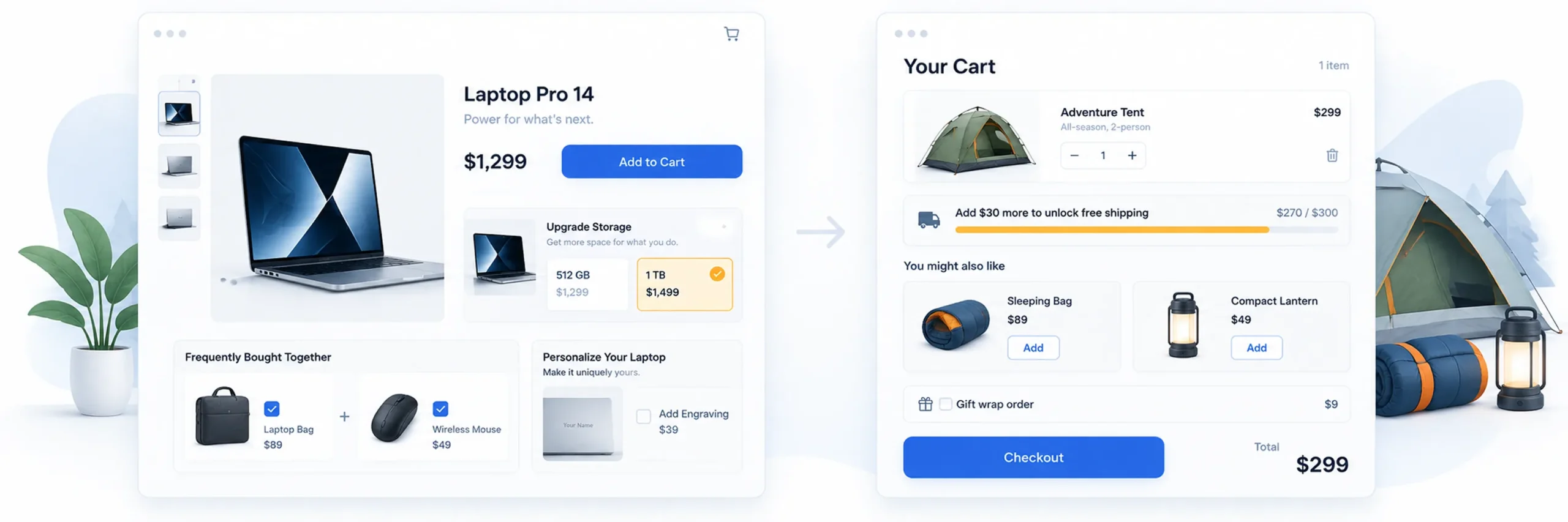
7. Add a free shipping progress bar
Show a message like “Add $12 more for free shipping!” that updates live as the cart total changes.
Example: A customer’s cart totals $38. Right above the checkout button, a bar reads “Add $12 more to unlock free shipping” with a progress bar that’s about 75% full. The customer adds a $15 item just to clear the threshold, and now the store has sold one more thing while giving away shipping it may barely cost anything to provide.
How to set it up: Set the threshold slightly above your current average order value, not so high it feels unreachable. This is one of the simplest, most effective ideas on this list.
8. Recommend related products in the cart
Show one or two relevant add-ons directly on the cart page, separate from what’s shown on the product page, since the customer’s intent is now clearer.
Example: A customer’s cart has a tent in it. On the cart page, just below the item list, a small section says “Complete your camping trip” and shows a sleeping bag and a lantern, each with an “Add to cart” button right there, no need to leave the page.
How to set it up: Keep it to one or two suggestions. A cluttered cart page competes with the checkout button for attention.
9. Show a low-stock or limited-availability nudge on cart items
If a cart item is genuinely running low, a small note can encourage the customer to complete the purchase, and to add a companion item, before it’s gone.
Example: Next to a jacket in the cart, a small red line reads “Only 3 left in your size.” It doesn’t sell an extra item on its own, but it nudges the customer to finish checking out now, and to grab a matching scarf shown right next to it, instead of coming back later.
How to set it up: Only use this when it’s genuinely true. Fake urgency erodes trust quickly if a customer later notices stock never actually changes.
10. Let customers apply a cart-wide add-on
Instead of gift wrapping tied to a single item, offer a single “gift wrap this order” option that applies once, at the cart level.
Example: A customer has three items in their cart, all gifts for the same person. Instead of three separate gift-wrap checkboxes, one per item, the cart shows a single option: “Gift wrap this entire order (+$5).” One click, one small charge, everything wrapped.
How to set it up: A Cart Add-on feature, like the one built into PickPair, applies a single fee across the whole order instead of duplicating it per item.
Checkout Upsell Ideas
11. Add a checkout order bump
Show a small, cheap, related item at checkout, added with a single checkbox before the customer pays. This is one of the highest-converting upsell mechanics because it requires almost no decision-making effort.
Example: A customer is paying for a $600 phone. Right above the “Place Order” button, a checkbox reads “Add a protective case for just $9” with a small photo of the case. It’s cheap enough next to the total that saying yes feels almost automatic.
How to set it up: Keep the price low, ideally under $15, and make sure it’s genuinely related to what’s already in the cart.
12. Run more than one order bump
If your first bump converts well, a second, different bump can add incremental revenue, as long as it doesn’t crowd the page.
Example: Below the phone case checkbox, a second one appears: “Add a screen protector for $5.” Both are small, both are optional, and neither competes for attention with the actual order details.
How to set it up: Test one bump at a time before adding a second, so you know which one is actually driving the lift.
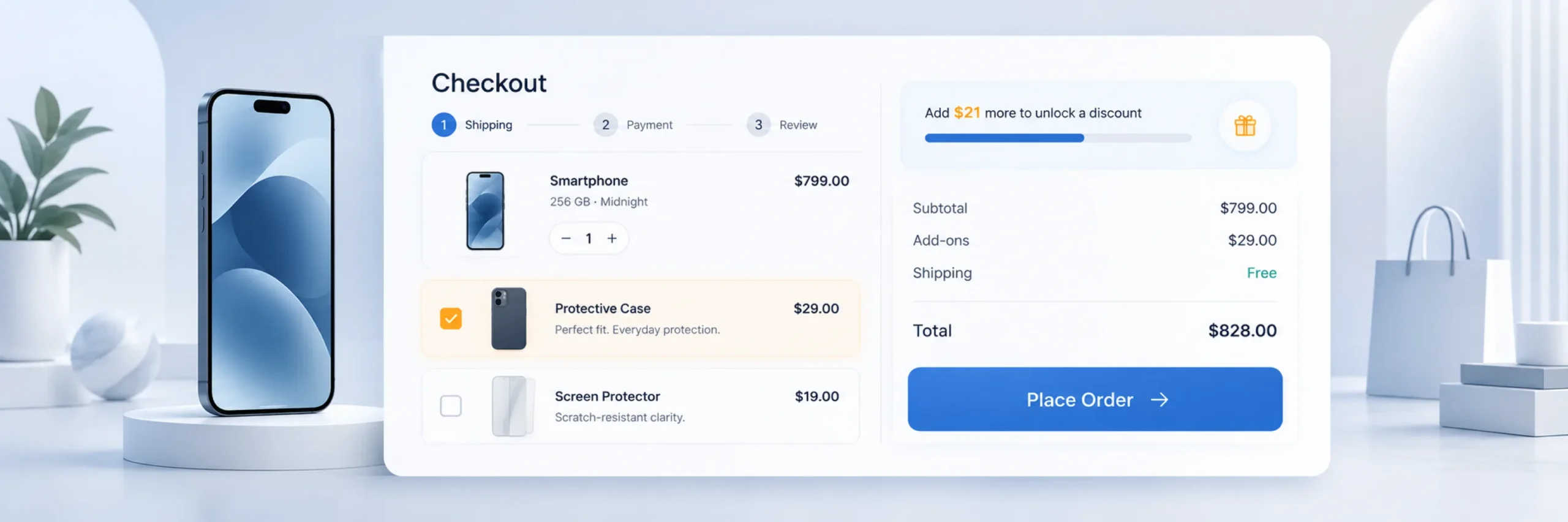
13. Offer a discount for a slightly larger order
A simple checkout message like “Spend $10 more and get 10% off” can nudge a customer to go back and add one more item before finishing checkout.
Example: At checkout, a banner reads “Spend $10 more and get 10% off your entire order.” The customer’s cart is $92, so they go back, add an $11 item, and unlock the discount, ending up spending more even after the percentage off.
How to set it up: This works best paired with a visible cart or checkout summary, so the customer can see exactly how close they are.
14. Make sure your checkout offer works on your specific payment gateway
An order bump that fails to charge correctly, or a one-click upsell that doesn’t work on your gateway, costs more in lost trust than it gains in revenue.
Example: A store using a regional payment gateway turns on a one-click post-purchase upsell without testing it first. The first few customers who accept the offer get an error message instead of a confirmation, and some contact support confused about whether they were charged twice. A five-minute test order would have caught this before it reached real customers.
How to set it up: Test with a real transaction, or your gateway’s sandbox mode, before relying on any checkout-based upsell for live customers.
Post-Purchase Upsell Ideas
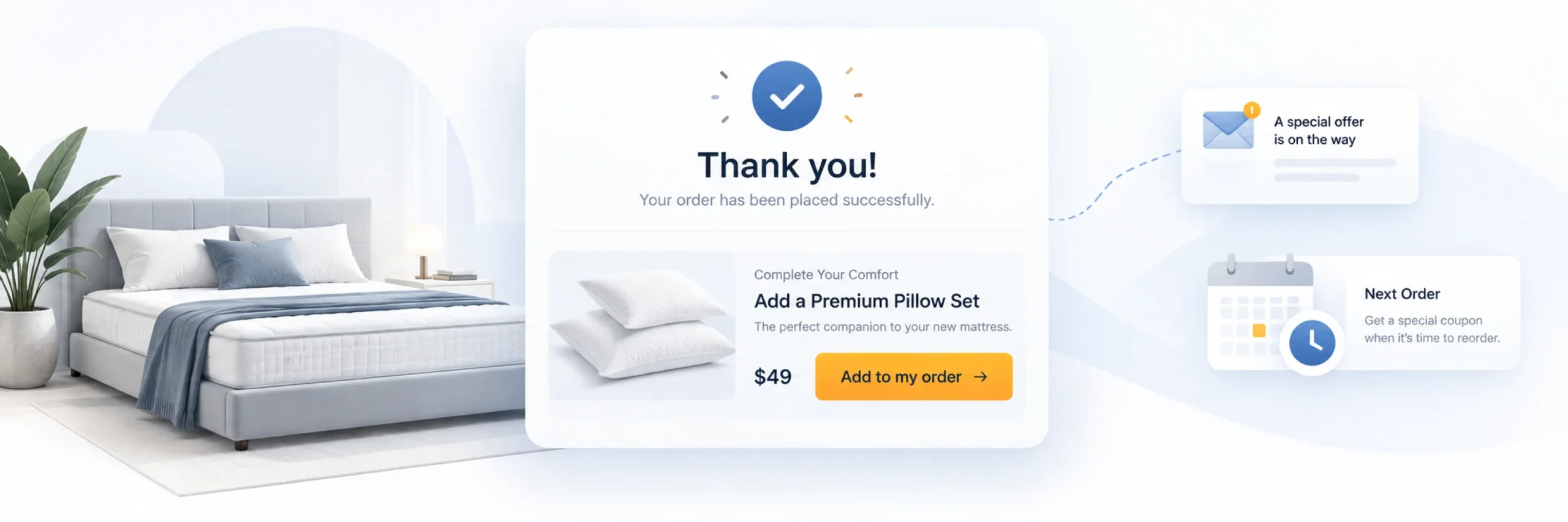
15. Show a one-click Thank You page offer
Right after checkout, while the customer is still engaged, offer one more relevant item that adds to the same order with a single click, no re-entering payment details.
Example: A customer just bought a mattress. The confirmation page, instead of just saying “Thank you for your order,” shows “Add a pillow set for $25?” with one button: “Yes, add to my order.” One click, no new payment form, and it’s done.
How to set it up: Confirm your payment gateway supports charging a saved card without re-entry. Stripe and PayPal are the most reliably supported gateways for this.
16. Send an automatic next-order coupon
Instead of trying to sell more in the same session, give the customer a coupon for their next purchase, delivered automatically after their current order.
Example: A day after buying a pair of shoes, the customer gets an email: “Here’s 15% off your next order, valid for 14 days.” They weren’t shopping that day, but the coupon sitting in their inbox with a deadline brings them back before it expires.
How to set it up: Set a clear expiry date to create gentle urgency, and make sure the coupon email arrives close to the purchase, while the store is still top of mind.
17. Follow up with a relevant email a few days later
If the customer bought a consumable or a product with an obvious companion item, a follow-up email a few days later, not immediately, tends to convert better than doing it all at checkout.
Example: Someone buys a bag of coffee beans. Ten days later, right around when the bag would be running low, they get an email: “Running low? Reorder your favorite blend in one click.” The timing matches when they’d actually need it, not an arbitrary follow-up schedule.
How to set it up: Time the email around a realistic usage window: a few days after a skincare purchase, a few weeks after buying a printer, and so on.
Store-Wide and Loyalty Ideas
18. Set up a referral program
Turn happy customers into a source of new orders by giving them a shareable referral link, often paired with a reward for both the referrer and the new customer.
Example: After checkout, a customer sees “Love what you bought? Share this link and you’ll both get 10% off.” They send it to a friend, the friend buys something using the link, and both of them automatically get their discount, no manual coupon codes involved.
How to set it up: Keep the reward simple, a percentage off for both sides, and make the referral link easy to share directly from the order confirmation or account page.
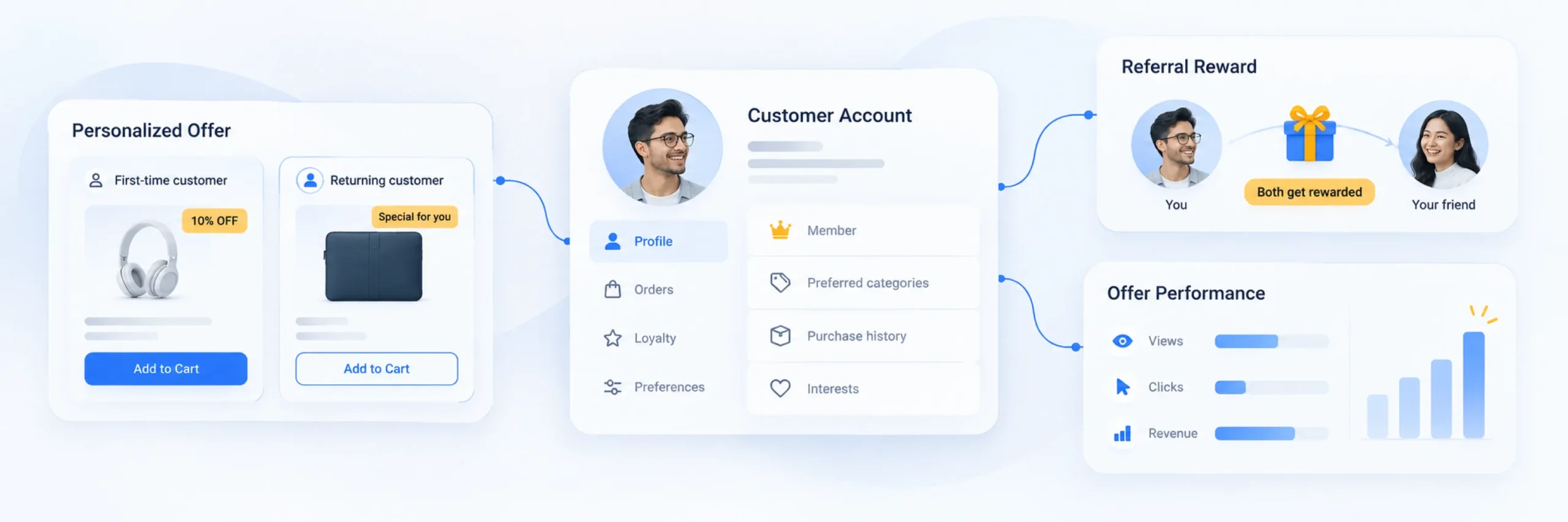
19. Segment your offers by customer type
A first-time visitor and a returning customer don’t need to see the same upsell. A returning customer might respond better to a loyalty-flavored offer, while a first-time visitor benefits more from a simple, low-risk add-on.
Example: A first-time visitor sees a simple $9 order bump at checkout. A returning customer with three past orders sees a different message instead: “As a returning customer, add this at 20% off.” Same checkout page, two different offers, based on who’s actually looking at it.
How to set it up: Use targeting rules based on login status, order history, or customer type, available in tools like PickPair, Smart Offers, or FunnelKit, rather than showing one static offer to everyone.
20. Track every offer’s performance and cut what doesn’t work
The single most overlooked idea on this list: many stores set up two or three upsell offers and never check whether any of them are actually converting.
Example: A store owner checks their dashboard after a month and sees the checkout order bump has a 12% acceptance rate and has added $340 in extra revenue, while the product-page bundle has been seen 200 times but clicked only twice. Instead of guessing, they turn off the bundle and try a different product pairing instead.
How to set it up: Use a plugin with built-in reporting, so you can see views, clicks, and revenue per offer, and remove or adjust anything that isn’t earning its place on the page.
How to Prioritize These Ideas
If you’re starting from zero, don’t try to launch all 20 at once. A reasonable order to tackle them in:
- Start with the free shipping bar (#7) — it’s the fastest to set up and one of the highest-converting ideas here.
- Add one checkout order bump (#11) — low effort, and it tests the concept of an add-on offer with minimal risk.
- Add a Frequently Bought Together box on your best-selling product (#1) — this is where the volume of traffic will make the biggest difference.
- Add a post-purchase Thank You page offer (#15), once you’ve confirmed your payment gateway supports one-click charging.
- Layer in targeting rules and a next-order coupon (#19, #16) once the basics are live and performing.
- Review your reports regularly (#20) and keep only what’s actually working.
Most of these ideas, the Frequently Bought Together box, the free shipping bar, the checkout order bump, the post-purchase offer, and the next-order coupon, can be run from a single plugin like PickPair, instead of installing a separate tool for each one.
Frequently Asked Questions
Average Order Value is the average amount a customer spends per order. Increasing it means each visitor who already decided to buy generates more revenue, without needing to spend more on acquiring new traffic.
A checkout order bump and a free shipping progress bar are generally the fastest to set up and tend to show results quickly, since they require very little decision-making from the customer.
No. Several of these ideas, product page bundles, cart cross-sells, checkout order bumps, and post-purchase offers, can be run from a single all-in-one plugin like PickPair, which keeps targeting rules and reporting in one place instead of scattered across separate tools.
Fewer than you’d think. One offer per moment, product page, cart, checkout, post-purchase, tends to outperform several competing offers shown at the same time, which can clutter the page and hurt conversion instead of helping it.
Generally yes. A first-time visitor tends to respond better to a low-risk, cheap add-on, while a returning customer may respond better to a loyalty-oriented offer or a next-order coupon, since they already trust the store.
Track views, clicks, and revenue for each offer individually, not just overall store revenue. A plugin with built-in reporting makes this straightforward; without it, it’s hard to tell which specific offer deserves credit for a lift in AOV.
Yes, if your payment gateway supports one-click charging. The moment right after checkout is one of the few times a customer is fully engaged and has already committed to buying, which makes it a genuinely low-friction moment to offer one more relevant item.
Conclusion
Raising AOV in WooCommerce isn’t about finding one clever trick. It’s about placing a handful of relevant, well-discounted offers at the moments customers are already paying attention: the product page, the cart, checkout, and right after the sale. Start with the simplest ideas, a free shipping bar and one checkout order bump, then layer in Frequently Bought Together bundles, targeting rules, and post-purchase offers as you see what actually converts for your store.
Whichever ideas you start with, keep the offers cheap, relevant, and easy to say yes to, and check your reports regularly so you know what’s actually earning its place on the page.
Ready to put several of these ideas into action without installing five different plugins? PickPair covers Frequently Bought Together bundles, cart cross-sells, checkout order bumps, and post-purchase offers from one dashboard, with built-in targeting and reporting.